40
6.4.2. E-series Configuration Utility
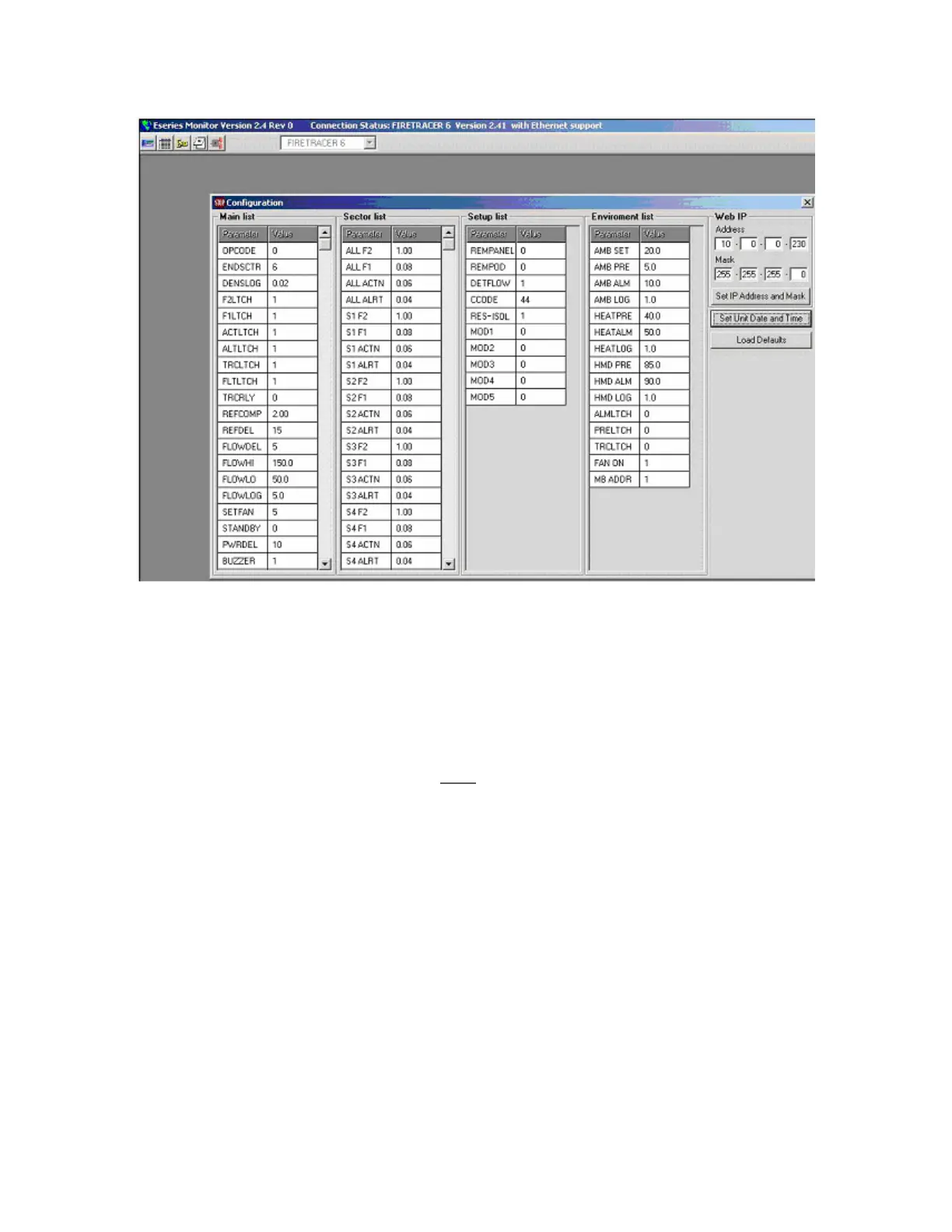
The window for this utility is shown below:
NOTE: All values must be entered with a decimal point (.) even if they are displayed with a comma (,).
1. Main List
This list is reproduced on pages 22-24 of this manual with the full titles, range and factory defaults. Some codes are required to change
parts of the list and these are supplied in the same section of the manual.
2. Sector List
This list is reproduced on page 25 (section 3.4.3) of this manual with the full titles, range and factory defaults. The day values can be
altered from this menu. During the day, the daytime sector values are shown and during the night, the night time values are shown.
To change the night settings the display panel emulator must
be used.
3. Set-up List
This is made up of the following settings:
PARAMETER FULL NAME RANGE DEFAULTS
REMPANEL Remote Panel 0 or 1 0
REMPOD Remote Pod 0 or 1 0
DETFLOW Detector Flow 0 or 1 0
CCODE Country Code 0 to 99 44
MOD1 Module 1 - 0
MOD2 Module 2 - 0
MOD3 Module 3 - 0
MOD4 Module 4 - 0
MOD5 Module 5 - 0
If a remote panel is connected then REMPANEL should be set to 1.
If an Enviropod is connected then REMPOD should be set to 1.
If the detector flow is to be monitored then DETFLOW should be set to 1.
CCODE sets the language and this uses standard international telephone dialling codes. For instance, when dialling the UK from abroad the
number starts +44 therefore the CCODE for English is 44.
MOD1-5 are for entering the code of any attached module.



 To Next Page