Blind Scan
Press [White] key to enter blind scan mode
directly to scan the current satellite.
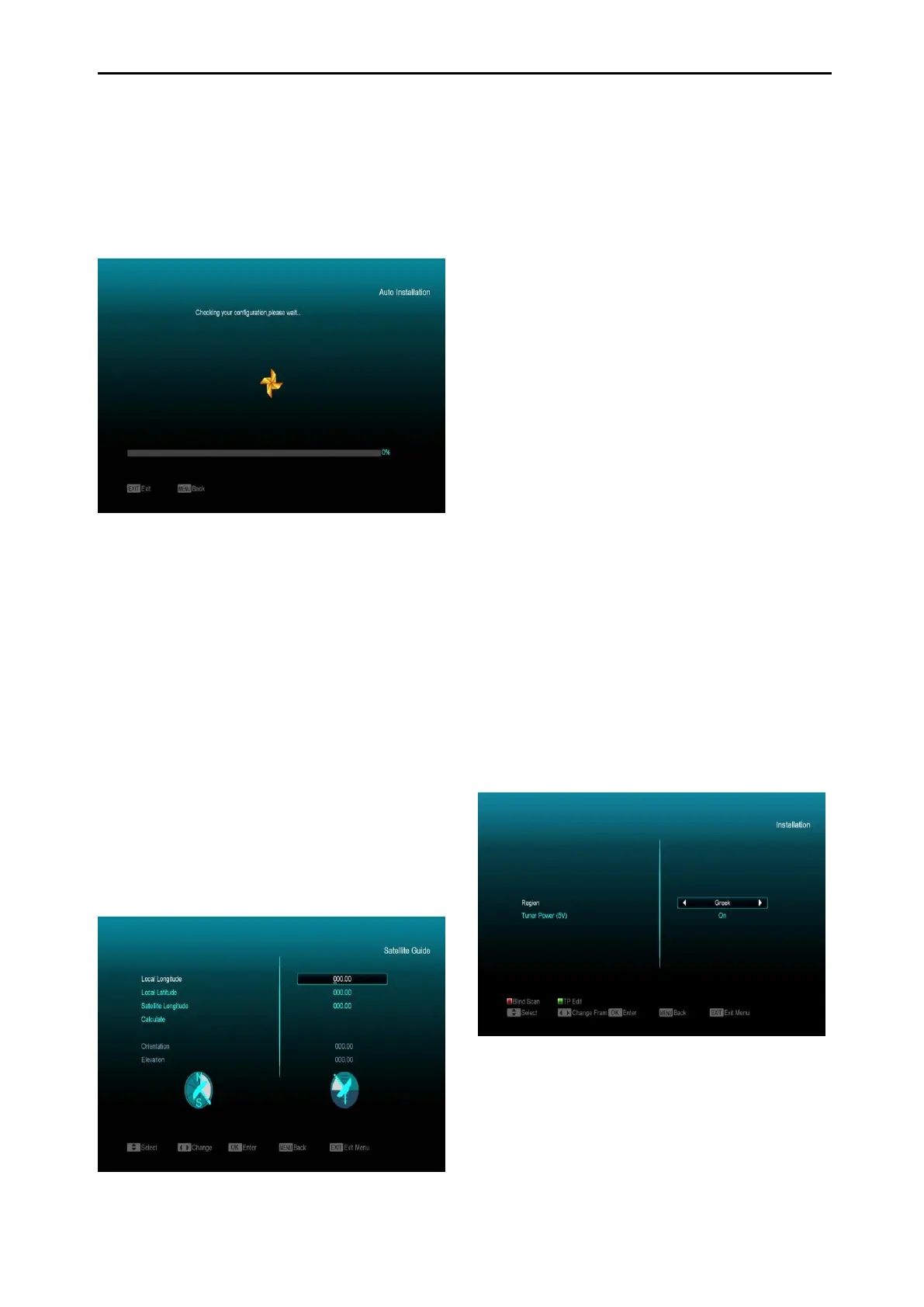
10.2 Auto installation
“Auto Installation” is a very new and convenient
function. It will automatically detect all dishes
connected to this receiver and scan the
available services of the satellite(S) matched
using the satellites and transponder data in
current database. You don’t have to input any
parameters of your antenna settings. Just press
“OK” button to enter this “Auto Installation”
menu, it starts scanning and shows you the
result at the end of scan.
10.3 Satellite Guide
When you enter “Satellite Guide” menu, you will
see the screen like below:
“Satellite Guide” is for user to enter local
longitude; local latitude and satellite longitude.
The receiver evaluates the antenna azimuth and
antenna elevation; user can follow this guidance
to adjust antenna if required.
1 You can use number keys to input
parameters in “Local Longitude”, “Local
Latitude” and “Satellite Longitude”.
2 You can use [Left/Right] key to select east
or west in “Local Longitude” and “Satellite
Longitude”, select north and south in
“Local Latitude”.
3 Move highlight to “Start” item and press
[OK] key. The lower column on the screen
will calculate the corresponding value
automatically.
4 Orientation means the angle between
south and satellite.
5 Press [Exit] key to draw back to “Main”
Menu.
10.4 Terrestrial Installation
Press [OK] key to enter the selected item.
1 You can select the Region according to
your country.
2 You can set the Tuner Power ON/OFF.
3 Press [Red] key to enter blind scan mode to
scan the current programmes.



 To Next Page