please modify the time information in “Time”
item.
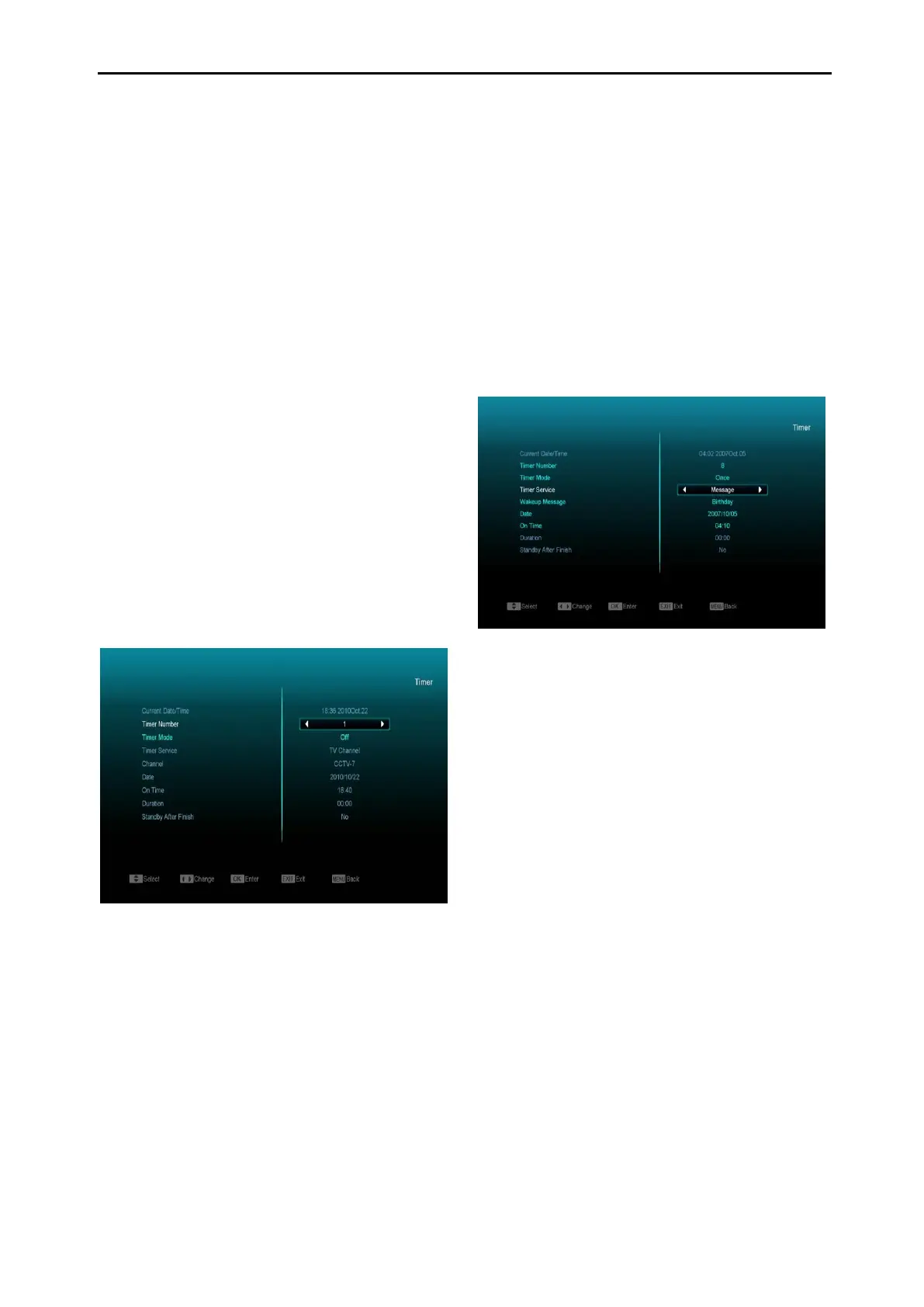
Timer Number: You can press [Volume Up /
Volume Down] keys to set Timer number,
and there are 8 timers in total.
Timer Mode: There are several modes for
Timer to set, including Off, Once, Daily,
Weekly, Monthly and Yearly.
Timer Service: There are options for “Timer
Service”, including “TV Channel”, “Radio
Channel” (Timer Setting for Channel Change
and Wakeup/Sleep), "Record Radio",
"Record TV" (Timer Setting to Record the TV
or Radio programme to USB Hard Disk) and
Message (Reminder Message).
When you select “Channel” (Timer Setting for
Channel Change and Wakeup/Sleep) option
in “Timer Service”, the screen will display like
below:
i. Channel: Press [OK] key to enter
channel list and select channel that
you want to set.
ii. Date: Use numeric keys to input your
wakeup date.
iii. On Time: Use numeric keys to input your
wakeup time. Once the time’s up, no
matter whether the system is in standby
mode or switched on, the system will
automatically switch to the channel you
have selected.
iv. Duration: Set a time for “Duration”, once
the time’s up, the system will
automatically switch to standby mode. If
you do not want to use this function, set
the duration to 00:00.
When you select “Message” (Reminder
Message) option in “Timer Service”, the
screen will display like below:
v. Wakeup Message: Press [Volume Up /
Volume Down] key to select Reminder
Message as Birthday, Anniversary or
General.
vi. Date: You can use number key to input
your wakeup date.
vii. On Time: Use numeric keys to input your
wakeup time. Once the time’s up, no
matter whether the system is in standby
mode or switched on, the system will
automatically display a reminder
message.
viii. The message will always display on the
screen, you can press [Exit] key to close it.
ix. Press [exit] key to exit the current menu.
11.6 Miscellaneous Settings
When you enter “Miscellaneous Settings” menu,
you will see a screen like below:



 To Next Page