screen picture to be narrow and there’re
black band on left and right site. Auto
means system won’t do any aspect ration
translation, 16:9 picture source will be good
display on a 16:9 TV but will be too narrow
on a 4:3 TV, and 4:3 picture source will be
too wide in a 16:9 TV but will be good
display in a 4:3 TV.
Video Output: Press [Left/Right] to select
RGB or YUV.
RF system and RF channel are for user to
set the TV RF modulator output signal
VHF/UHF channel and TV system mode. If
your TV is too old to support CVBS//HDMI,
you can use TV RF cable to connect STB’s
TV RF output port to TV Antenna input port.
Digital Audio Out is for setting both the
SPDIF and HDMI’s digital audio output
mode. It has options LPCM Out and Auto.
You can press [Left/Right] Key to select
each mode. LPCM Out means system will
decode no matter AC3 or PCM audio track
data to be LPCM, digital audio decoder or
HDMI TV will get LPCM digital audio data.
Auto means system will detect which the
connected HDMI TV can decode and then
output that data. If HDMI TV can decode
AC3, system just outputs RAW data, if
HDMI TV can decode LPCM only; system
will just decode AC3 or LPCM to be LPCM
and then output.
Press [exit] key to return from “TV System”
menu.
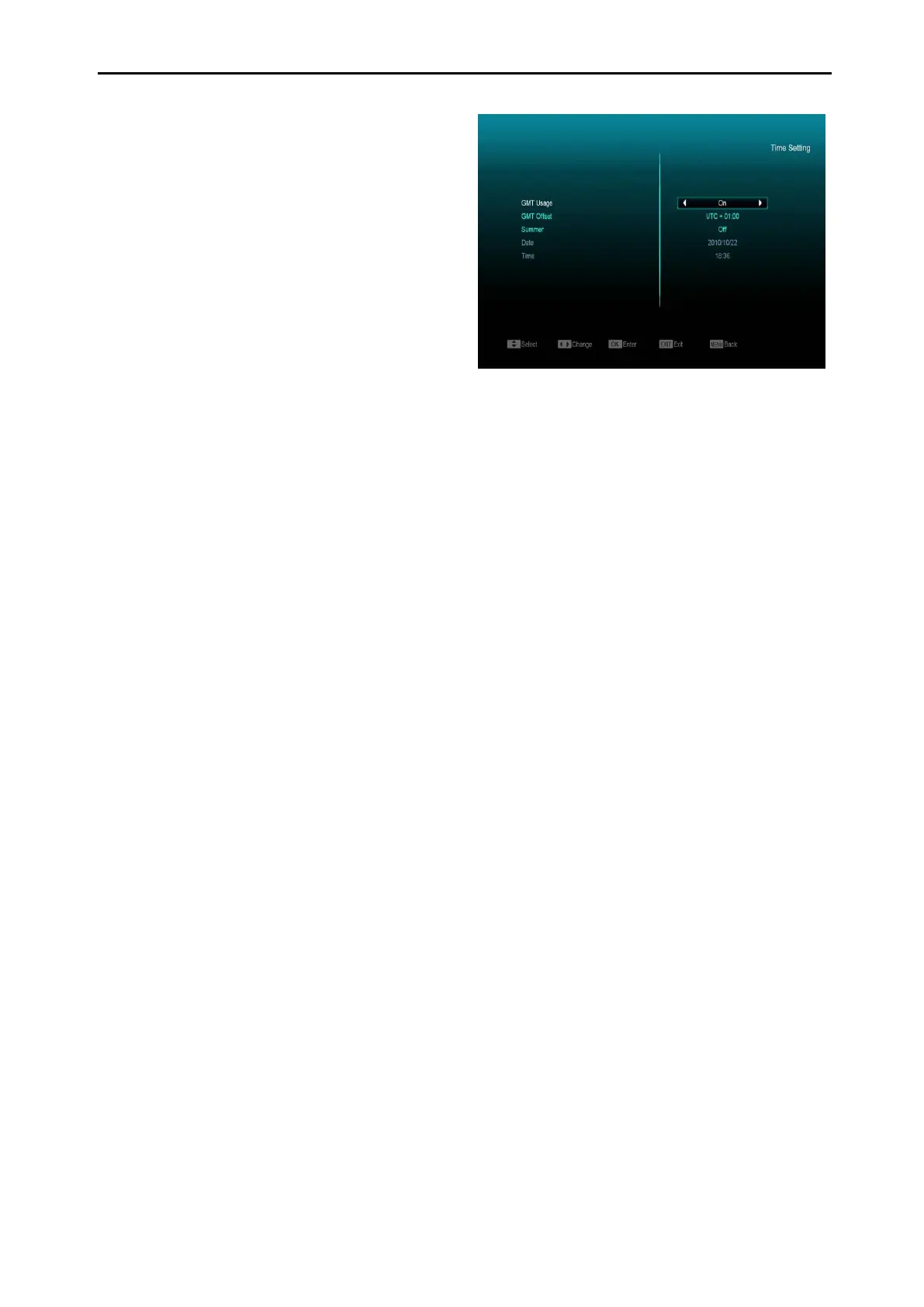
11.4 Time Setting
When you enter “Local Time Setting” menu, you
will see a screen like below:
GMT Usage: This item is used to open the
GMT option. You can press [Volume Up /
Volume Down] keys to switch “On/Off”.
The “GMT Offset” item is valid only when the
setting of “GMT Usage” is “On”. You can
press [Volume Up / Volume Down] keys to
switch “GMT Offset” value and the range are
“-12:00 ~ +12:00” increase each half hour
progressively.
You can press [Left/Right] to control
Summer time on or off.
“Date” and “Time” items are valid only when
the setting of “GMT Usage” is “Yes”. You
can press [Volume Up / Volume Down] keys
to moving highlight and use number keys to
input directly.
If the current channel provides the correct
time information, you will see the current
time while you enter “Time” menu. If the
channel doesn’t provide time information,
you have to input the date and time
information manually.
Press [exit] key to return from “Local Time
Setting” Menu.
11.5 Timer
Press [enter] key to open timer menu.
Current time information will display on the
first column; if the current time is incorrect,



 To Next Page