31
7
DIGITAL SELECTIVE CALLING (DSC)
D Sending a Position Request call /Polling Request call
(For only the USA version)
the presetting.
•
•
communication area, or not.
Example: Sending a Position Request call
1. Push
.
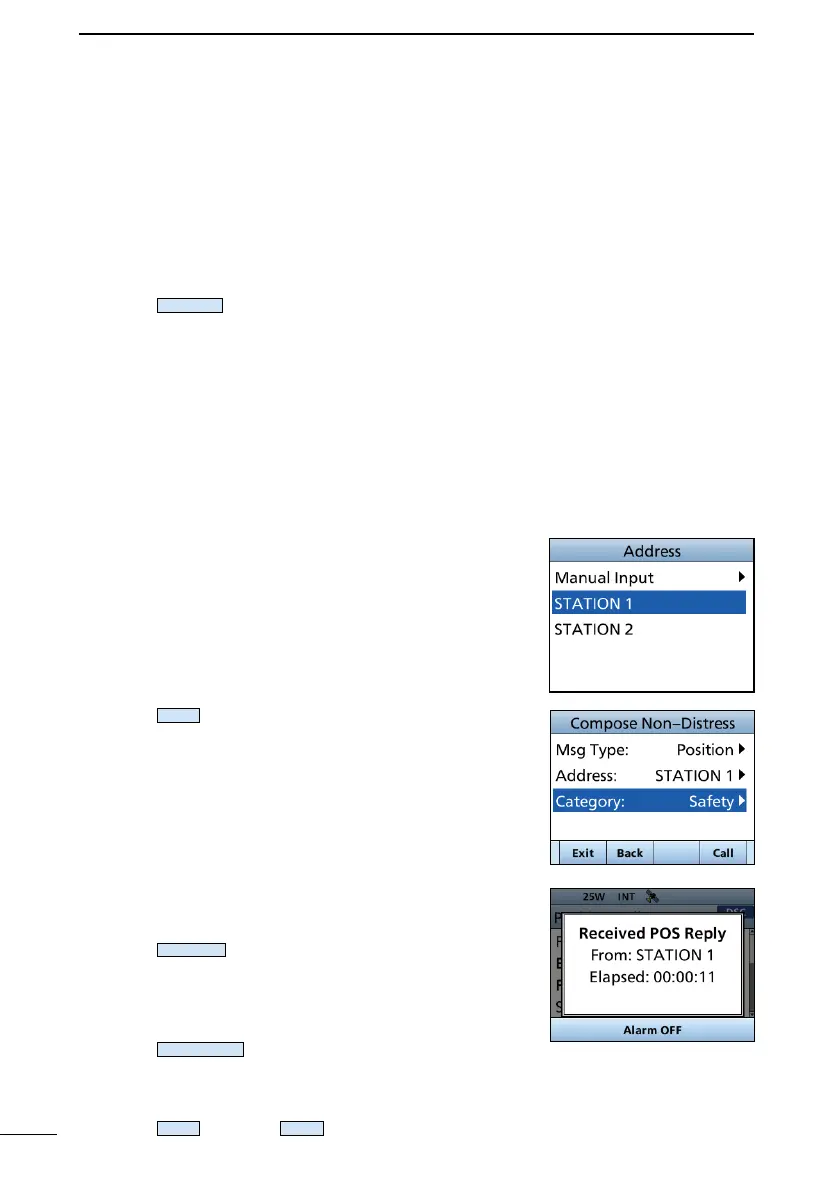
• The “Compose Non-Distress” screen is displayed.
L You can also display the “Compose Non-Distress”
screen by selecting the “Other DSC” item on the Menu
screen.
2. Select “Msg Type,” and then push [ENT] or [CH/ENT].
3. Select “Position,” and then push [ENT] or [CH/ENT].
L
“Polling.”
• The message type is selected, and returns to the
“Compose Other” screen.
4. Select “Address,” and then push [ENT] or [CH/ENT].
5.
then push [ENT] or [CH/ENT].
L You can also select “Manual Input” to manually enter
the target ID.
6. Push
•
ACK” is displayed.
L If Channel 70 is busy, the transceiver stands by until
the channel becomes clear.
7.
• An alarm sounds.
• The screen on the right is displayed.
8. Push
to turn OFF the alarm.
9. Push
.
• The received information is displayed.
10.
11. Push
, and then
to return to the operating
screen.



 To Next Page