41
7
DIGITAL SELECTIVE CALLING (DSC)
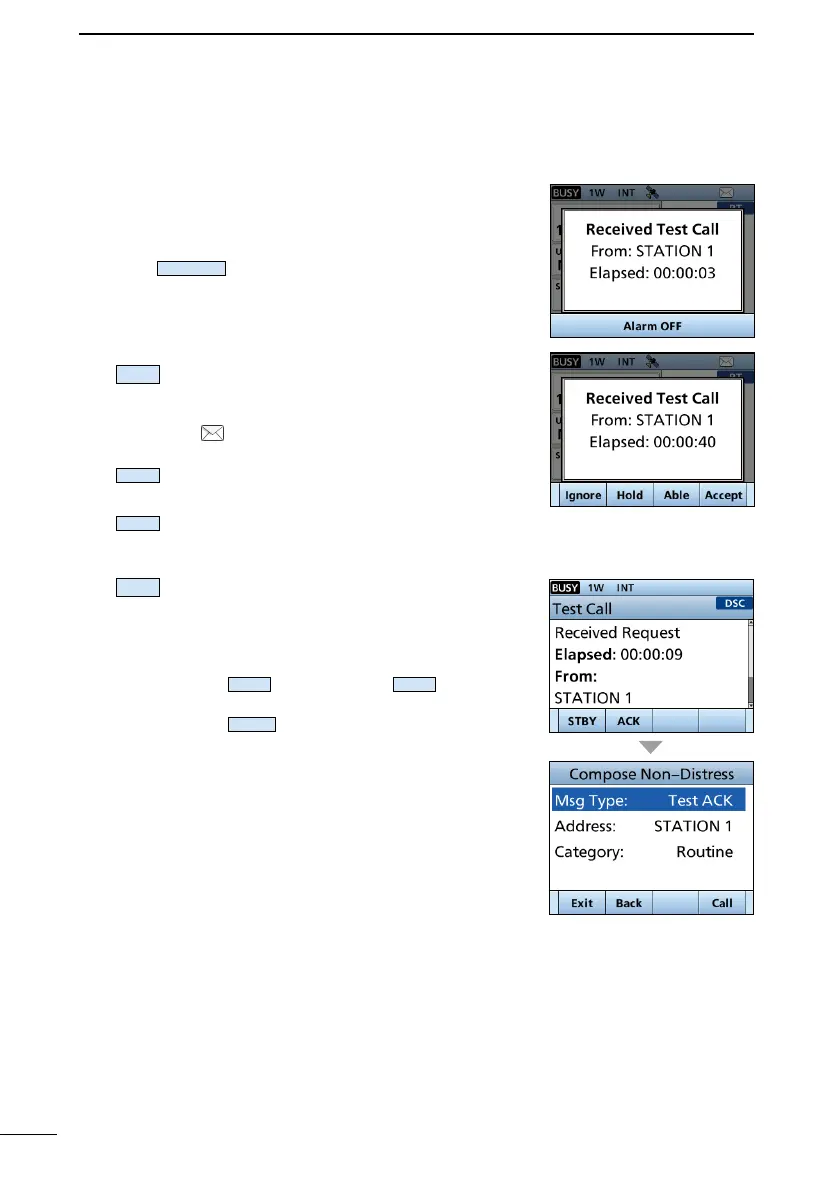
D Receiving a Test call/Position Report call
Example: Receiving a Test call
• An alarm sounds.
•
1. Push
to turn OFF the alarm.
2.
Ignores the call and returns to the operating
screen.
• The call is saved in the DSC Log.
• “
” blinks continuously until you display
the call message.
Main screen.
( Able to
comply)
Comply.”
• The call is saved in the DSC Log.
Accepts the call.
• Displays the received call’s information.
• The call is saved in the DSC Log.
• The received call’s information is
displayed.
Push
, and then push
to send a
Push
to resend.



 To Next Page