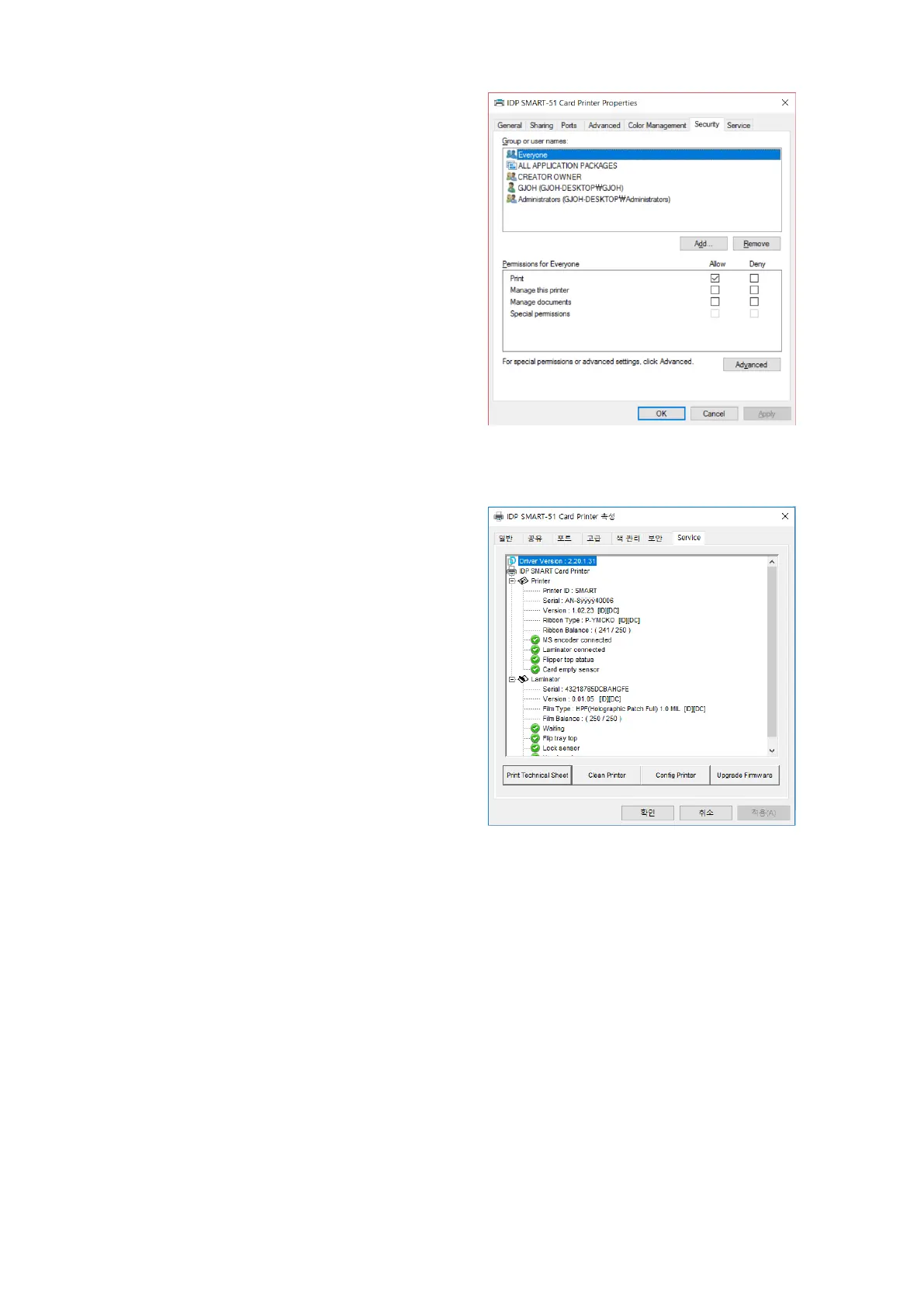
(5) Security
You can set the permission to use a printer.
Depend on the permission, the certain
group or user can print, manage the
printer/documents or not.
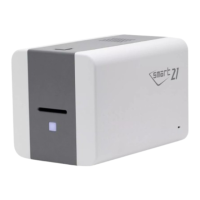
(6) Service
You can recognize the modules to connect,
printer serial, printer ID, driver version,
firmware version, type of ribbon & balance
and printer’s status.
You can print the “technical support sheet”
on a card to check printer’s setup value.
To clean printer, please insert a cleaning
card in a hopper and click “Clean Printer”.
For further details, please refer to “6.2.
Cleaning Printer”.
Please click “Config Printer” to change the
printer settings. For further details, please
refer to “4. Utilities”.
Click the “Upgrade Firmware” to popped up
the firmware upgrade window. For further
details, please refer to “4.4 Firmware
update”



 To Next Page