69
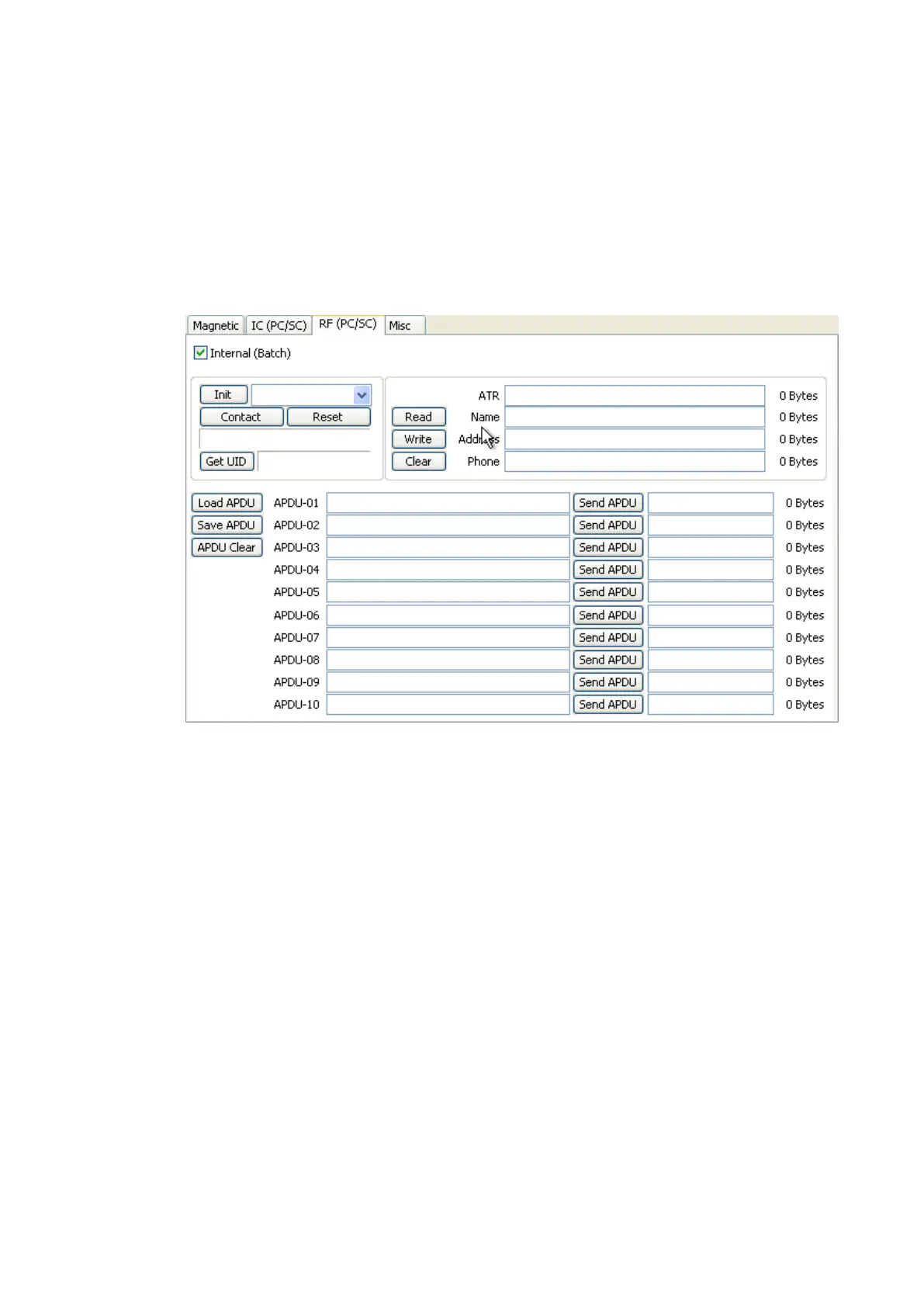
“Save APDU” is to save the displayed APDU commands.
“Clear APDU” is to clear the APDU section.
“Send APDU” is to run the APDU commands.
Batch process repeats the following steps sequentially, Card “IN” Move “RF”
RF “Connect” Get UID RF “Discontact” Card “OUT”
Figure 92 Contactless smartcard encoding
(6) Printer status
“Get Temperature” is to get and display the temperature of Thermal Print Head. When the
“Realtime Check” is ticked, it displays the current temperature of Thermal Print Head in real
time.
“Get Status” is to get and display the printer status.
Please refer to the ‘SMART SDK manual’ for the status code.



 To Next Page