15
3D sensor
UK
7.3 Static selection of the application
Up to 32 different inspection tasks can be stored in the sensor. With the corresponding configuration the
first four applications can be selected via the two switching inputs.
Input 2 Input 1 Application no.
0 0 1
0 1 2
1 0 3
1 1 4
0
RR
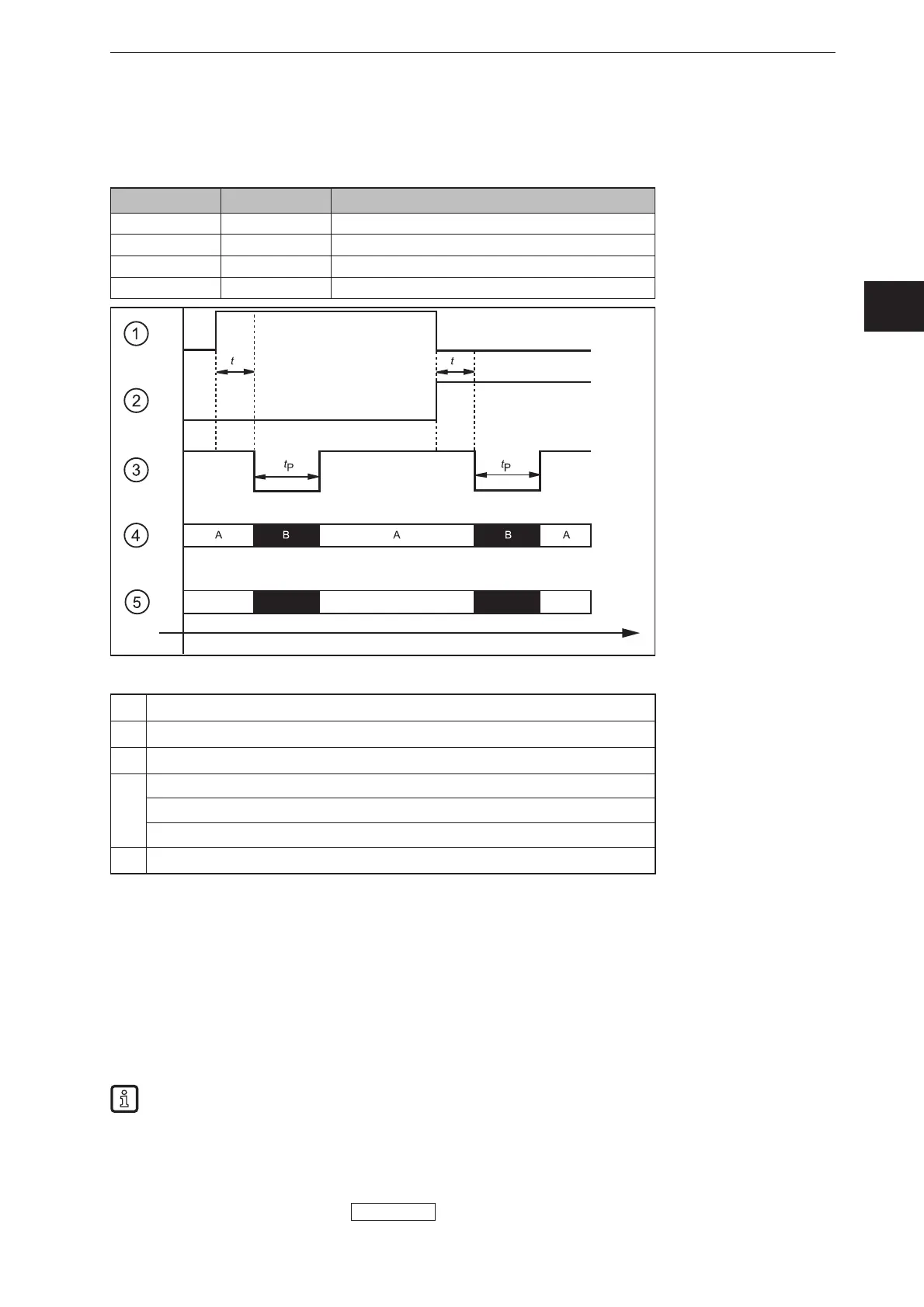
Example: Selection application 1 → application 2 → application 3
①
Switching input 1 = 0 → 1 → 0
②
Switching input 2 = 0 → 0 → 1
③
READY output
④
Trigger input
A: trigger enabled
B: trigger disabled
⑤
ID number of the active application
For the selection of the applications the monitoring time t
R
and the trigger disable time t
P
have to be taken
into consideration.
Monitoring time t
R
: After a change in edges the external selection of the application does not start before
the state of both switching inputs remains stable for 20 ms.
Trigger disable time t
P
: The trigger input is disabled during the selection of the application. The disable
time depends on:
● the number of applications on the device
● the number of models in the application to be activated
The figure above shows the PNP output logic (factory setting). The behaviour of the NPN output
logic is the opposite of that of the PNP output logic:
● PNP output logic: In case of a high signal (1), voltage is applied.
● NPN output logic: In case of a low signal (0), voltage is applied.
For more detailed information about the configuration of the selection of the application we refer you to
the software manual of the device.
www.ifm.com



 To Next Page