12
Display and Keypad
DpS-Visio
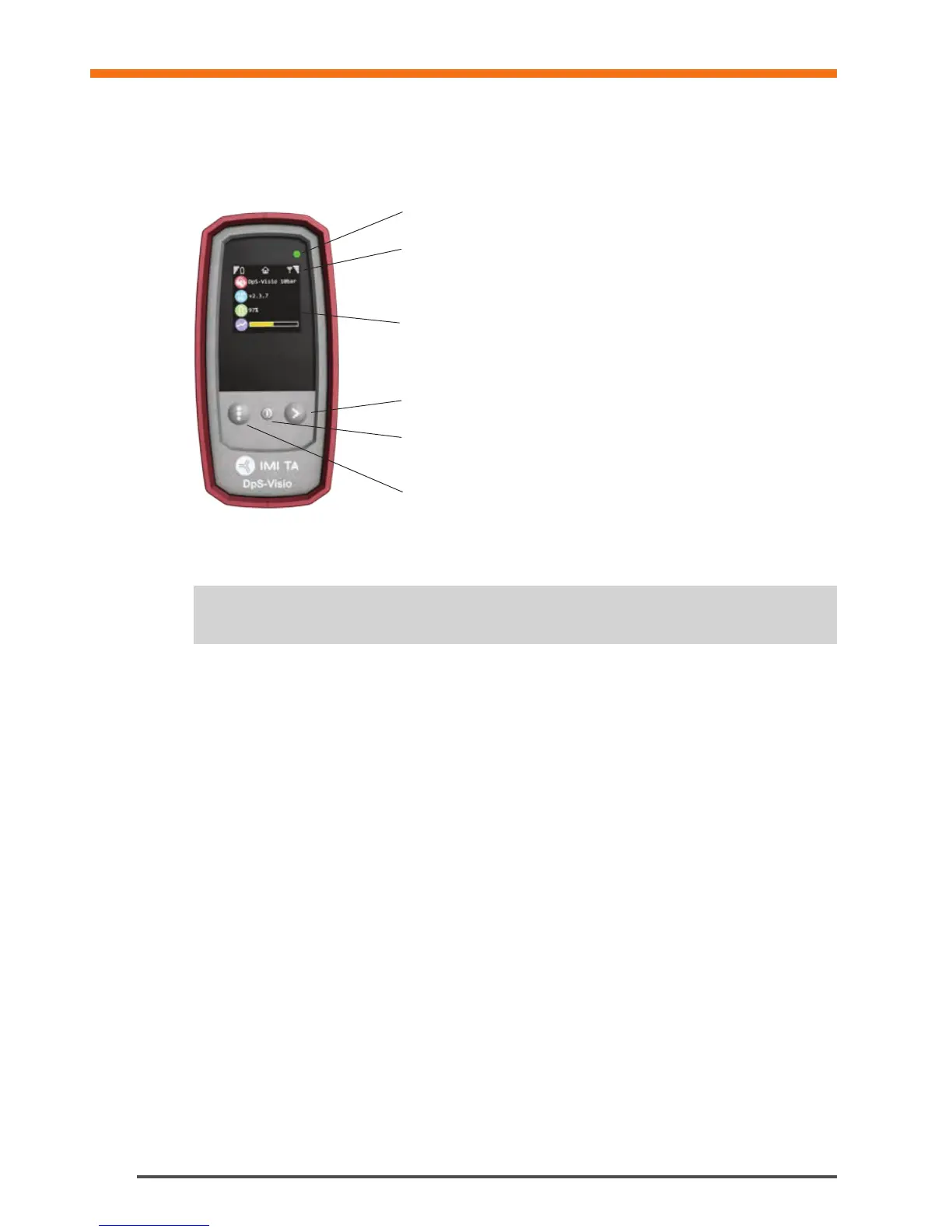
The display is divided into three areas, the Information bar, the Main display and the Function keys.
LED for battery status
Information bar
Icons on the Information bar display details of battery status, connection
type and intensity.
Main display
Shows status and measurement, page 13, 22 and 38.
Function keys
Arrow button
- Press button to start measurement or change settings
On/Off button
- Long press for switching unit on or off
- Short press for display on or off
Navigate button
- Jump between menus
Note! Never leave water in the Dp Sensor unit when risk of freezing exists (i.e., in the car during
winter).
!


 To Next Page