37
Settings
Explanation of Function (Handheld)
In the Settings menu, customised adjustments of the instrument and information representation are managed.
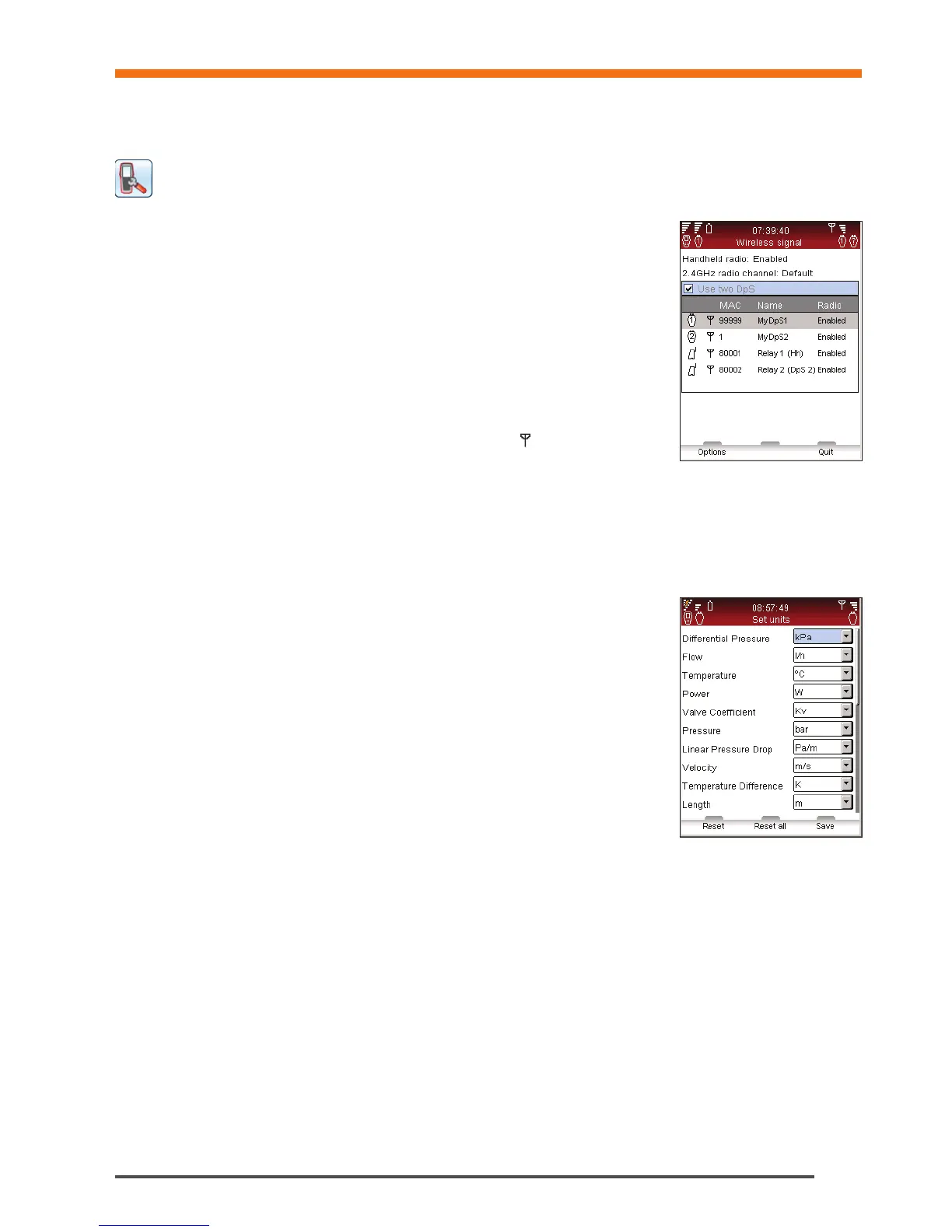
Wireless signal
The checkbox turns the two Dp Sensors mode On/Off. This mode allows the
use of the new TA-Wireless balancing method performing measurements with
two Dp sensors simultaneously.
Available Dp Sensors (and optional Relays), their wireless status and MAC
address are displayed in a list. Items that have been previously connected to the
handheld are displayed in grey if Show DpS archive is selected in the Options
menu.
If a Dp Sensor is used for the first time with the handheld, they need to be paired by
connecting them by cable. See Wireless Communication section on page 14.
Select Disable all radios in the Options menu to turn off all radio
communication. Select Enable Hh radio to set handheld wireless signal
back to On. When switching the wireless signal back to On each unit must
be connected by cable to re-establish contact. Once
is visible in the list,
disconnect the cable to commence wireless communication.
In order to configure long-distance transmission with the optional TA-SCOPE Relays select Configure Relays in
the Options menu. A software wizard takes you step-by-step through the configuration process. The option Add
intermediate Relays allows adding more intermediate Relays to an existing relay configuration.
Technical Parameters
In addition to the default settings, it is possible to show a wider range of IMI TA valves e.g., valves no longer in
production. Advanced technical parameters for valves and pipes can also be customised.
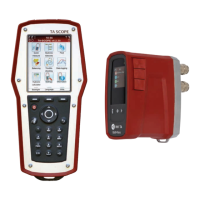
Units
Displayed units are automatically set correctly for your market prior to delivery
but can also be customised in this menu. It is also possible to alter the viewed
units directly in the measuring menus during operation. Updated units will be
maintained across the TA-SCOPE functionality. Reset All in the Units menu will
bring back the market specific, standard settings
Power Saving
Adjust the display backlight intensity and time limits for screen dimming, sleep
mode and switch off.
Device Names
Every Handheld and Dp Sensor can be given a customised name. This may
be particularly useful in companies with several TA-SCOPE instruments. Any
Handheld and Dp Sensor can become a wireless pair. Establish communication
between any two units by following the process of connecting an alternative Dp
Sensor (see page 15).
Language & Formats
Select language for display text, set format for date, time and decimal appearance.
Key Beep
Set the key beep volume between two different levels or off.
Date & Time
Set the date and time. Time is displayed on the Information bar of Handheld unit.
Information Messages
Enable/Disable the display of information messages. It can be done message by message.
Reset to Factory Settings
Reset all parameters to factory-set values. All measured and logged data are also erased.
Settings


 To Next Page