38
Settings
Explanation of Function (DpS-Visio)
In the settings menu, customised adjustments of the DpS-Visio and information representation are managed.
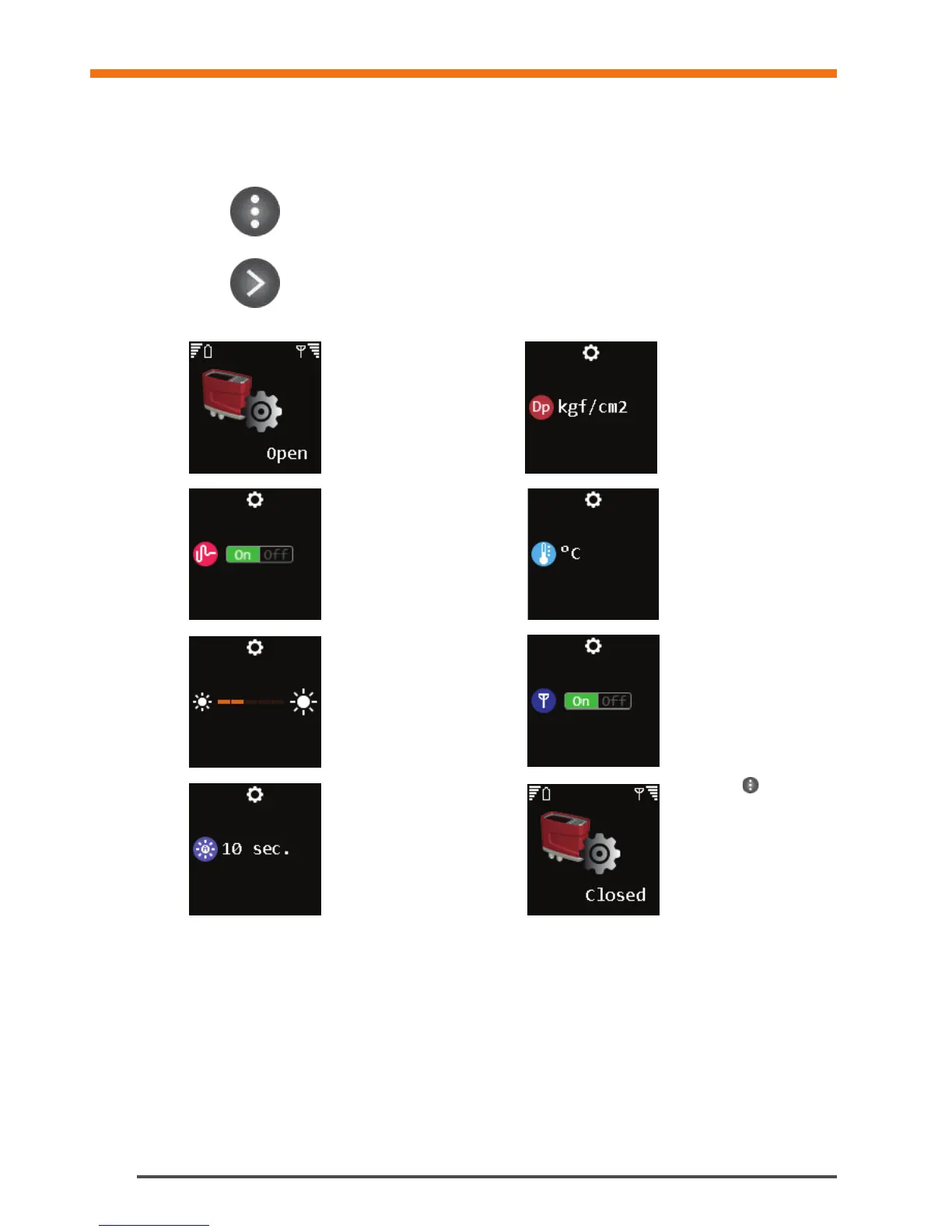
Long press to open settings menu
Long press to close settings menu
Short press - jump to next screen
Arrow button to change settings
Settings are open
Toggle Dp filtering
on/off
Change display
brightness level
Change time for display
auto off
Change Dp measuring unit
Change temperature unit
Toggle radio on/off
Long press
to close
settings menu


 To Next Page