12
English
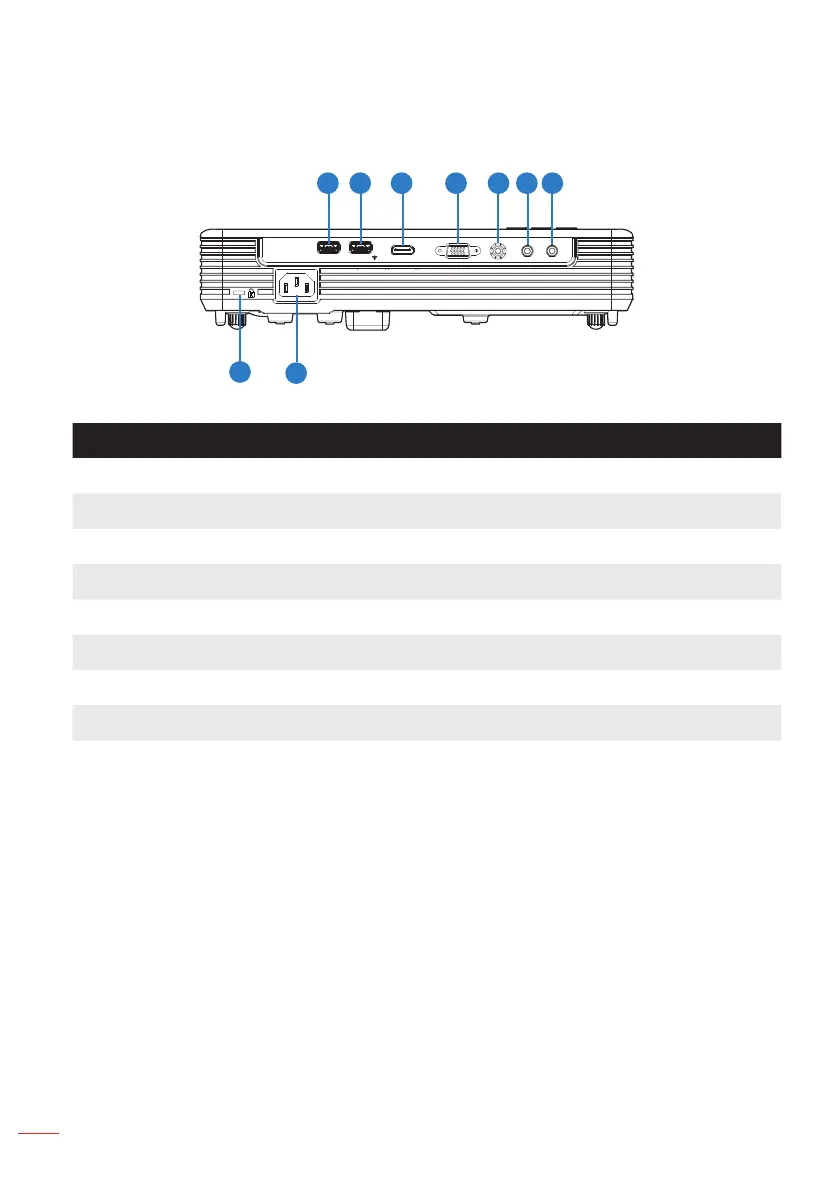
Input / Output Connections
# Description
1 USB1 Reader/Display connector*
2 USB2 Wireless Adapter connector*
3 HDMI connector
4 VGA-IN/YPbPr connector
5 VIDEO connector
6 AUDIO IN connector
7 AUDIO OUT connector
8 Power socket
9 Kensington
TM
Lock
Note:
* Both File Reader and Wireless Adapter USB A connectors support up to USB 2.0 and
5V/1A power. In addition, USB2 supports Wireless adapter.
* Use the USB connectors for rmware upgrade or for multimedia applications as follows:
Wireless Display: Plug the optional Wireless adapter in USB2. Use the EZCast Pro
application on your phone, tablet or computer to project.
Multimedia: Display photos, movies, documents and play music les from a USB drive
plugged into USB1.
USB 1
READER/DISPLAY
USB 2
WIRELESS DONGLE
HDMI
VGA-IN/YPbPr
VIDEO
AUDIO IN AUDIO OUT
1 2 754 63
8
9



 To Next Page