20
English
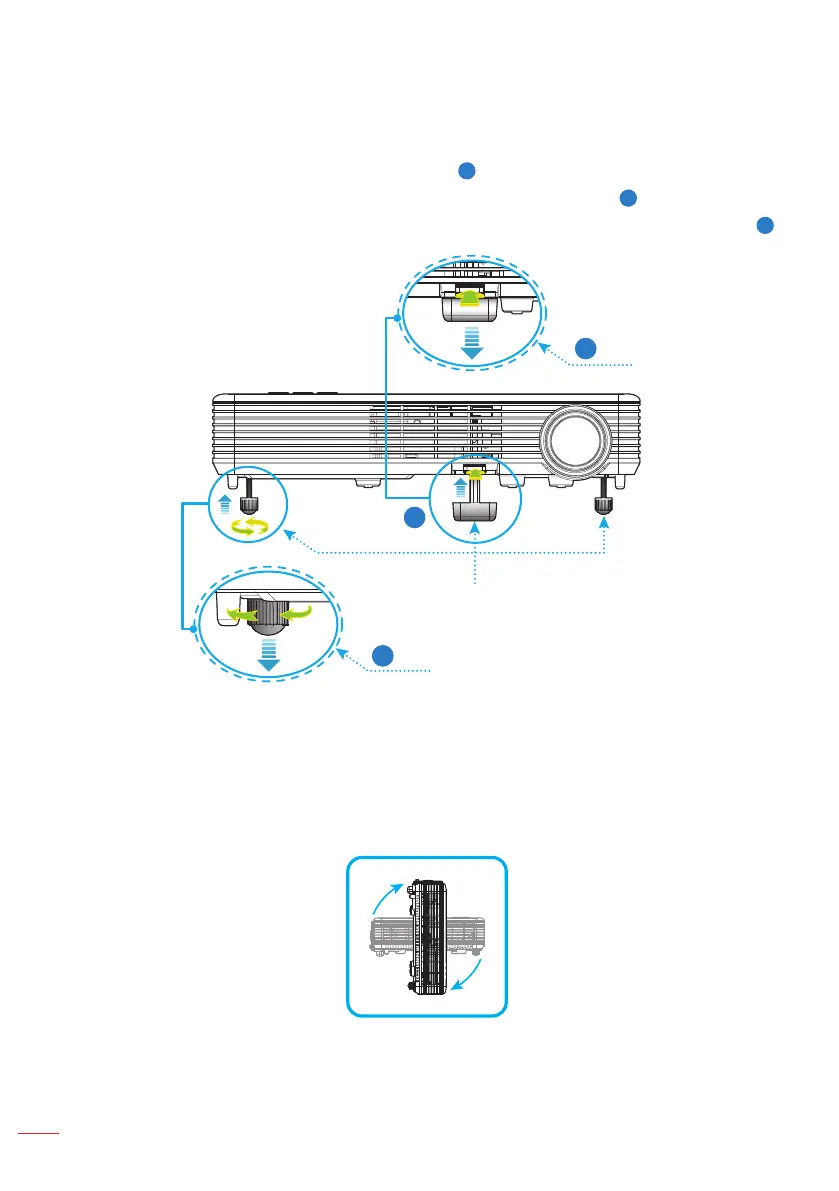
The projector is equipped with tilt-adjustment feet for adjusting the image height.
1. Press the tilt-adjustment foot release button.
1
Hold the release button to adjust the height then release to lock.
2
2. Rotate the rear feet counter clockwise to raise the projector or clockwise to lower it.
3
1
3
2
Tilt-adjustment foot
release button
Rear feet
Tilt-adjustment feet
Important Note: To avoid damaging the projector, ensure that the tilt-adjustment feet are fully
retracted before moving the projector or placing the projector in its carrying case.
360° Projection Capability
Images can be projected over a full 360° range along the vertical axis, including
reproduction on a ceiling or floor.
360°
360°
Adjusting the Projected Image



 To Next Page