39
English
Photo Viewer
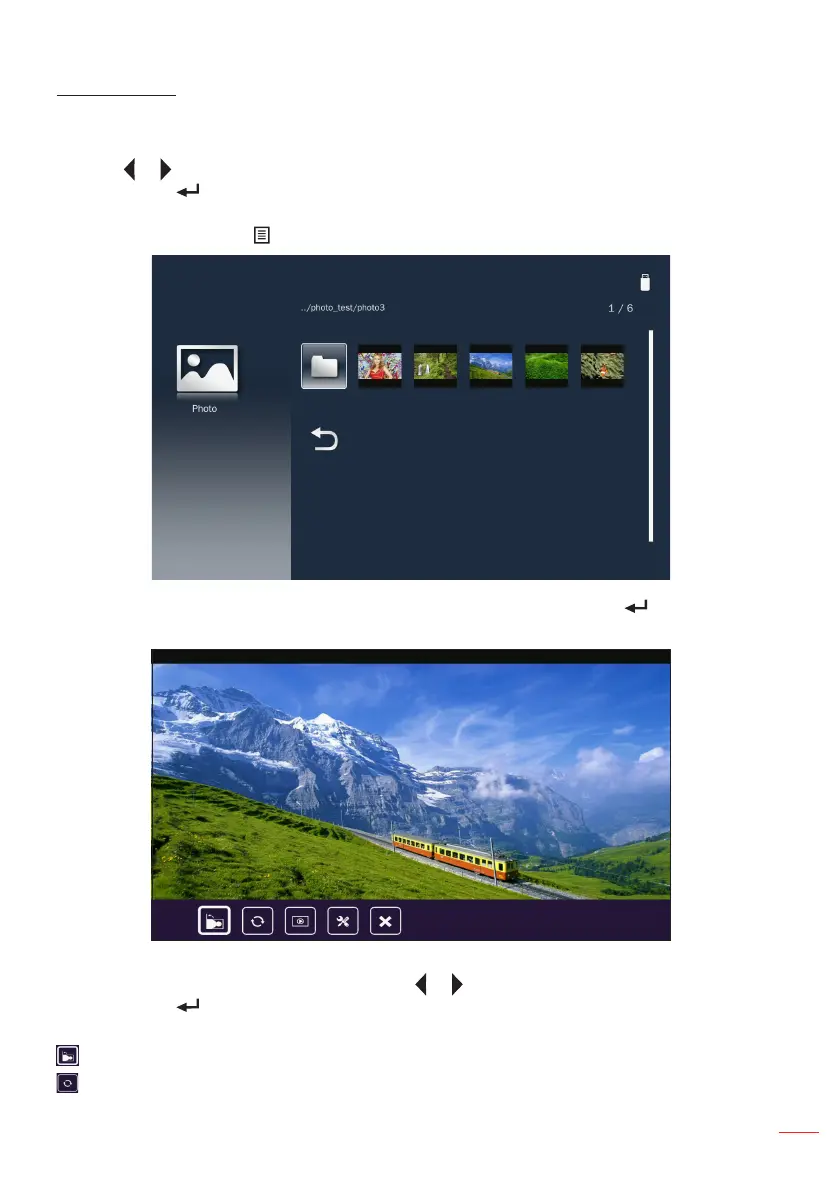
When a Photo folder is selected thumbnails are displayed. Only folders with photos will
be displayed.
Use the or button to select the folder containing the photo you want to display, and
then press the button on the control panel or the Enter button on the remote control.
Note: To return to the previous folder or to exit the Photo viewer, press the Menu button on the
remote control or the button on the control panel.
Highlight the thumbnail of the photo you want to display and press the button on the
control panel or the Enter button on the remote control to display a full size image.
While viewing a photo file, you can control playback using the control command bar
icons on the bottom of the screen. Press the or button to select the command and
then press the button on the control panel or the Enter button on the remote control
to execute the command.
: Rotates the photo 90-degree clockwise.
: Activates the repeat function. The photos will be automatically rotated during a slide
show.



 To Next Page