LP340/340B/350 Service Manual 12
Front Bezel and Focus Ring
The focus ring (505-0640-xx) fits around the projection lens. Turning the focus rings changes the image
sharpness by lengthening or shortening the projection lens focal length. The focus ring secures to the
lens with three slots on the focus ring that engage three tabs on the lens barrel. The lens cap (340-0686-
xx) fits over the focus ring, and must be removed before detaching the focus ring from the lens barrel.
The front bezel (LP340/350: 505-0638-xx; LP340B: 505-0636-xx) covers the front of the projector. It helps
secure the top and bottom cases together. The front bezel fastens to the metal chassis inside the
projector with one screw. The front bezel includes the IR lens.
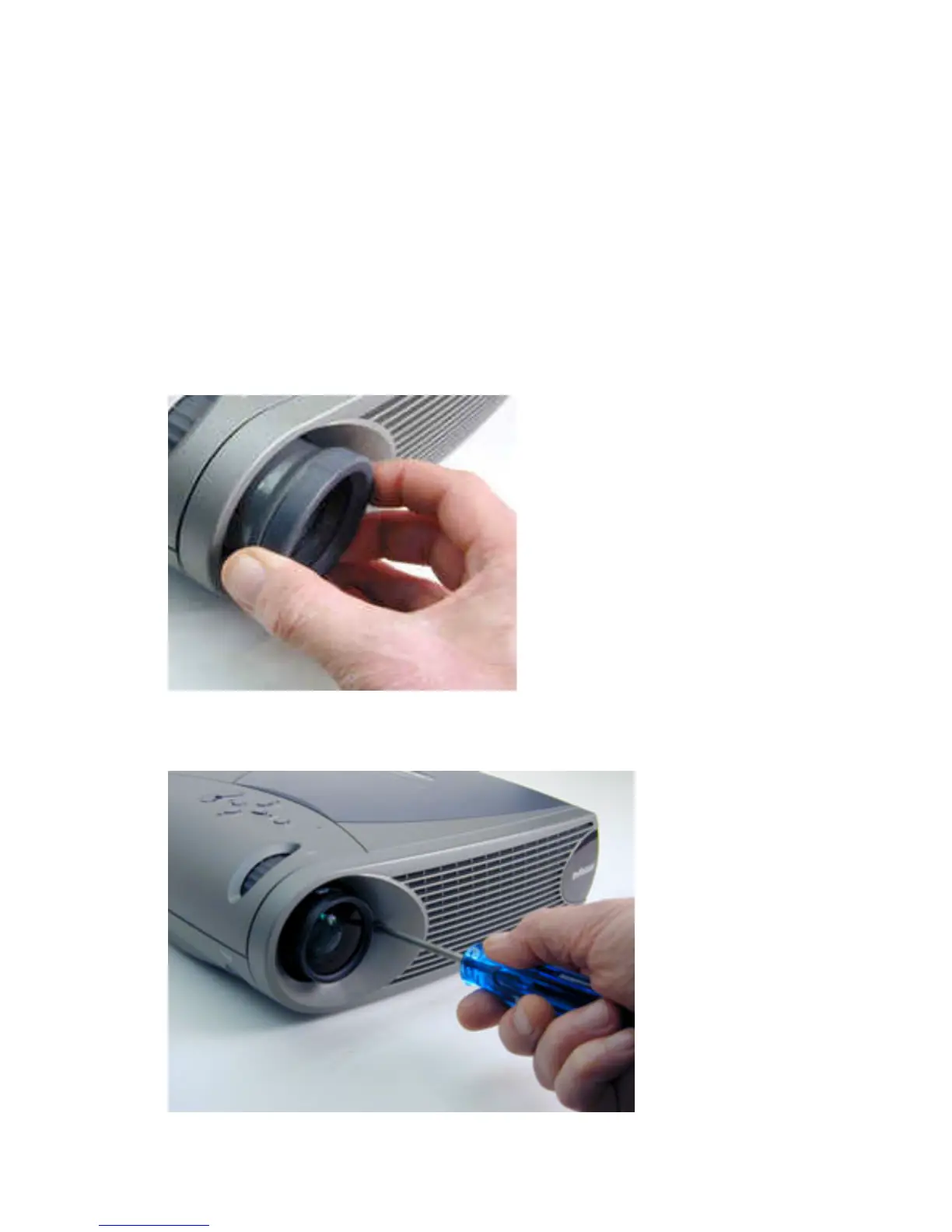
1 Pull the lens cap off the projection lens.
2 Hold the focus ring on both sides, then pull it off the projection lens barrel.
3 Use a T-10 Torx driver to remove the black M3x8 black Torx screw that fastens the front bezel to
the projector.


 To Next Page