LP340/340B/350 Service Manual 71
Upgrading the Software
You need the following cables:
♦ CableWizard2
♦ serial download cable PN 210-0087-00
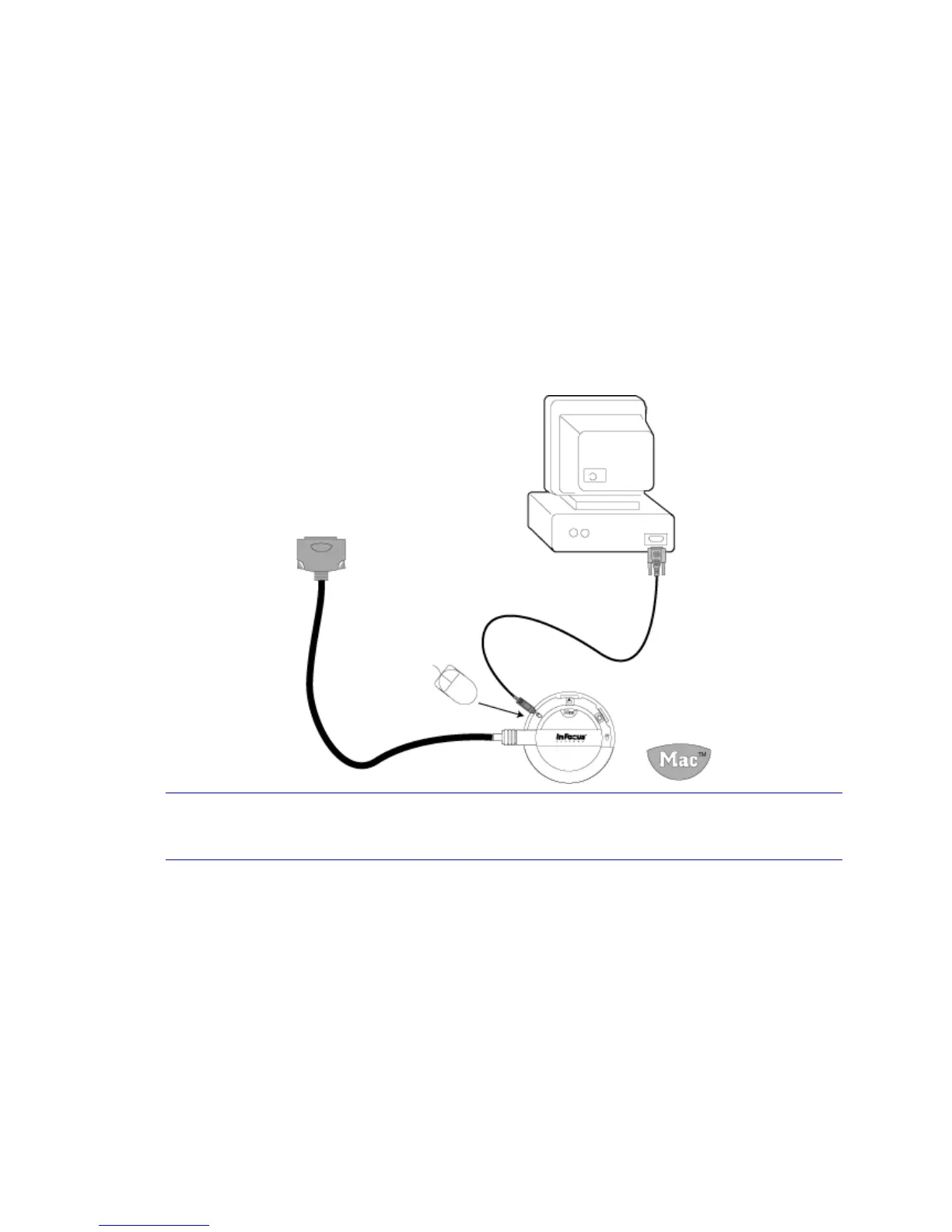
Connect the Projector to the Computer
1 Turn the selector on the CableWizard until Mac appears in the CableWizard window.
2 Plug the PS/2 end of the serial cable into the mouse connector on the CableWizard.
3 Plug the other end of the serial cable into the Communication Port 1 (COM1) on the computer.
4 Connect the CableWizard connector to the CableWizard port on the projector I/O panel.
NOTE If needed, you can attach the serial cable to COM2. These instructions address use of
either serial port.
5 Plug the power cord into the projector and into a power source.
Now you're ready to upgrade the software.
To CableWizard connector on projector
CableWizard II
210-0087-00 cable
To COM1 or COM2


 To Next Page