LP340/340B/350 Service Manual 82
CAUTION The DMD bias indicator on the DMD label for the LP350 differs from that of the
LP340/340B. Use the following table to determine the correct bias setting for the LP350.
If the label on the LP350 DMD says... Set the bias to...
B A
C B
D C
E D
3 Do one of the following:
If the bias setting on the controller ECA correctly corresponds with the setting on the DMD label,
you leave the setting as it is. You're done.
—Or—
If the bias setting on the controller ECA does not correspond with the setting on the DMD label,
continue to the next step.
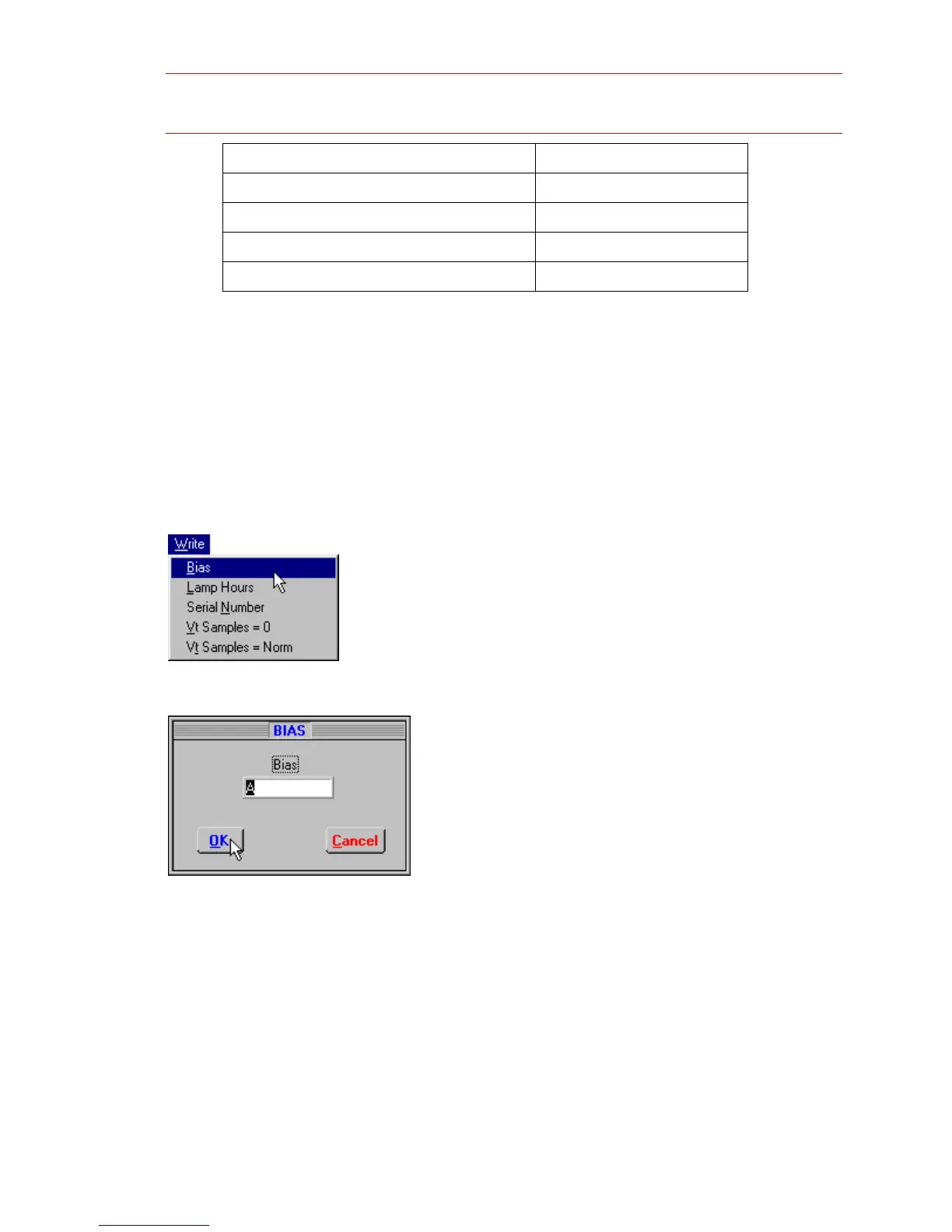
4 In the Write menu, click Bias.
5 The Bias box appears in the Serial Utility window.
6 Enter the letter that corresponds to the letter on the DMD label (not in the serial utility). If you're
setting the bias for an LP350, see the table in Step 2 for the proper setting.


 To Next Page