LP340/340B/350 Service Manual 81
Check and Adjust the Bias Setting on the Controller ECA
CAUTION If you are adjusting the bias on an LP350, make sure you read the note in step 2.
1 Open the Serial Interface Utility on the computer.
To do this, click the Start button, point to Programs, point to Serial Interface Utility. Then click
Serial Interface Utility.
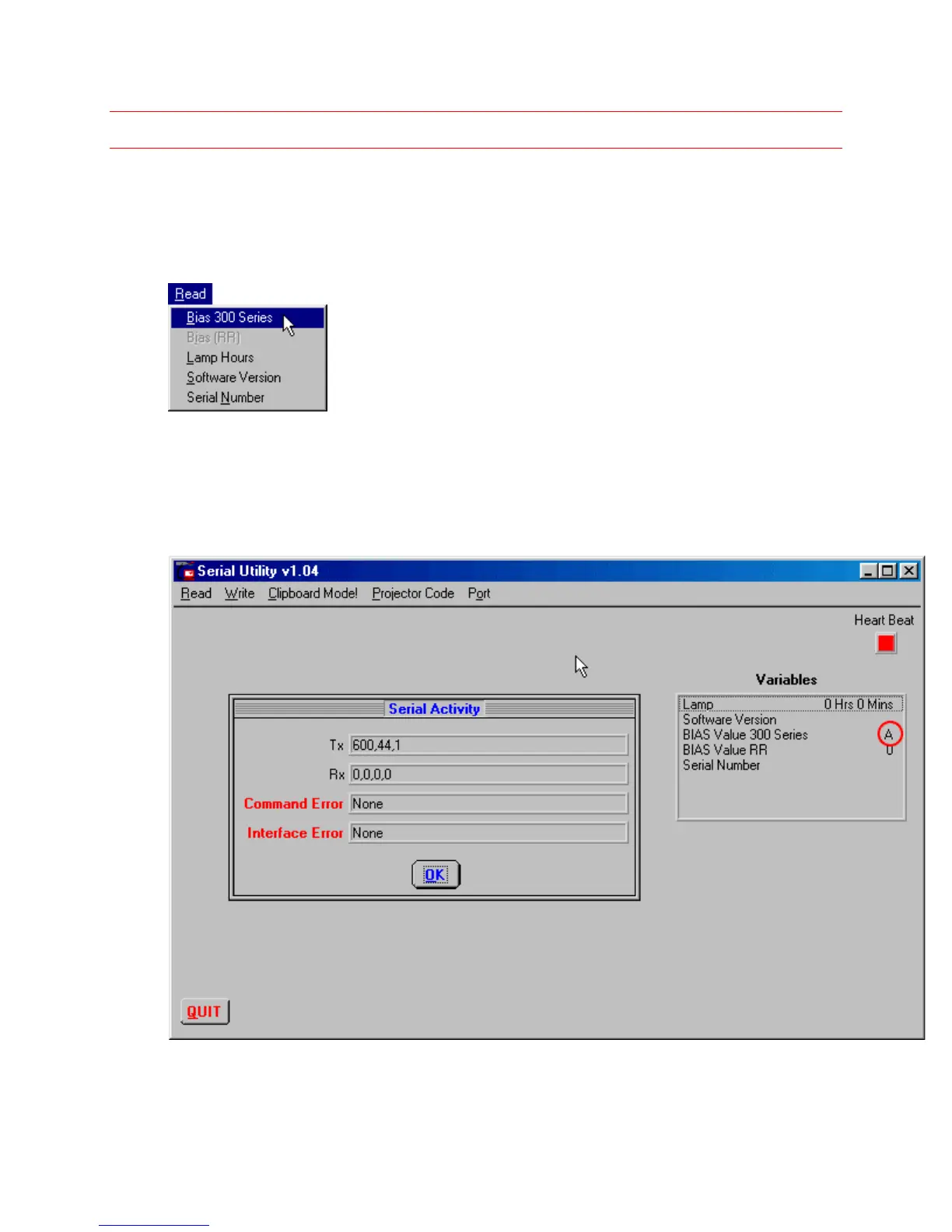
2 On the Read menu, click Bias 300 Series.
The Serial Utility opens and then displays the current bias setting for the controller ECA in the
Serial Utility window. You know that utility is working when you see the Heart Beat box flashing
red (see below).
Here, the controller ECA is set to A (circled below).


 To Next Page