EasyManua.ls Logo

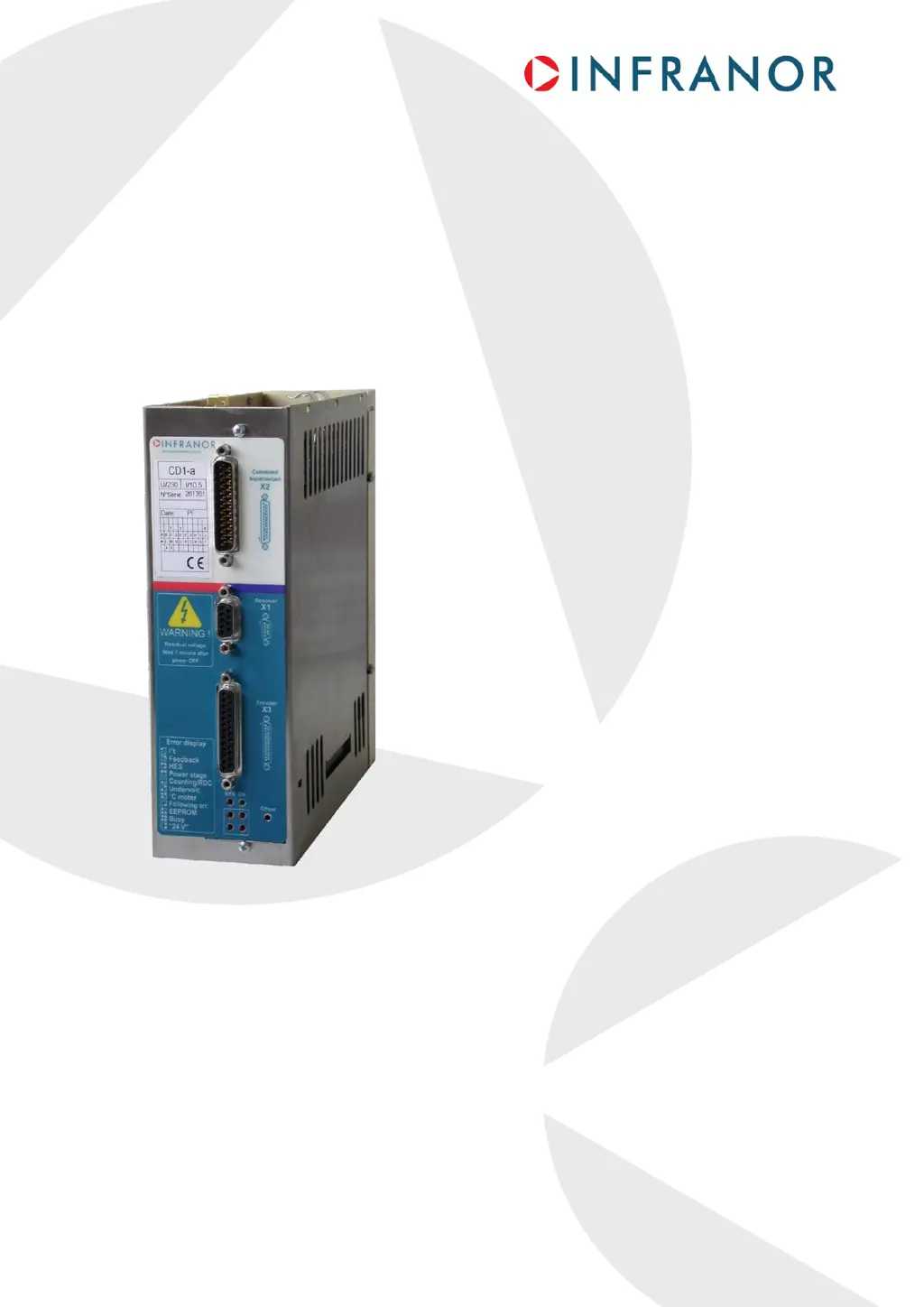
Infranor XtrapulsCD1-a Series - User Manual

Infranor XtrapulsCD1-a Series
60 pages
Print Icon
To Next Page IconTo Next Page
Loading...
1
Digital drive for
AC sinusoidal
brushless motors
XtrapulsCD1-a

Table of Contents

Questions and Answers

Summary

Safety Warnings and Precautions

ESD Information

Information regarding protection against electrostatic discharge (ESD) for drives.

Storage Guidelines

Recommendations for proper storage of drives to prevent damage.

Handling Precautions

Safe procedures for handling drives to avoid damage or injury.

Waste Disposal

Guidelines for the correct disposal of INFRANOR devices.

Chapter 1 - General Description

Introduction to XtrapulsCD1-a

Overview of XtrapulsCD1-a all-digital servo modules and their capabilities.

Description and Standards Compliance

Details the drive's functions and compliance with relevant standards.

CE Certification Reference

Information on CE conformity with EMC and electrical standards.

UL Listing Reference

Details on UL listing and compliance with UL standards.

Other Documents

List of related application notes for the XtrapulsCD1-a series.

Chapter 2 - Specifications

Technical Specifications Overview

Detailed technical data for the drive series.

XtrapulsCD1-a 230;I Drive Specifications

Technical data specific to the 230V version of the drive.

XtrapulsCD1-a 400;I Drive Specifications

Technical data specific to the 400V version of the drive.

Common Drive Specifications

Technical specifications common to both 230V and 400V drive versions.

Block Diagram

Diagram illustrating the internal structure and signal flow of the drive.

Main Protections Overview

Lists the drive's main protections and their error display.

Stored Protections Details

Detailed description of stored fault protections and their LED indications.

Dimensions

Physical dimensions for various XtrapulsCD1-a drive models.

Fastening Procedures

Instructions for mounting and fastening the drive units.

Multiaxes Cabinet Mounting

Guidelines for installing drives in multi-axes cabinets.

Chapter 3 - Inputs-Outputs

Connectors Location Overview

General overview of the drive's connectors.

Drive Connectors Identification

Identification of the main connectors on the drive unit.

X1 Resolver Connector Details

Pinout and function specifications for the X1 resolver connector.

X2 Command Connector Details

Pinout and function specifications for the X2 command connector.

Analog Inputs Specification

Details for analog inputs (CV+, CV-, Ilim).

Logic Optocoupled Inputs Specification

Details for logic inputs like ENABLE, FCP, CVO.

AOK Relay Output Specification

Specifications and functionality of the AOK relay output.

Encoder Outputs Specification

Specifications for the drive's encoder outputs.

Analog Output Specification

Specifications for the drive's analog output.

X3 Encoder Input Details

Details for the X3 encoder input connector.

X3 TTL Incremental Encoder & HES Input

Specifications for TTL incremental encoder and HES inputs.

X3 SinCos Incremental Encoder & HES Input

Specifications for SinCos incremental encoder and HES inputs.

X3 Absolute Single-Turn SinCos Encoder Input

Specifications for absolute single-turn SinCos encoder inputs.

X3 Stepper Motor Emulation Input

Specifications for stepper motor emulation inputs.

X5 Serial Link Connector

Pinout and function of the X5 serial link connector.

X8 Auxiliary Supply Connector

Pinout and function of the X8 auxiliary supply connector.

X9 Power Connector Details

Pinout and function of the X9 power connector.

Chapter 4 - Connections

Connection Diagrams Overview

Wiring diagrams for various drive models.

XtrapulsCD1-a 230;I Drive Connection

Wiring diagram for the XtrapulsCD1-a 230/I drive.

XtrapulsCD1-a 400;I Drive Connection

Wiring diagram for the XtrapulsCD1-a 400/I drive.

Serial Link Connection Setup

Details for connecting the serial link for PC communication.

Backup Battery Connection for Auxiliary Supply

Procedure for connecting a backup battery to the auxiliary supply.

Multiaxis Application Connection Example

Example connection for a multiaxis drive system.

Wiring Guidelines

General guidelines for wiring the drive system.

Ground Wiring and Leakage Current

Best practices for grounding and managing leakage current.

Connectors Shield Connection Procedures

Methods for ensuring proper connector shield connections for EMC.

Connection View for 400;30 to 90 A Models

Connection view for higher current 400V models.

Motor, Resolver, Encoder Cable Guidelines

Guidelines for connecting motor, resolver, and encoder cables.

Input Command and Serial Link Cables

Specifications for input command and serial link cables.

Braking Resistor Connection Cables

Requirements for cables connecting to the braking resistor.

UL Standards Compliance Requirements

Conditions and requirements for UL listing compliance.

Faston Socket Connection Method

Procedure for connecting ground via Faston sockets.

24 V Supply Requirements

Specifications for the 24V auxiliary supply.

Power Supply and UL Fuse Ratings

Recommended fuse ratings for UL compliance.

230;I Drive UL Fuse Connection Diagram

UL-compliant connection diagram for the 230V drive.

400;I Drive UL Fuse Connection Diagram

UL-compliant connection diagram for the 400V drive.

UL Compliant Multiaxis Application Example

Example connection for a UL-compliant multi-drive system.

Chapter 5 - Parameter Setting

Visual Drive Setup Software Usage

Information on using the Visual Drive Setup software for parameter modification.

Auto-tuning Procedure Safety Warning

Critical safety warning for executing the auto-tuning procedure.

Chapter 6 - Commissioning

Drive Standard Configuration Settings

Initial setup for MAVILOR motors and default configurations.

First Powering Procedure

Steps for the initial power-up of the XtrapulsCD1-a drive.

Critical Pre-Powering Checks

Essential checks before applying power to the drive.

24 VDC Supply Power-Up Sequence

Sequence for switching on the 24 VDC auxiliary supply.

Main Supply Power-Up Sequence

Sequence for switching on the main 230/400 VAC supply.

Drive Commissioning and Adjustment Process

Key steps for drive setup, configuration, and tuning.

Serial Link Communication Setup

Establishing communication between the drive and a PC via serial link.

Sensor Feedback Configuration

Configuring motor feedback types (Resolver, Encoder, HES).

Drive Parameter Adjustment

Adjusting drive parameters for optimal performance.

Linear Motor Parameter Adjustment

Specific parameter adjustments for linear motors.

Speed Loop Adjustment for Vertical Loads

Tuning the speed loop for axes with vertical loads.

Drive Parameter Saving Procedure

Instructions on how to save drive configuration settings.

Motor Phasing Procedure at Power Up

Procedure for motor phasing required for certain encoder configurations.

Stepper Motor Emulation Application

Guide on using the drive for stepper motor emulation.

Software Gearing Application Guide

Instructions for using the software gearing function.

Chapter 7 - Troubleshooting

Faults Overview and Identification

General overview of drive faults and how to identify them.

System Fault Troubleshooting

Diagnosing and resolving system faults.

Busy Fault Troubleshooting

Diagnosing and resolving 'Busy' faults.

EEPROM Fault Troubleshooting

Diagnosing and resolving EEPROM faults.

°C Motor Fault Diagnosis

Diagnosing motor over-temperature faults.

Undervolt Fault Diagnosis

Diagnosing and resolving undervoltage faults.

Power Stage Fault Troubleshooting

Diagnosing and resolving power stage faults.

Resolver Feedback Feedback Fault

Troubleshooting feedback faults related to resolver configuration.

Resolver Feedback RDC Fault

Troubleshooting RDC faults in resolver feedback configuration.

Encoder Feedback Feedback Fault

Troubleshooting feedback faults related to encoder configuration.

Encoder Feedback Counting Fault

Troubleshooting encoder counting faults.

HES Fault Troubleshooting

Diagnosing and resolving Hall Effect Sensor (HES) faults.

I²t Fault Diagnosis

Diagnosing and resolving I²t faults.

Following Error Diagnosis

Diagnosing and resolving following errors in speed or position loops.

Operating Problems Overview

Common operational issues and their troubleshooting.

Motor Does Not Move Troubleshooting

Steps to diagnose when the motor does not move.

Motor No Torque Troubleshooting

Diagnosing issues when the motor is supplied but has no torque.

Shaft Locked or Erratic Oscillation Troubleshooting

Diagnosing issues with shaft locking or erratic oscillations.

Discontinuous Motor Rotation Troubleshooting

Troubleshooting discontinuous motor rotation.

Motor Drift at Zero Speed Troubleshooting

Diagnosing motor drift when operating at zero speed.

Loud Crackling Noise Troubleshooting

Troubleshooting loud crackling noise in the motor.

Loud Noise Troubleshooting

Troubleshooting general loud noise in the motor.

Position Control Not Possible Troubleshooting

Diagnosing issues when position control is not possible.

Service and Maintenance Procedure

Procedure for replacing a drive unit.

Chapter 8 - Appendix

Hardware Adjustments Overview

Summary of hardware settings and adjustments for the drive.

Hardware Location Diagram

Diagram showing the location of hardware components on the drive.

Resolver Type Adjustment Guide

Guidance on adjusting the drive for different resolver types.

Motor Type Adjustment Guide

Guidance on adjusting the drive for different motor types.

Motor Thermal Sensor Configuration

Configuration of the motor thermal sensor parameters.

I²t Protection Configuration

Settings and operation of the I²t protection feature.

Current Limitation in Fusing Mode

Operation of current limitation when using fusing mode.

Current Limitation in Limiting Mode

Operation of current limitation when using limiting mode.

Encoder Counting Protection Setup

Configuration and function of encoder counting protection.

Position Following Protection Settings

Configuration of the position following protection feature.

Using Limit Switch Inputs

How to utilize the limit switch inputs for motor control.

Using the CVO Input

Functionality and usage of the CVO input.

Using the AOK Output

Functionality and usage of the AOK output relay.

Using the Reset Input

Functionality and usage of the reset input.

Using the Enable Input

Functionality and usage of the enable input.

Using the Brake Output

Functionality and usage of the brake output.

Incremental Encoder Outputs

Specifications for incremental encoder outputs.

External Current Limitation Input Usage

How to use the external current limitation input.

Servo Controller Structure Explained

Explanation of servo controller blocks, gains, and tuning.

Drive Addressing via RS-232

Procedure for addressing drives connected via RS-232.

Drive Addressing via RS-422

Procedure for addressing drives connected via RS-422.

Cogging Torque Compensation Procedure

Steps for compensating cogging torque in motors.

Power Feedback via Braking Resistor System

Explanation of the power feedback system using a braking resistor.

Product Ordering Code Explained

Explanation of the product ordering code structure.

Infranor XtrapulsCD1-a Series Specifications

General IconGeneral
BrandInfranor
ModelXtrapulsCD1-a Series
CategoryDC Drives
LanguageEnglish

Related product manuals