Installation and programming manual
User Interface 23
Under normal operating conditions, the red protocol LED will blink rapidly and the green device-response
LED will flicker. The flickering phase depends on the number of devices connected to the loop. The more
devices the longer the LED will flicker.
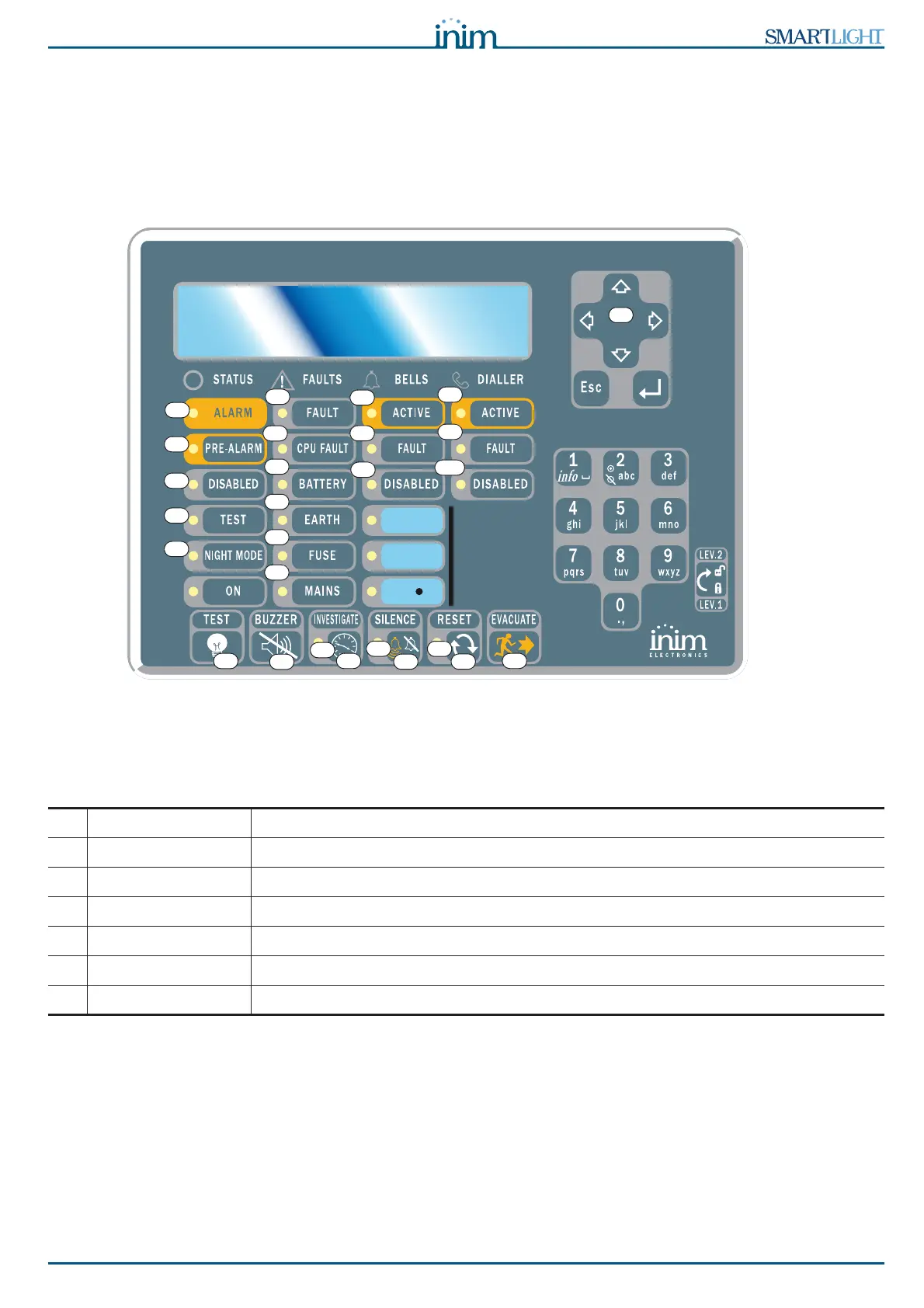
5.3 Repeater (optional system enhancement panel)
Up to four repeater panels can be connected to the RS485 bus. Connected repeater panels replicate all the
information provided by the control panel and allow access to all level 1 and 2 functions (view active
events, reset, silence, etc. access to the main menu is not possible).
Figure 8 - Front view of the repeater panel
The SmartLetUSee/LCD repeater is supported by most control panel models. However, not all the keys/
button will be operational if it is connected to the SmartLight panel. The following keys/buttons are
operational:
Repeaters provide the following signals.
5.3.1 Display
The display provides same event data as the panel. For further details refer to paragraph 2.5 Signaling on
display in the User Manual.
[A] Navigation keys Scroll keys which will allow navigation through menus, etc.
[B] EVACUATE As per paragraph 5.1
[C] SILENCE As per paragraph 5.1
[D] RESET As per paragraph 5.1
[E] INVESTIGATE As per paragraph 5.1
[F] BUZZER Turns the panel beeper Off
[G] TEST Turns On al the LEDs to verify functionality.
B
A
G
H
D
I
N
M
L
K
J
E
C
O
P
Q
R
S
V
T
U
F
Y
X
W
Z
Z1



 To Next Page