38 Powering up and configuring the system
Installation and programming manual
Note:
THE RS232 link can be ordered separately. The order code is indicated in Appendix D - Order Codes.
If your PC does not have a RS232 port but has a USB, use an RS232-USB adaptor.
7.3 Powering up the system
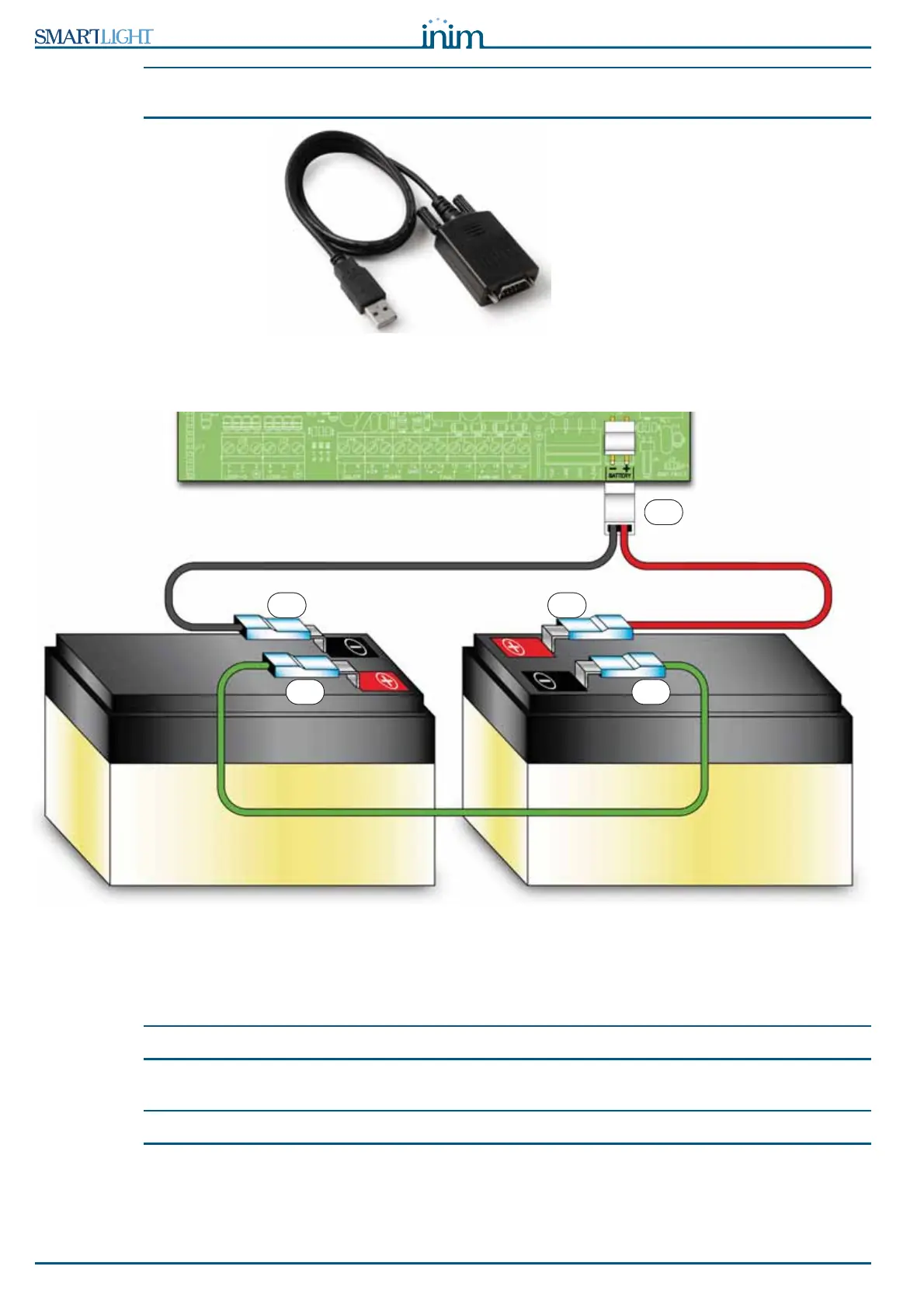
Figure 26 - Connecting the batteries
1. Connect the connection wire [A] to the batteries. Refer also to paragraph 6.11 - Connecting the
batteries.
2. Connect the connection wire [B] to the batteries.
Attention: Be sure that cable polarity is correct.
3. Connect the connector [C] of the battery wire to the control panel (paragraph 4.1 - [M]).
Attention: Ensure that connector polarity is correct.
A
B B
C
A



 To Next Page