30 User’s Manual Innomar SES Parametric Sub-bottom Profilers
30 Innomar Technologie GmbH (2020-09)
4.2 Starting the Innomar SESWIN Software
4.2.1 Innomar “smart” and “compact” models
Make sure topside unit and control computer are connected to the same network. If the topside
unit is connected directly to the control computer (without network hardware like hubs, switches
etc.), use the crosslink cable with red connectors. Although network adapters usually cross the
lines automatically if two devices are directly connected, this sometimes fails. Using a cable with
crossed lines helps to avoid this pitfall.
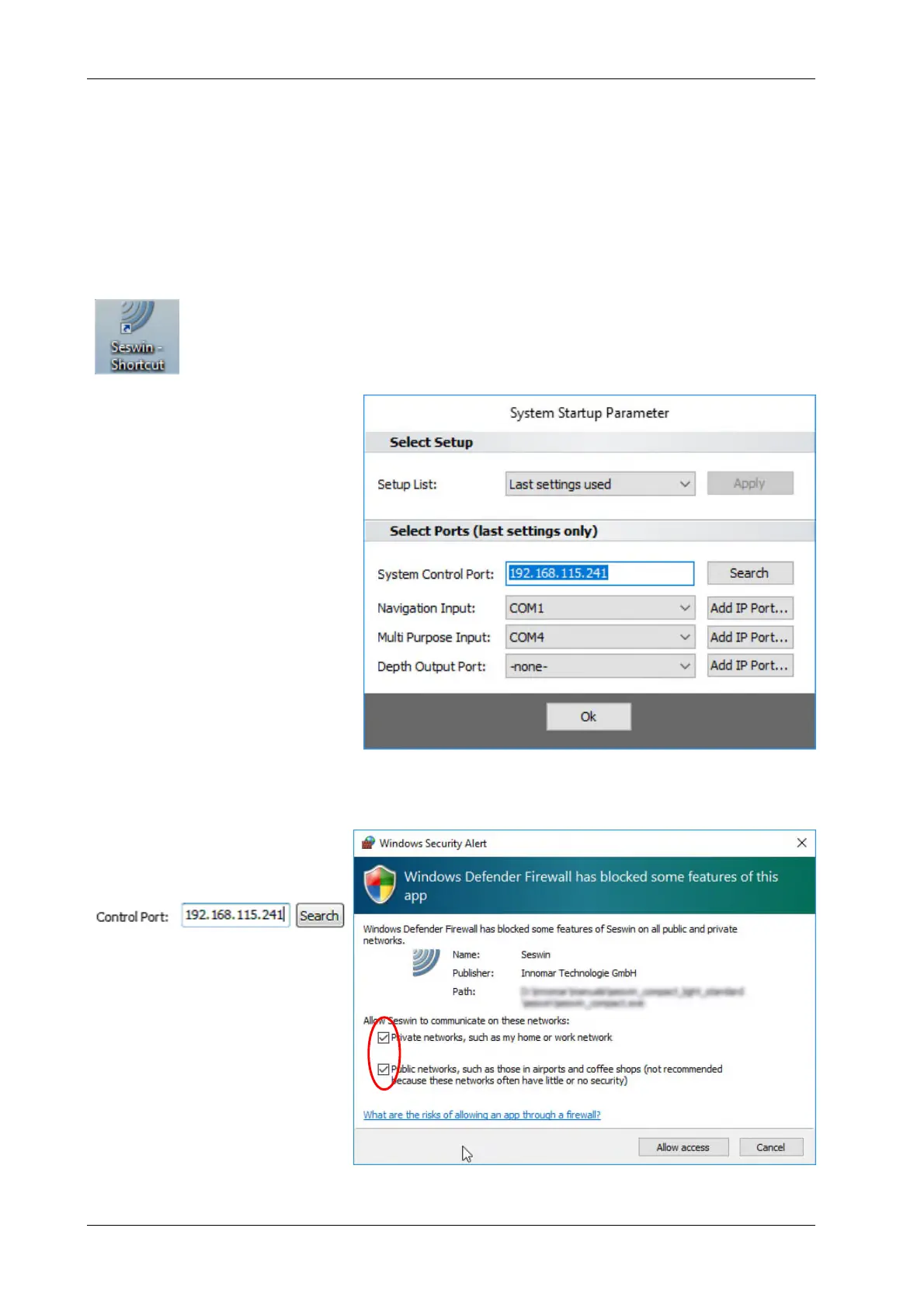
Usually there is a SESWIN shortcut placed on the Windows desktop. To start the
program, just double-click the icon.
There might be a Windows message box popping up and asking if the program is
allowed to make changes to the system; simply press the “Yes” button.
After starting SESWIN a “System
Start-up Parameter” dialog is
shown where the System Control
Port (topside unit’s IP address)
and all COM port settings are
listed. You should check if these
settings are correct. It is also
possible to assign other COM or
IP (TCP or UDP) ports.
These settings cannot be
changed later; this is possible at
the program’s start only.
It is important to set the topside unit’s IP address correctly. It is good practice to note a changed
IP address on the topside unit itself.
If the current address is not
known, you can try to find it by
using the “Search” button:
For details see next page.
If SESWIN accesses the network
for the first time (like searching
for the topside unit), the Windows
firewall asks if SESWIN network
access is allowed.
Tick both check boxes and
press “Allow access” button.



 To Next Page