User’s Manual Innomar SES Parametric Sub-bottom Profilers 37
Innomar Technologie GmbH (2020-09) 37
4.8 SESWIN Status Bar
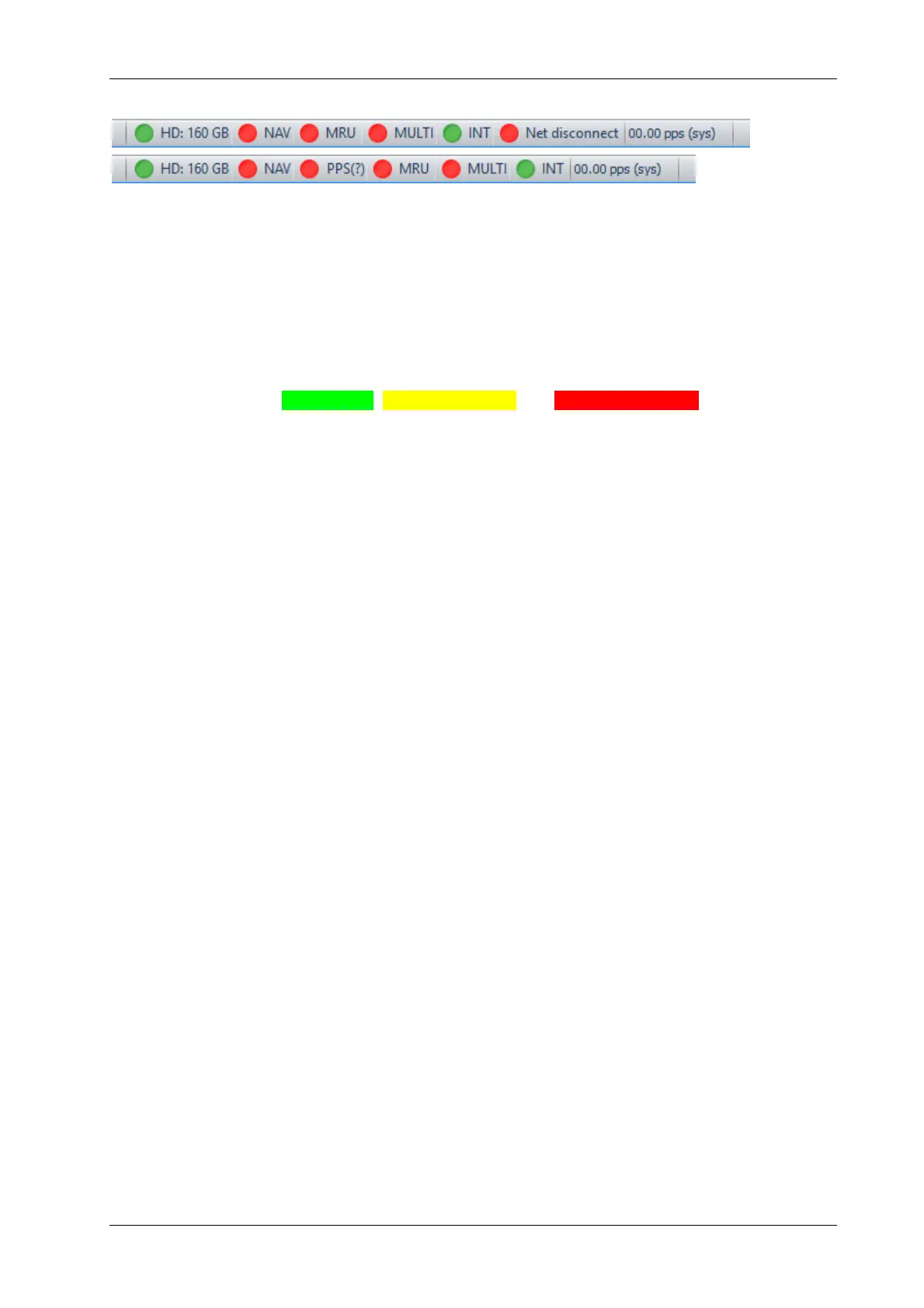
The Status Bar at the bottom of the SESWIN window shows:
the status of the built in HD and the status of the sensor interfaces: navigation data (NAV),
motion sensor (MRU), multi-purpose input (Multi),
trigger source (INTernal / EXTernal synchronization),
actual ping rate,
during data recording the actual data file name and size.
The coloured LEDs in the status bar are used to monitor the status of the connections to periph-
erals. The colours are Green = OK, Yellow = Warning and Red = Not Working.
HD: Hard Disc space. This shows the space remaining on the hard disc the data is being
recorded on to. The colour will change to yellow with 250MB remaining, and then go to
red when close to empty.
NAV: Navigation (GNSS) data. The LED will be yellow if there is data received but the
protocol is not recognised (e.g. due to wrong baud rate). The colour will be red if there is
no incoming data.
MRU: Motion Sensor. The colour will be yellow if there is a problem such as the data sent
by the sensor is not recognised or the data are flagged “instable” by the sensor. It’s turning
red if the motion sensor is unplugged or not working (no data is received).
MULTI: Multi-Purpose COM Port. The warning colour will be yellow if there is data coming
in but is not recognised. The colour will be red if there is no incoming data.
INT / EXT / ALT: Status of trigger settings.
NET: connection status to topside unit (for “smart” and “compact” models only).
PPS: status of PPS input and delay between PPS pulse and ZDA time string



 To Next Page