User’s Manual Innomar SES Parametric Sub-bottom Profilers 91
Innomar Technologie GmbH (2020-09) 91
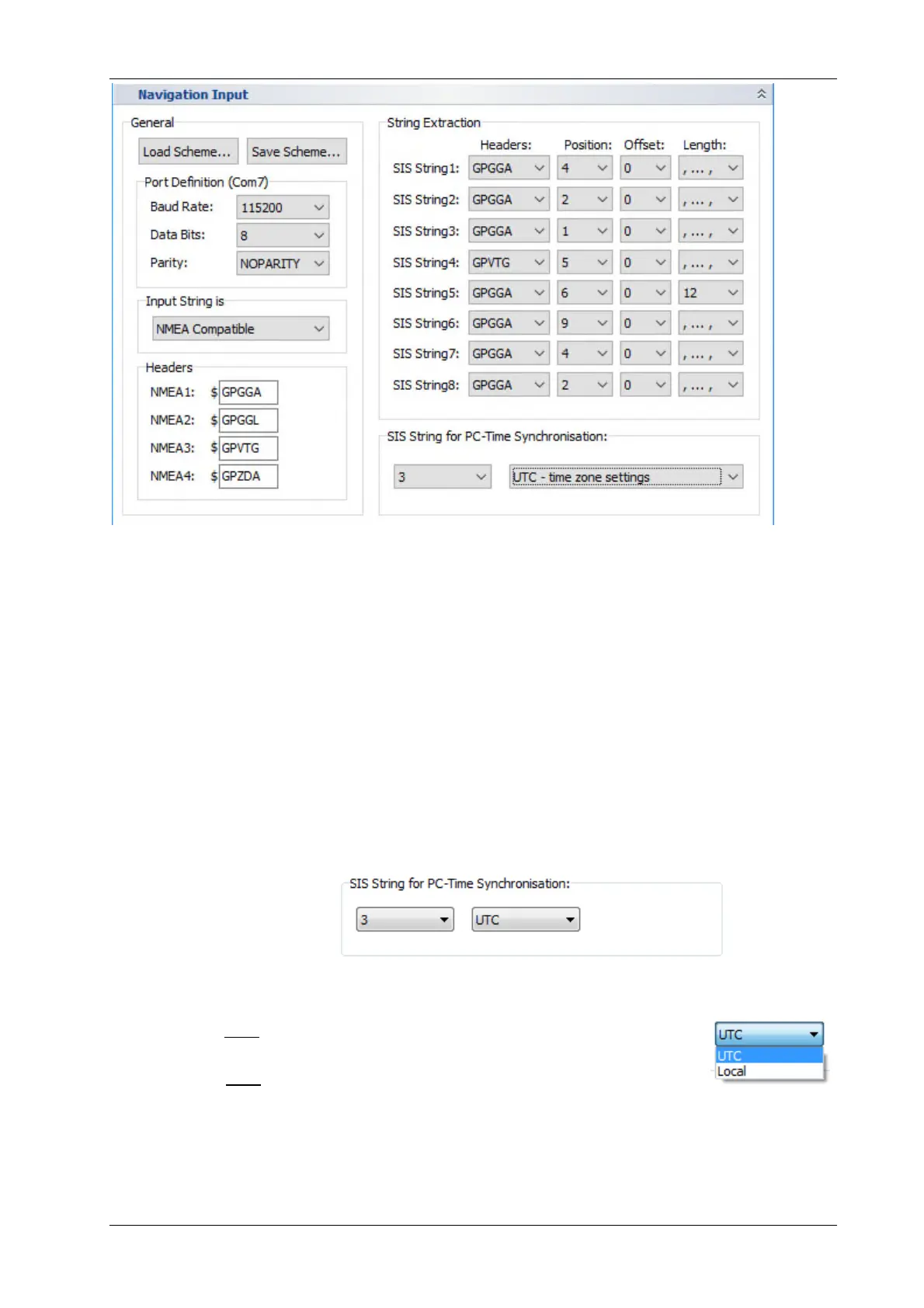
“Position” is position of value in the NMEA sentence as seen in the SIS monitor. “Offset” is usually
set to zero but may be used to omit leading characters that are not of interest, especially if 11
characters available in the SIS string would be too short to hold the full value. “Length” specifies
how many characters are copied to the SIS string. For NMEA compatible formats just use the
automatic comma separation (“,…,”).
Since it is possible to set how many characters are used, it is possible to get more than one value
from the NMEA sentence into one SIS string as shown with the GNSS quality values put to SIS
string number 5 in the example above.
6.3.3 Synchronize the PC clock to UTC
SES data are recorded with all 8 SIS strings as specified above and the PC time. To keep the
PC clock up-to-date, it is possible to synchronize the clock to UTC obtained from the navigation
data. In the example above UTC is located in SIS string number 3 that may be used for this
purpose:
If a $xxZDA string is received, this can be used directly for time sync, even if the ZDA time has
not been assigned to a SIS string.
If you choose UTC the PC clock will be set to the time as received in the SIS
string.
If you choose local the PC clock keeps its local time zone as set within Win-
dows time zone settings. But the time is synchronized to UTC ensuring a con-
stant offset according to the local time zone.
This feature must not be used if the data acquisition PC’s clock is already synchronized
to a time server (e.g. NTP)!



 To Next Page