User’s Manual Innomar SES Parametric Sub-bottom Profilers 33
Innomar Technologie GmbH (2020-09) 33
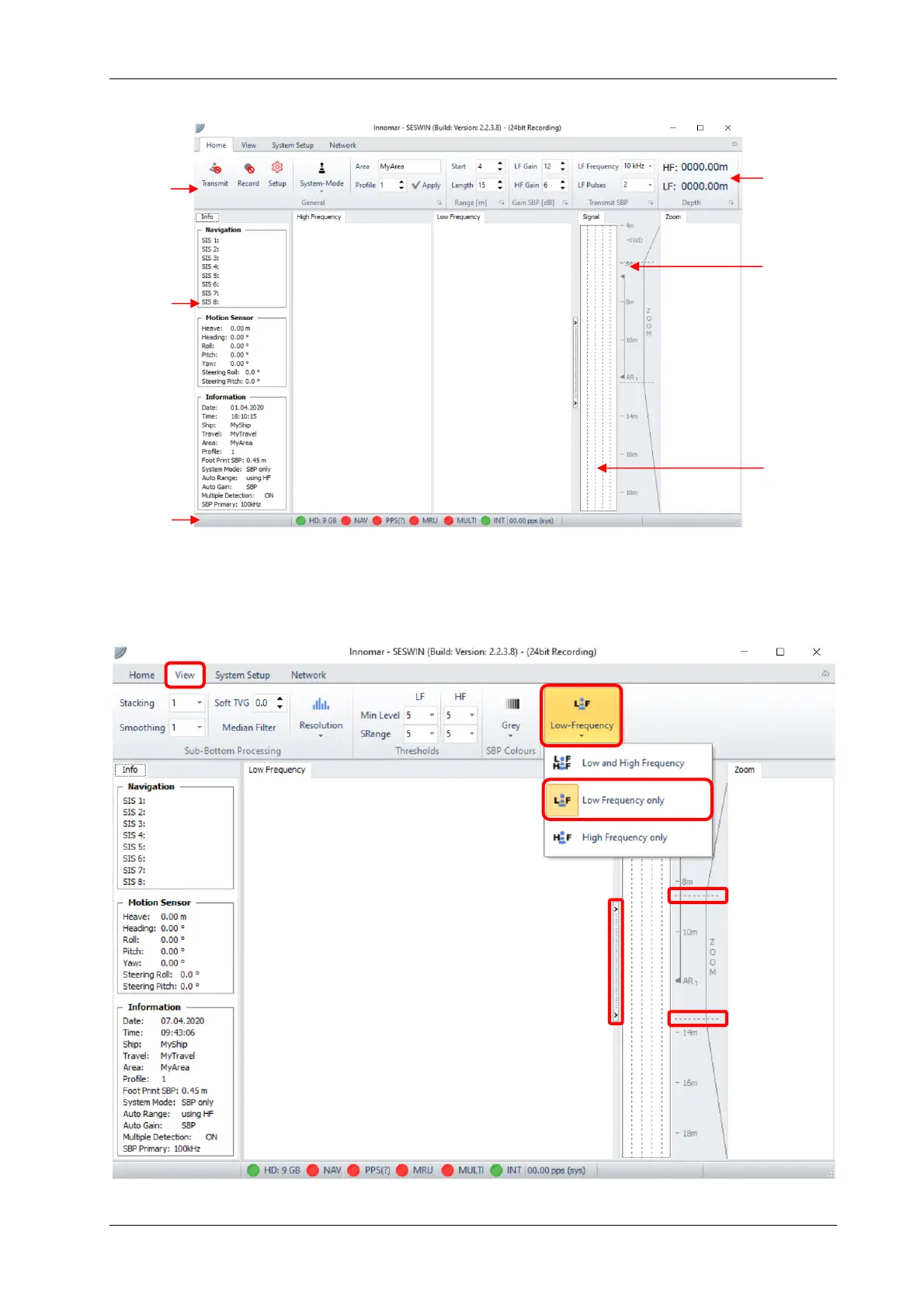
4.3 SESWIN Screen
Menu
Bar
Info
Sidebar
Status
Bar
Depth
Display
Depth
Ruler
Signal
Window
Factory default is to show the data of both, the LF and HF, channels. Mostly the main interest is
the LF data. To enlarge the screen area available for the LF channel, the HF echo print can be
switched off: (1) “View” (2) “SBP Display Style” (3) “Low Frequency only”
SBP echo print
Zoomed
LF SBP
echo print
1
2
3
4
5
5



 To Next Page