76 User’s Manual Innomar SES Parametric Sub-bottom Profilers
76 Innomar Technologie GmbH (2020-09)
≈
750
+ ℎ + 7.5
The trigger pulse at the “Sync OUT” connector can be set to be longer than 1 millisecond, but the
INNOMAR SBP will still ping after 1 ms from the rising edge. This feature can be used to get a
delayed ping for the triggered system (triggering on the falling edge). If, for example the external
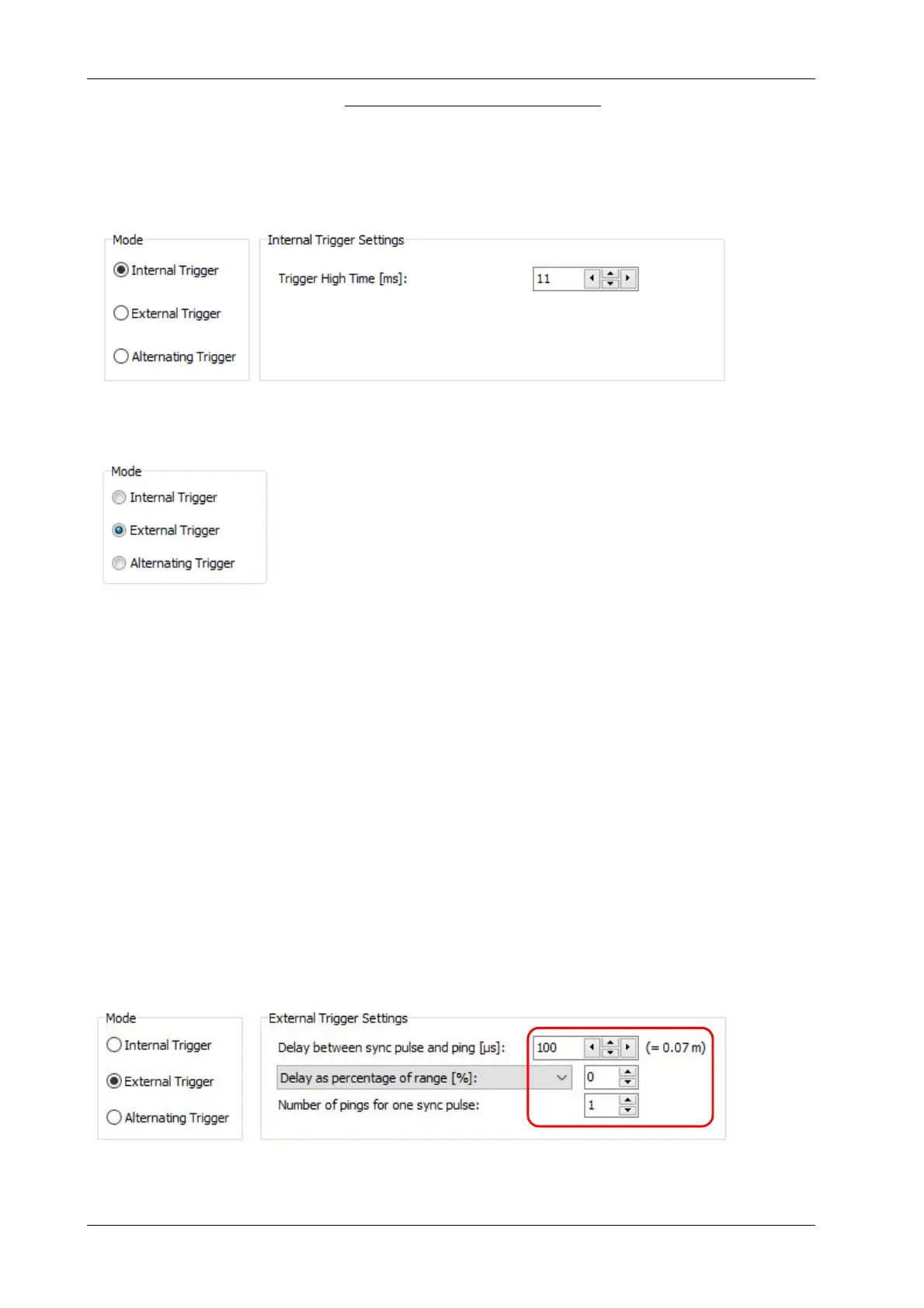
device shall be triggered 10 ms after the INNOMAR SBP, set the trigger high time to 11 ms:
5.2 External Synchronisation
For this “Synchronisation Mode” in “System Setups – General – Syn-
chronisation” has to be set to "External Trigger". The INNOMAR SBP is
in slave mode and waits for trigger pulses at “Sync IN”.
!
IMPORTANT: The system will not work if no trigger pulse is
detected at the “Sync IN” connector! There is no automatic
switch-back to Internal Trigger, but an error message is shown
The pulses fed to the “Sync IN” connector can be either TTL/CMOS or RS232 compatible. The
voltage levels applied to this input must not exceed ±15 V as higher voltage levels may destroy
the electronics.
The INNOMAR SES system is triggered by the rising edge (low to high transition) of the trigger
pulse at “Sync IN”.
There is a delay of about 1 ms between the rising edge of the Sync IN signal and the actual
INNOMAR SBP ping, see pictures in next section.
!
There are some older INNOMAR SBP systems using different settings for the external
synchronisation, like different voltage levels or using the falling edge!
5.2.1 Simple External Synchronisation
With this mode each external trigger pulse initiates one ping released by the INNOMAR SBP sys-
tem. To set the SBP for simple external synchronisation the delay must be set to the lowest
possible value (“100 µs” and “0 %”) and the number of pings to “1” in the “External Trigger Set-
tings” as shown in the figure below.



 To Next Page