68 User’s Manual Innomar SES Parametric Sub-bottom Profilers
68 Innomar Technologie GmbH (2020-09)
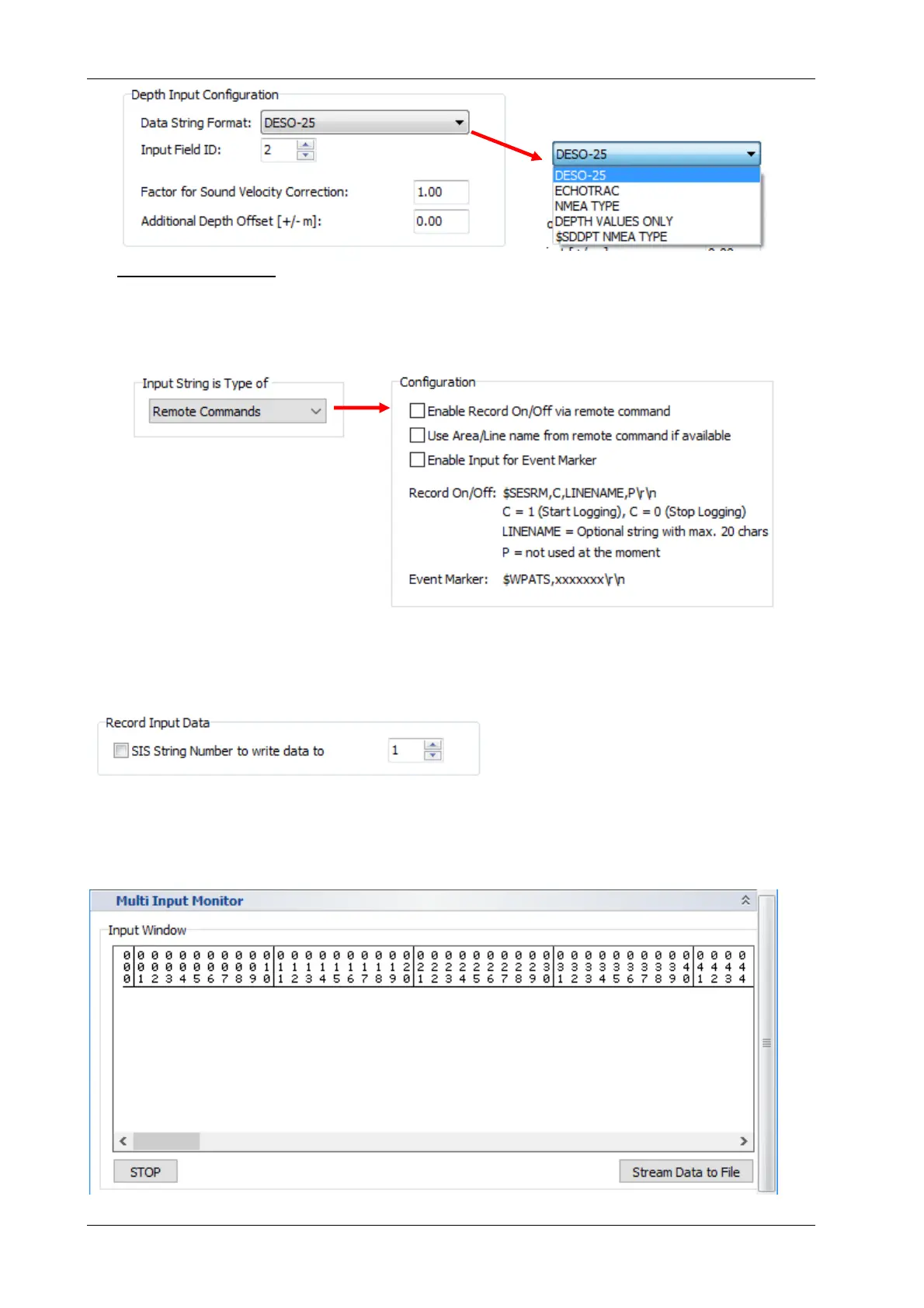
Remote Commands: Data logging can be switched on/off using a special NMEA sentence
($SESRM,c,linename,p) feed to the “multi-purpose port”. The line (area) name can be
changes also by the same command, but has to be set with record on/off, not independently!
It’s also possible to set event markers ($WPATS,xx). For details see also section 6.11.2 on
page 109.
Setup – Record Input Data
If the checkbox is ticked, the data are stored into the specified SIS string. Any other value stored
before in the same SIS string ID will be lost!
Multi Input Monitor
Similar to the navigation data monitor there is a box showing incoming data on the multi-input
interface. It is also possible to log incoming data to a text file.



 To Next Page