5G INDOOR ROUTER FG2000e USER GUIDE 12
4. When prompted, enter the password. NOTE: The default password is on the bottom of the
router.
Your Wi-Fi capable device is now connected to the Internet.
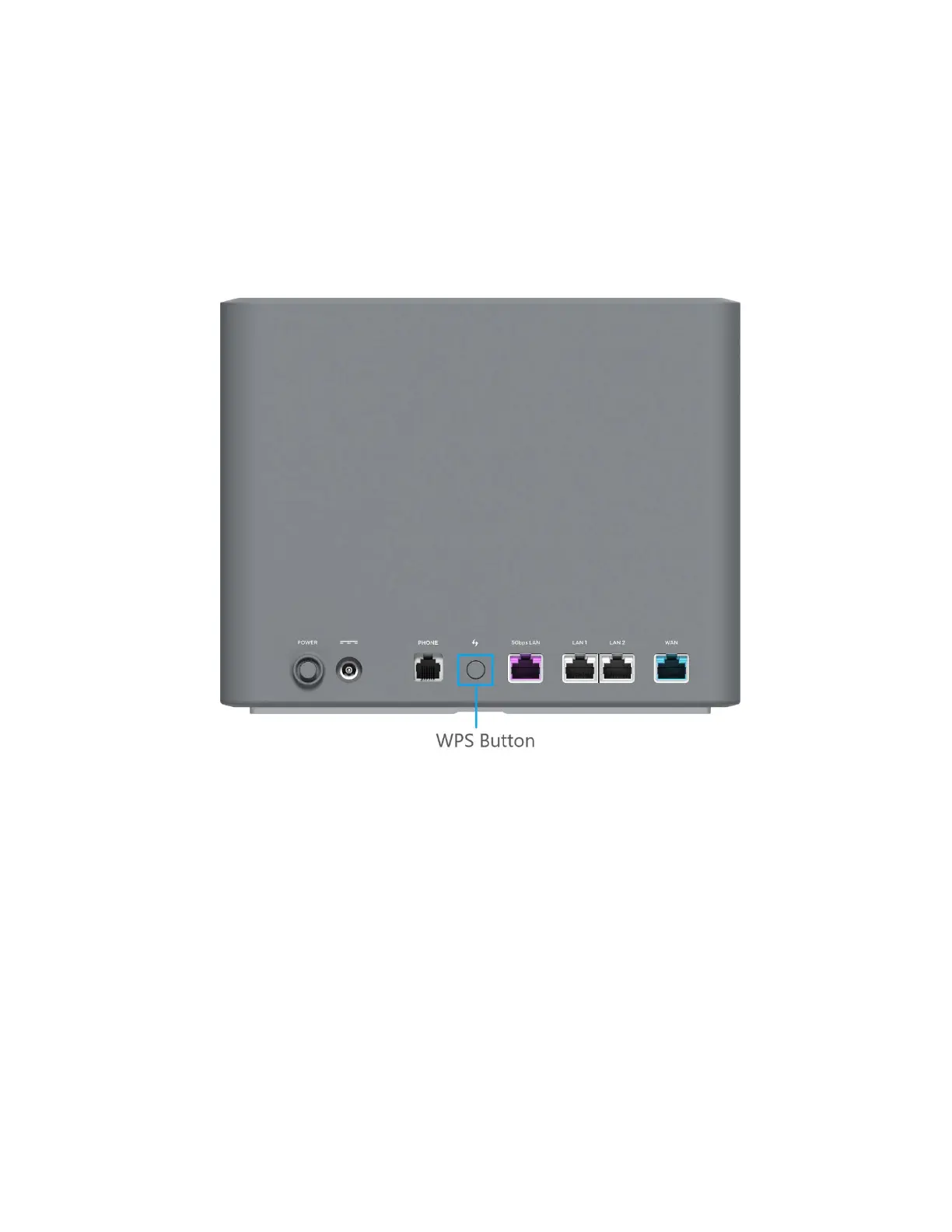
Connecting Devices with WPS
Wi-Fi Protected Setup (WPS) allows compatible devices to connect to a Wi-Fi network on your 5G Indoor
Router without having to manually enter the password.
To connect a device using WPS:
1. Push the WPS button on the router.
2. Follow the guidelines for the device you want connect.
NOTE: WPS is enabled by default on the 5G Indoor Router. You can find more information about
enabling or disabling WPS under Managing Wi-Fi Settings on page 24.



 To Next Page