5G INDOOR ROUTER FG2000e USER GUIDE 44
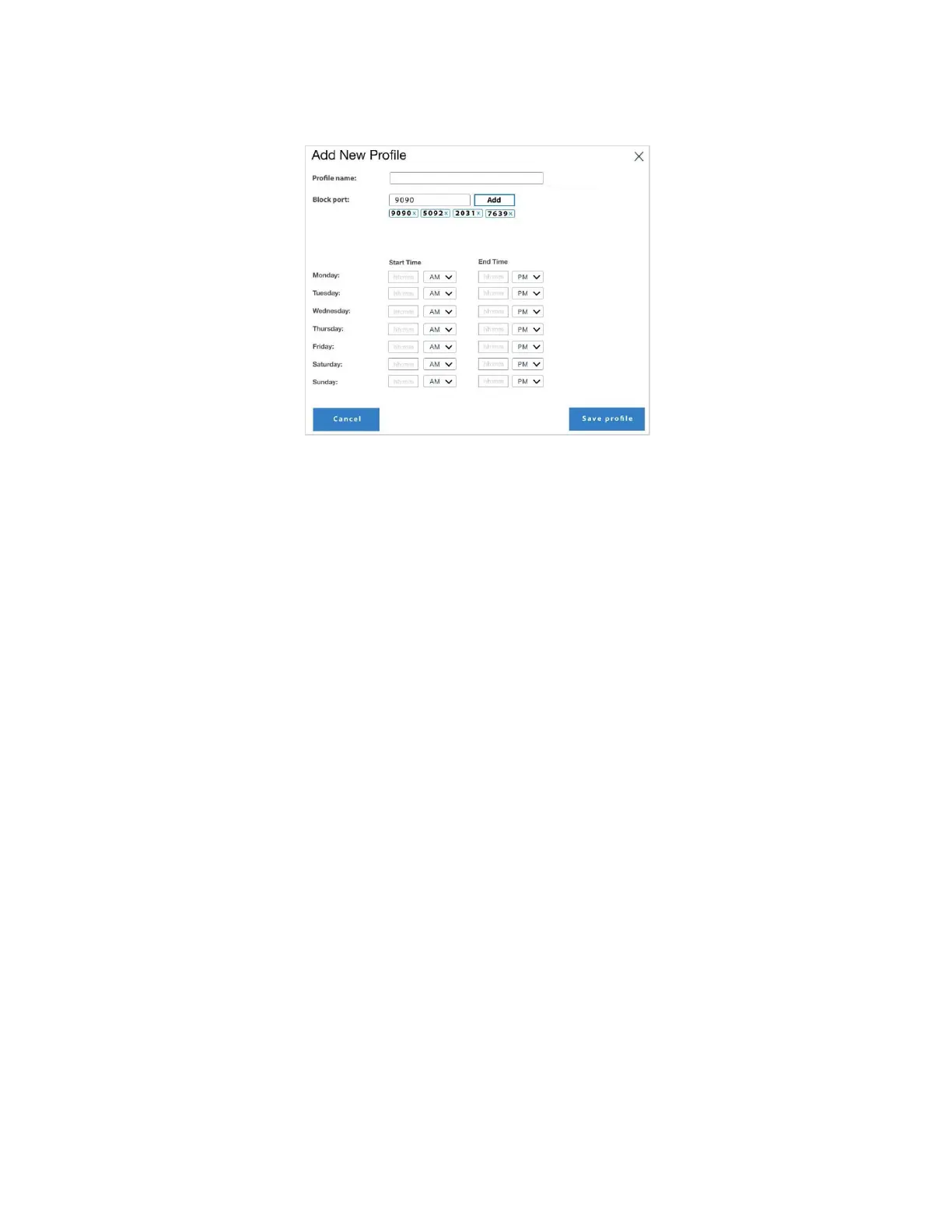
Add new profile: Select this button to create a new profile. The Add New Profile dialog box appears.
Profile Name: Enter a name for the profile.
Block PORT: Enter a port number you want to block for this profile and click Add. Repeat for
additional ports. The blocked ports are listed below. Click the X next to a port number to unblock it.
Access Times: Set the start and end times for the days you want to allow access for this profile.
Select Save profile to close the dialog box and return to the Profile page. The new profile is now
listed.
Use the Edit and Delete buttons to edit or delete listed profiles. NOTE: You can only edit/delete
unassigned profiles.
Use the Profile Assignment tab to apply profiles to devices.



 To Next Page