Rotary Chair Instruction for Use - English
Date: 2011-09-27 Page 16
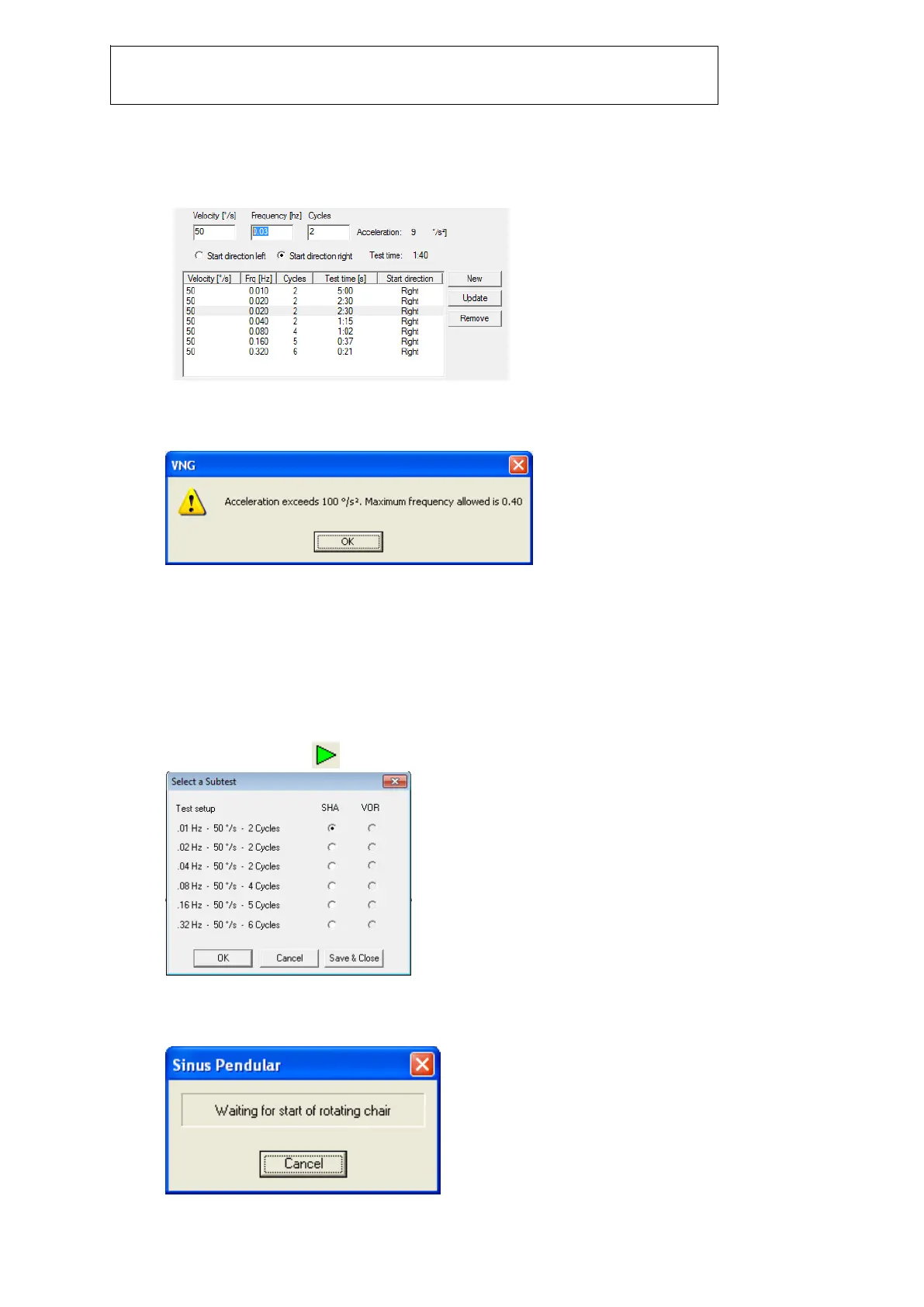
5. Click on ‘New’ to add another stimulus to the test. The new stimulus will get added directly
below the highlighted frequency. To make changes to the parameters of the new stimulus,
highlight it in the frequencies field and enter desired velocity, frequency, and cycles in the
appropriate fields.
The minimum frequency that can be selected is .01 Hz and the maximum frequency is 2 Hz.
When the desired frequency is selected, the software calculates the resulting acceleration.
When the acceleration exceeds 100°/sec
2
, the frequency will automatically be changed to the
maximum possible.
Alternatively, by reducing the selected velocity a higher frequency can be selected. The
maximum number of stimuli that can be added to one test is 10.
6. Click on ‘Update’ for any changes made to the stimulus to become active.
7. Click on ‘Remove’ to delete the highlighted stimulus from the list of stimuli.
8. If this box is checked the chair will move to its zero position before the test is started.
9. If this box is checked the chair will move to its zero position after the test is complete.
10. In this field enter the number (in degrees) at which the desired zero position is for the chair.
Starting the SHA test
1. To start the test click in the test toolbar. The following dialog box will appear.
2. Select the desired SHA or VOR Suppression frequency from the list of stimuli. Once a stimuli
is selected, the following dialog will display for a brief moment:














 To Next Page