Rotary Chair Instruction for Use - English
Date: 2011-09-27 Page 17
3. If you have selected to move the chair to zero position before start of the test, the chair will
automatically move to zero.
4. Once the chair is ready the above dialog will close and the test will begin.
5. Once the desired number of cycles have been completed the test will automatically stop.
6. If you have selected to move the chair to zero position after testing is complete, the chair will
now move to zero.
Colour codes
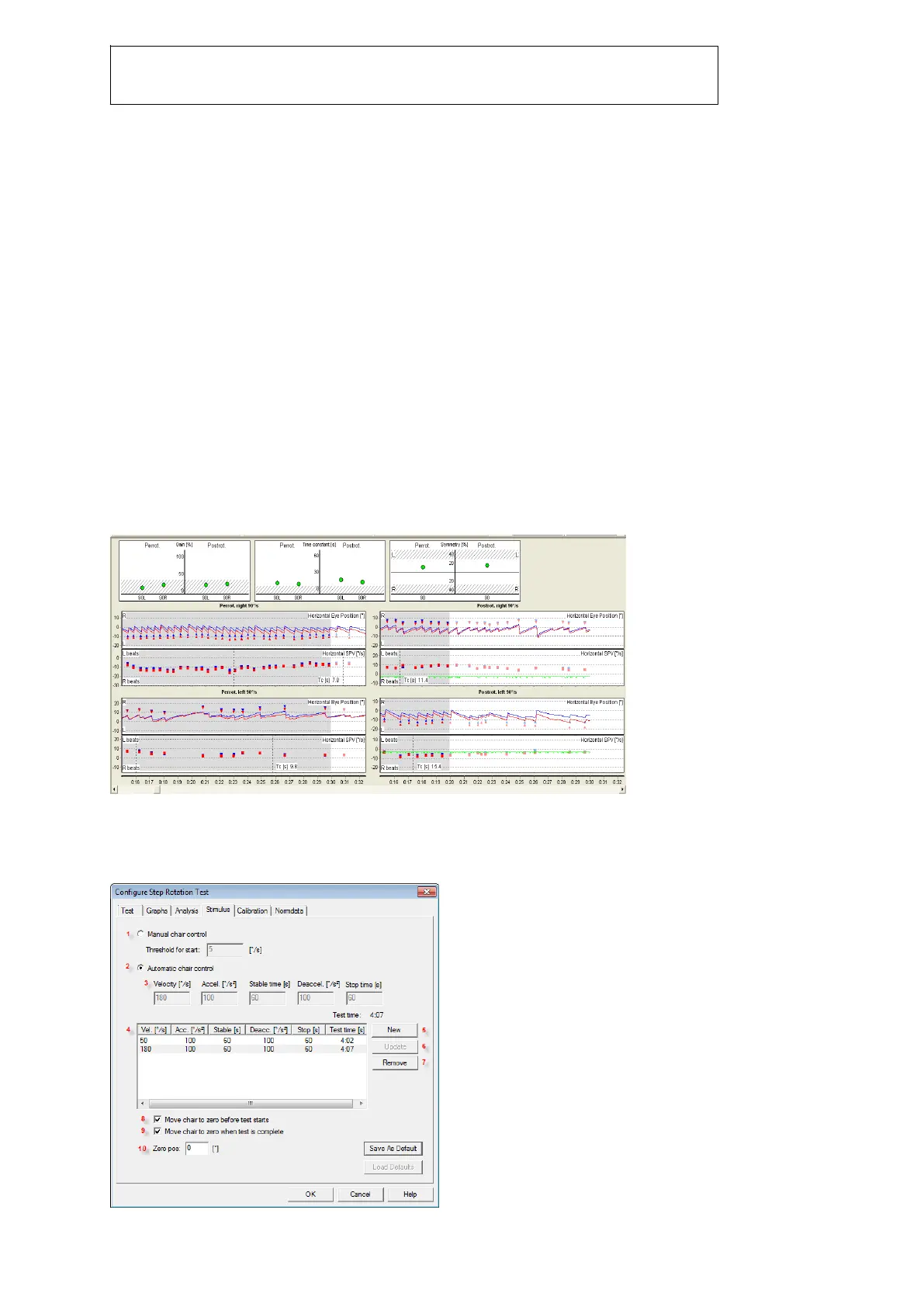
Red lines and points represent data of the right eye,
Blue lines and points represent data of the left eye.
Green lines represent data of the stimulus, in this case the
rotary chair movement.
The Step Rotation Test
During the Step Rotation Test the patient is positioned on a motor driven rotary chair that, after an
initial acceleration, rotates at a constant speed until the patient adapts to the rotation. The chair is
then suddenly stopped. After a pause, the stimulus pattern is repeated, but in the opposite direction.
Figure 2: Step Rotation Test window
Setting up the Step Rotation test
To set up the Step Rotation test, open the ‘Stimulus’ tab in the configuration dialog box.














 To Next Page