Rotary Chair Instruction for Use - English
Date: 2011-09-27 Page 18
1. Select ‘Manual chair control’ if you want to control the chair manually.
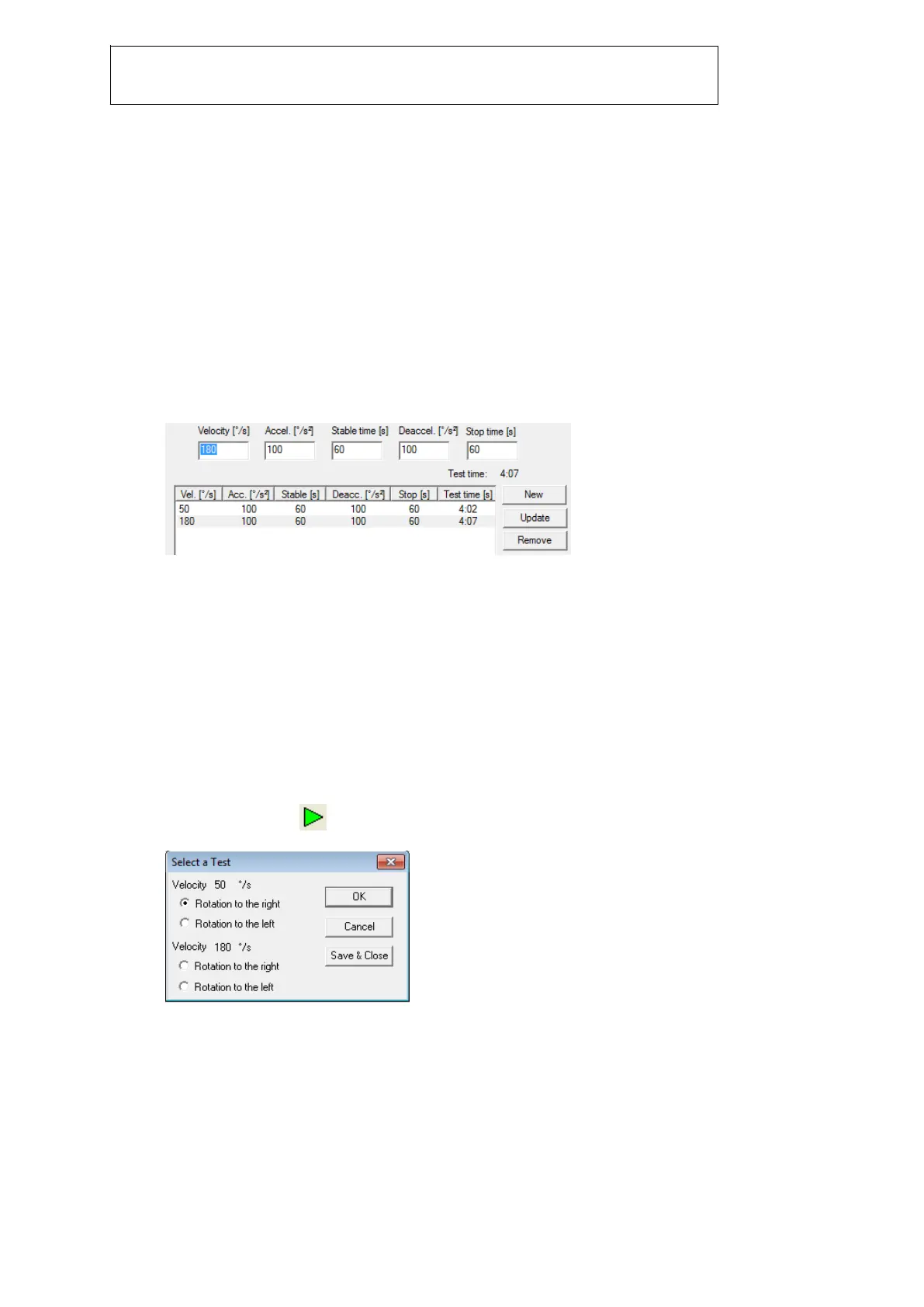
2. Select ‘Automatic chair control’ if you have a Nydiag 200 rotary chair connected via USB and
you want VNG software to control the chair automatically.
3. When automatic chair control is selected, the Step Rotation test parameters for the highlighted
stimulus will display in these fields. The minimum velocity allowed is 1°/sec and maximum is
200°/sec. The minimum acceleration/deceleration allowed is 0.1°/sec
2
and the maximum is
100°/sec
2
. Stable time is the period of time in which the chair will rotate for the per-rotary test
segments. Stop time is the period of time in which the chair is not rotating (post-rotary test
segment). When the desired stop time has expired, the chair will automatically begin rotating
the opposite direction for the next per-rotary test segment. The minimum stop time is 0
seconds and the maximum is 600 seconds.
4. Selected Step Rotation test stimuli will display here. Up to two stimuli can be added to a
single Step Rotation test.
5. Click on ‘New’ to add another stimulus to the test. The new stimulus will get added directly
below the highlighted frequency. To make changes to the parameters of the new stimulus,
highlight it in the numerical graph field and enter desired velocity, acceleration, stable time,
deceleration, and stop time in the appropriate fields above.
6. Click on ‘Update’ for any changes made to the new stimulus to become active.
7. Click on ‘Remove’ to delete the highlighted stimulus from the list of stimuli.
8. If this box is checked, the chair will move to its zero position before the test is started. If both
right and left step rotation test segments have not yet been performed , the chair will only
move to zero when the first per-rotary segment is started. The following segments will start
from the chair’s current position.
9. If this box is checked the chair will move to its zero position after the test is complete. If both
right and left step rotation test segments have not yet been performed , the chair will only
move to zero when the last test segment has been completed.
10. In this field, enter the number (in degrees) at which the desired zero position is for the chair.
Starting a Step Rotation test
1. To start a test click in the test toolbar. The following dialog box will appear:
Select the desired Step Rotation velocity and rotation direction from the list.
2. Once a stimuli is selected, the following dialog will display for a brief moment:














 To Next Page