Working with ENG: EO425 Page 36
ENG/DLB Instruction for Use - English
Date: 2011-09-27 Page 36
Using the Digital Light Bar
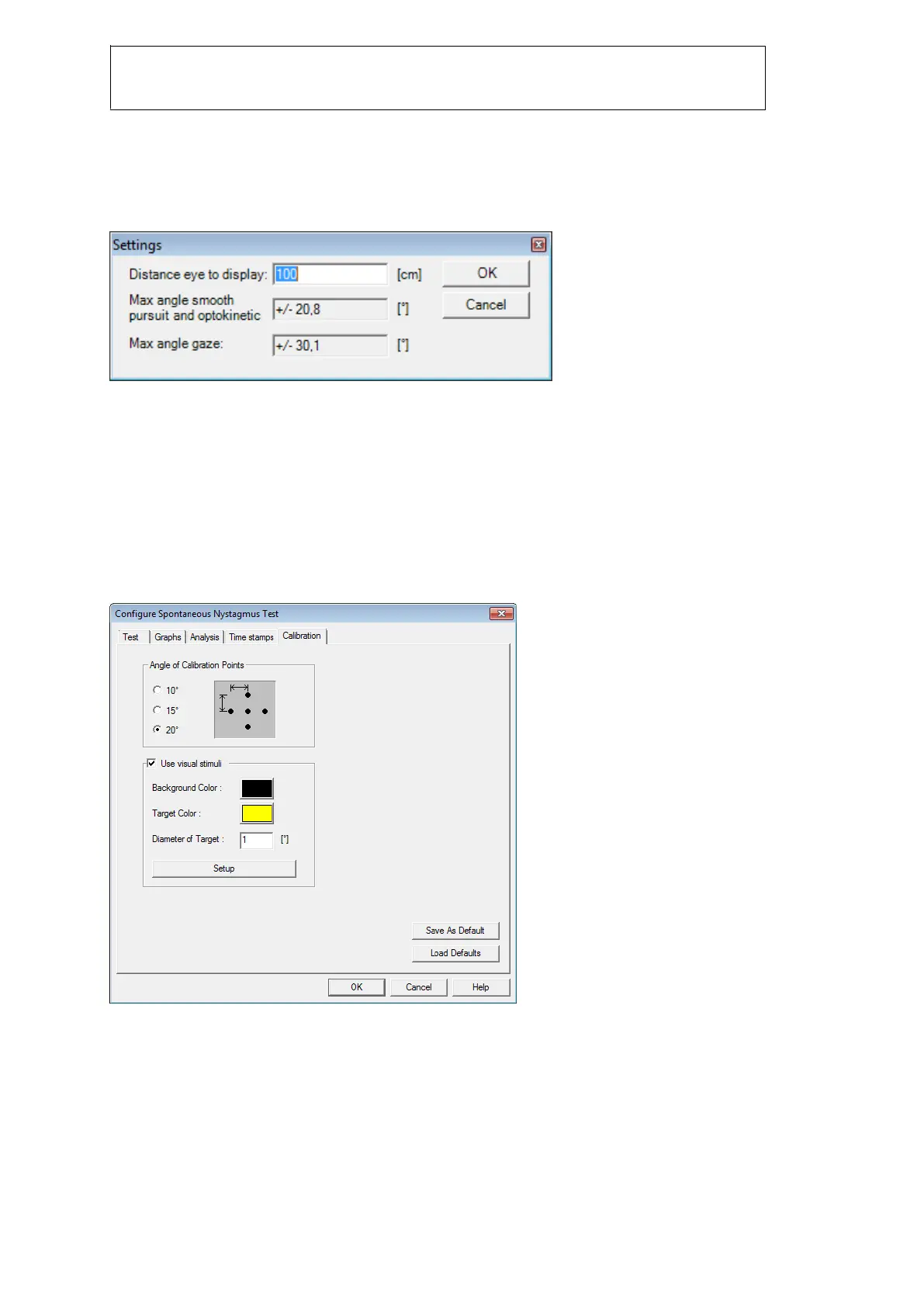
First set up the distance from light bar to patient. Default is 1 meter or 39
inches.
The stimuli setup dialog can e.g. be accessed from the calibration dialog:
Figure 2.1 Set up DLB distance to patient
There are two different angles to consider. The first one is for saccade, smooth pursuit and OKN.
These tests use the center diodes which can show stimuli at any position within the default +-20
degrees.
The second one is used in gaze test only, as they are fixed at 30 or 25 degrees. You can only achieve
25 or 30 degrees at 1m (39”) when using the long version of the light bar.
Calibration
There is only one calibration pattern available:
Figure 2.2 Calibration angles
The order of the calibration points are: 1: center, 2: left, 3: right, 4: center, 5: up, 6: down.
Click ‘Start’ and the calibration will calibrate point 1, 2 and 3. Then you are asked to flip the light bar to
vertical position:














 To Next Page