46
Delete assignment
Confirm
Confirm
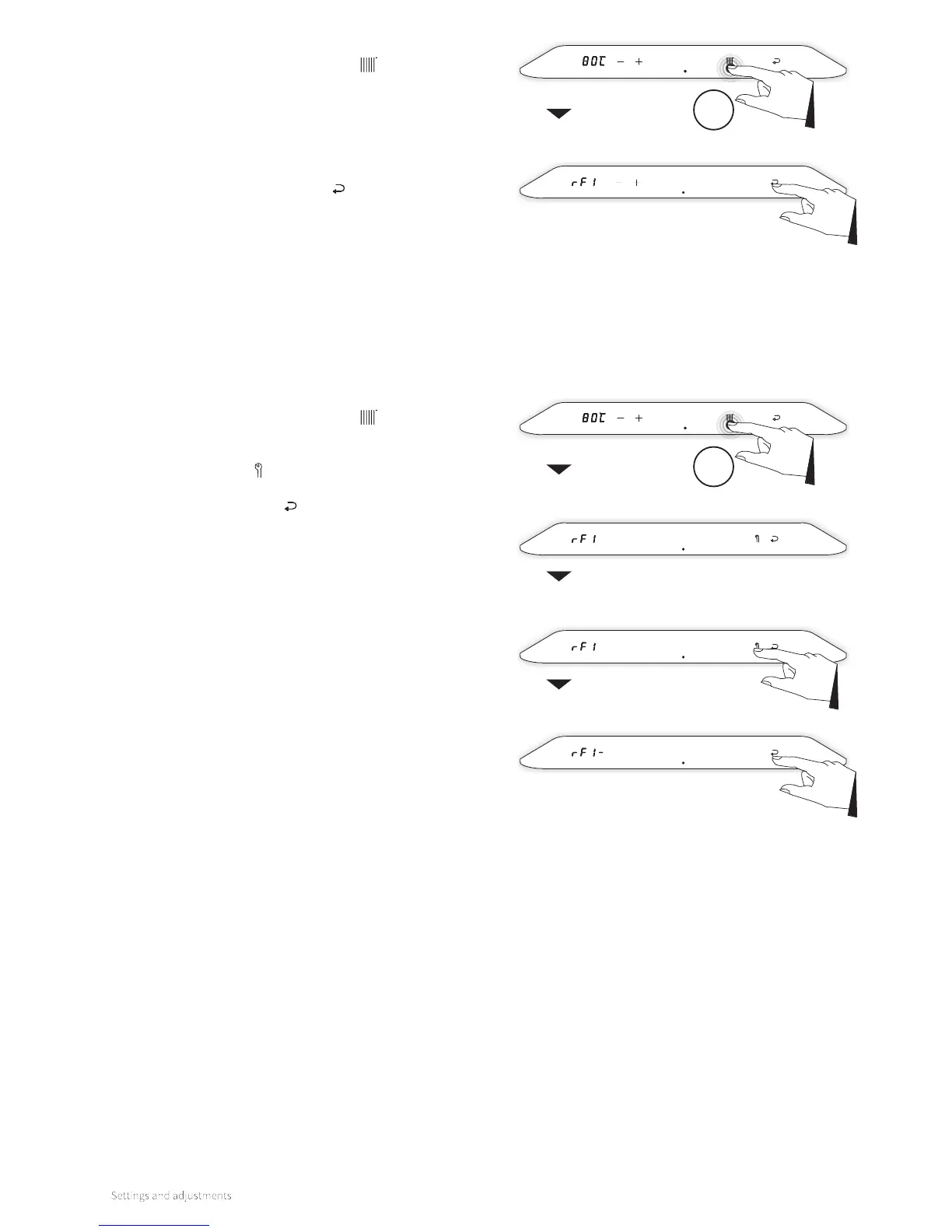
RF menu
To modify an RF room thermostat:
1. Touch the Central Heating symbol and hold for 2
seconds.
2. The method of assignment is dependent on the type
of room thermostat and is described in the installation
manual and operation instructions of the wireless room
thermostat.
3. Aer a successful assignment, ‘RF1’ appears in the le
display. Tap the Enter symbol to save.
To remove an assignment:
1. Touch the Central Heating symbol
and hold for 2
seconds.
2. ‘RF1’ appears in the le display.
3. Tap the Service button to remove the assignment.
4. ‘RF1–’ appears in the le display.
5. Tap the Enter symbol to confirm the removal and return
to the main menu.
6. Make a new assignment if desired.
Central heating
menu
2sec
Central heating
menu
2sec



 To Next Page