48
Service menu
(Installer’s) parameters
The (installer’s) parameters of the burner controller are factory-
set according to the table in §8.3.
These parameters can only be modified using the installer’s
code.
The installer’s code is shown on the le display and is preceded
by the letter C.
The parameters are also shown on the le display and are
preceded by the letter P.
To modify a parameter:
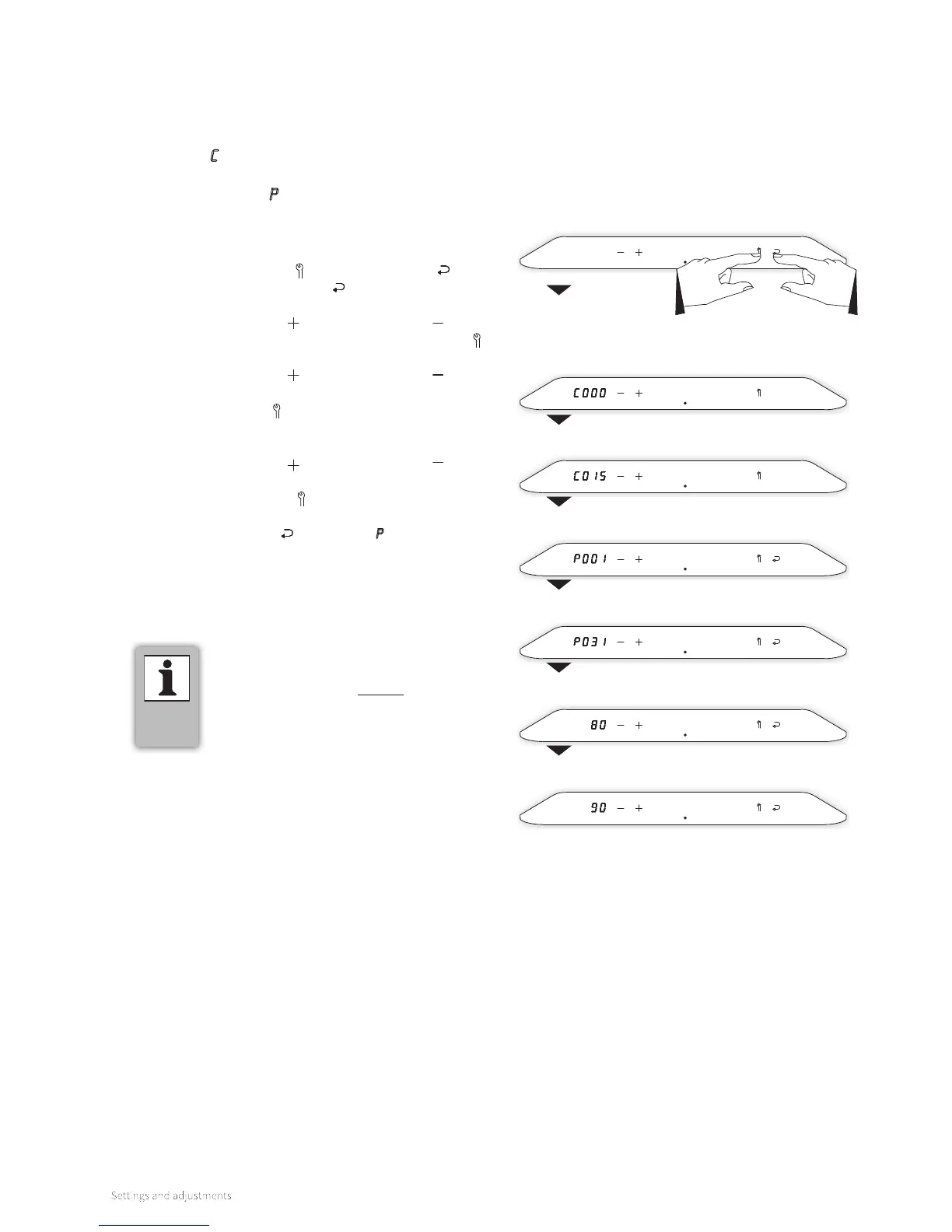
(for example, modify parameter P031 from 80 to 90)
1.
Tap the Service button and the Enter button at the
same time. The Enter button
is extinguished and all
other buttons remain on. ‘C000’ appears in the le display.
2. Using the Plus button and the Minus button , set the
installer’s code (C015) and tap on the Service button .
Parameter ‘P001’ will now be shown on the le display.
3. Using the Plus button and the Minus button , set the
desired parameter (in this example, ‘P031’) and tap on
the Service button . The current value of the relevant
parameter will be shown on the le display (in this example,
‘80’).
4. Using the Plus button and the Minus button , set the
desired value of the parameter (in this example, ‘90’).
5. Tap the Service button . Repeat Steps 3 and 4 to set any
additional parameters.
6. Tap the Enter button
to confirm. A P appears on the right
display (all other buttons are extinguished), which means
the settings have been stored.
7. The display returns to the initial setting and is ready for any
heat demand.
► By tapping just above the power LED during
a parameter modification, the modification
procedure is ended without the parameter
modification being saved. The display returns
to the initial setting and is ready for any heat
demand.



 To Next Page