25
Info Screen
The Info screen lists your system configuration information, as shown below. To access the
Info screen, use the arrow keys to highlight Info on the BIOS Setup main menu. The
information on this screen is determined by your system configuration, and cannot be
changed manually.
Main Screen
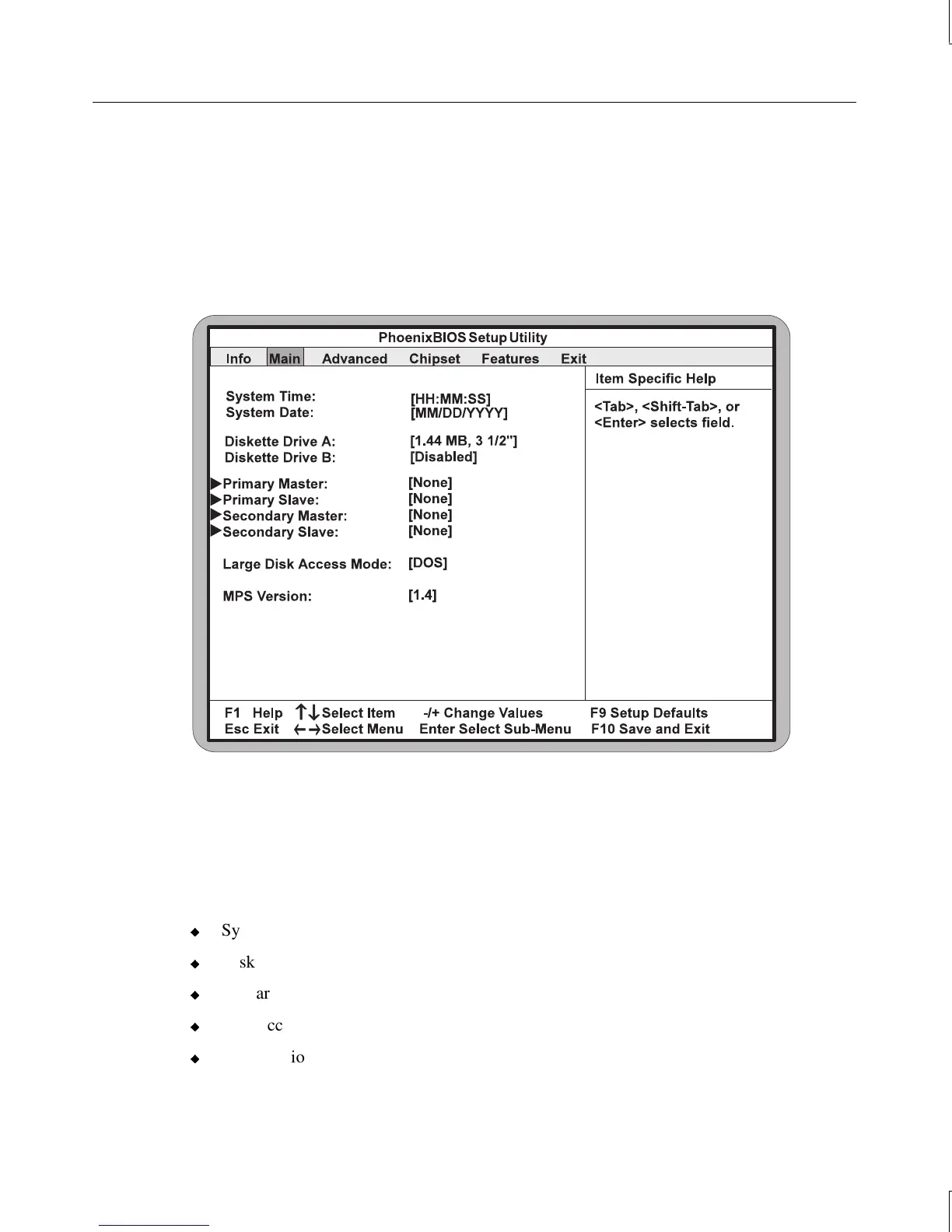
To access the Main screen, use the arrow keys to highlight Main on the BIOS Setup main
menu. The Main screen displays as shown below. This screen is used for configuring the
following system information:
u
System time and system date
u
Diskette A and B
u
Primary/secondary master and slave devices
u
Disk access mode
u
MPS version



 To Next Page