46
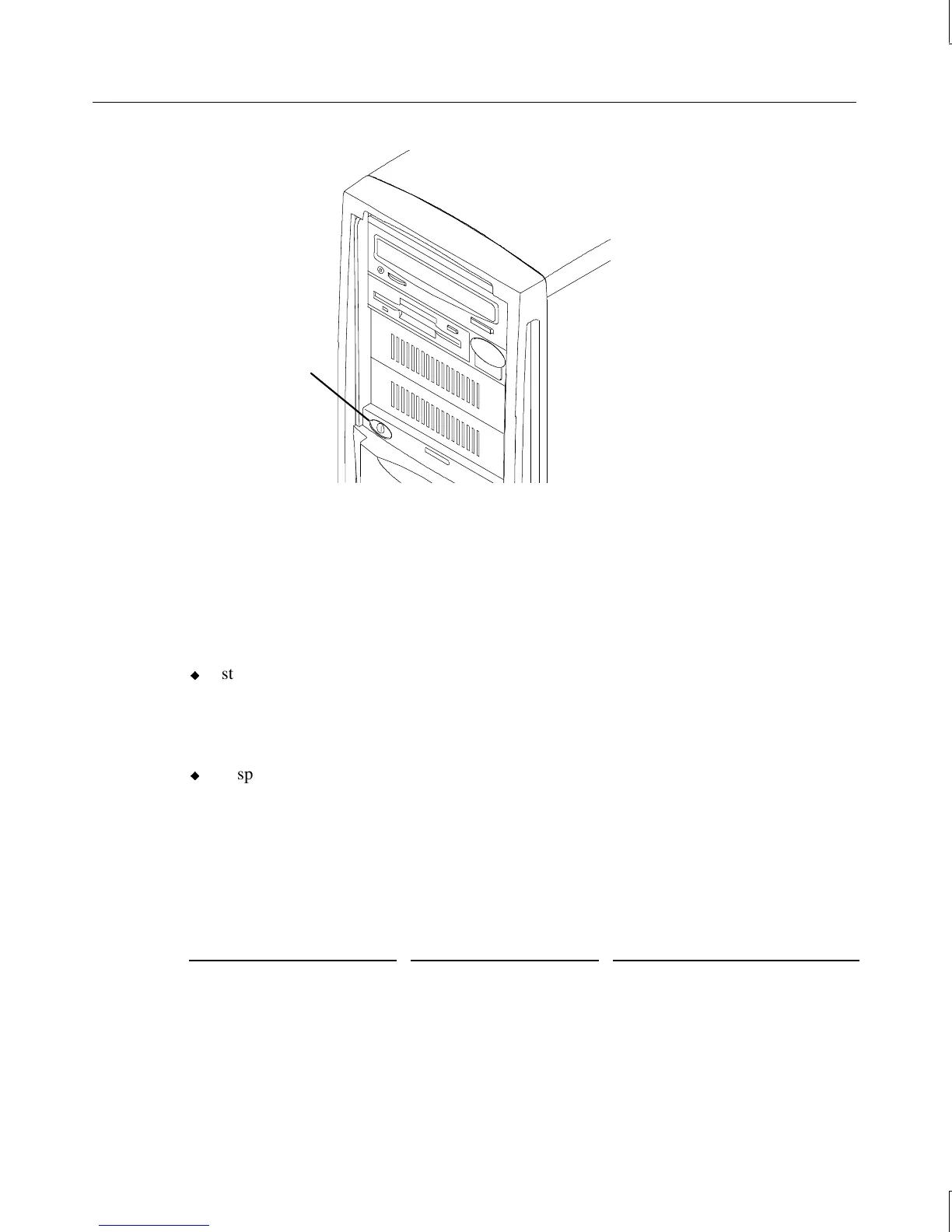
Standby button
Although the Standby button affects system power management, it is not an “on or off”
power switch in the traditional sense. The Standby button is a momentary contact switch,
changing system states based upon the length of time the button is pressed. Depending on
which operating system is loaded and what the system’s current power state is, you can use
the Standby button to start, suspend, wake up, or power down the system.
In Windows 95 systems you can:
u
start the system from a powered-down state by pressing the Standby button momentarily.
The system powers on and loads the operating system.
To shut down the system, select Shut Down from the Start menu. Select the shutdown
option, and then select OK.
u
suspend the function of the system by pressing the Standby button momentarily while
the system is in normal operating mode. The system enters Suspend mode, which
lowers the power consumption levels of most system devices.
To wake the system from Suspend mode, press a key or move the mouse. The system
returns to its normal operative state.
See the following table for details on using the Standby button.
If system is...
Press Standby button... To...
Off (no LEDs on) Momentarily (< 1 sec) Start the system
Working (green LED on) Momentarily (< 1 sec) Suspend Windows 95



 To Next Page