Radar Target Generator - RTG1002 Edition Date: 19-Apr-18
3. On every available network connection there will be checked if there is an RTG connected.
4. If there is more than one target generator detected, connected to the same network segment (not via
router but connected to a switch for example), a list will pop up and one can select which target
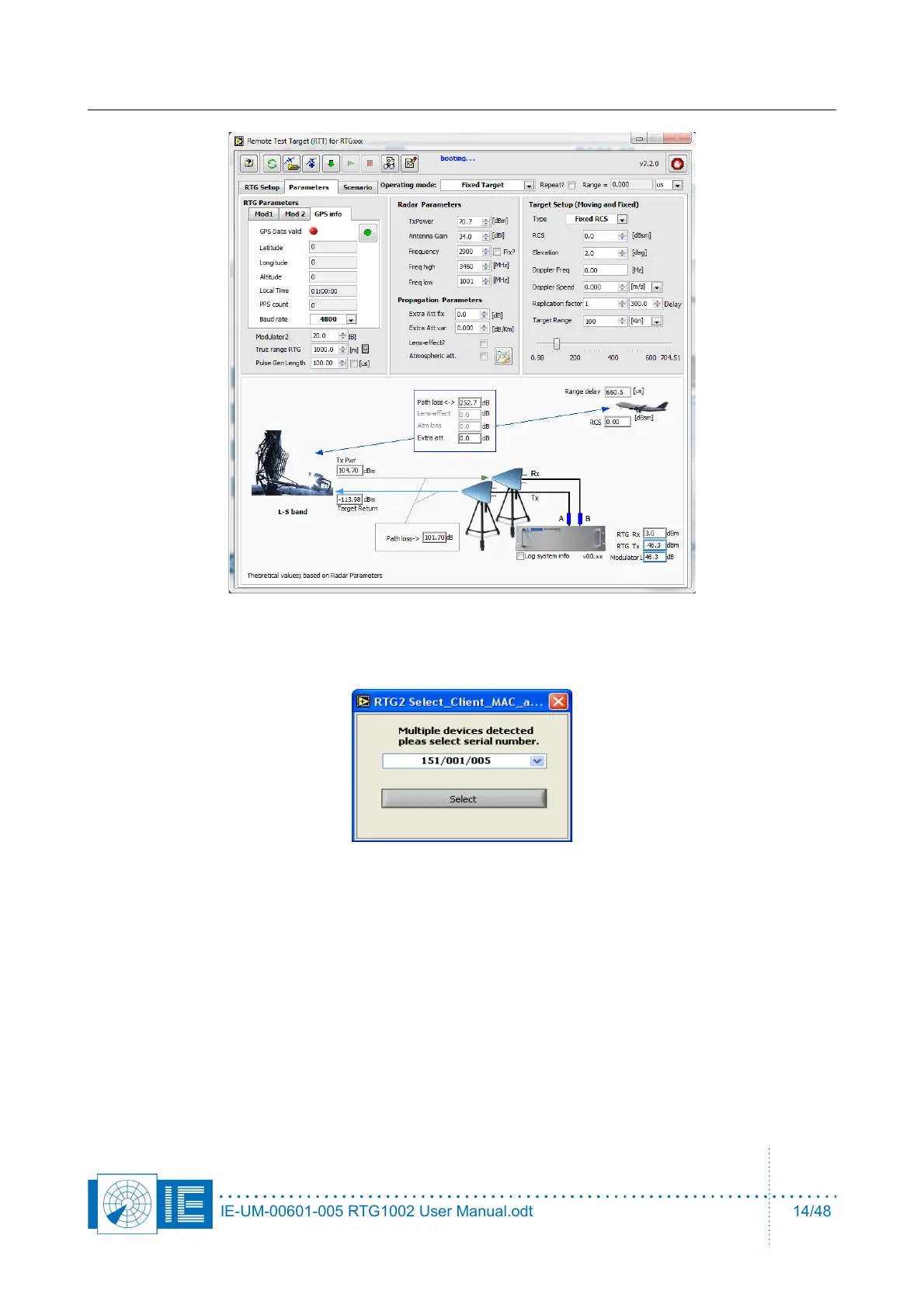
generator to use. Then the calibration files and settings will be loaded into the FPGA to control the
RTG1002. The HMI will indicate Booting...
If you want to control the RTG from another computer it's firewall must be turned off.
5. It is possible to connect the RTG1002 to network switch instead of directly to the embedded PC.
Then then RTG1002 can be controlled by multiple users but only one at a time. Warning: if a single
RTG1002 is already controlled by another computer on a network, a second computer can also
control the target generator. This situation must be avoided. When this situation occurs an indicator
will warn about this. The other user may change parameters, like the trigger level in the hardware
without any feedback in your application. The data stream of the received pulses will split up in two
IE-UM-00601-005 RTG1002 User Manual.odt 14/48


 To Next Page