Radar Target Generator - RTG1002 Edition Date: 19-Apr-18
2.2.3. Scenario Tab
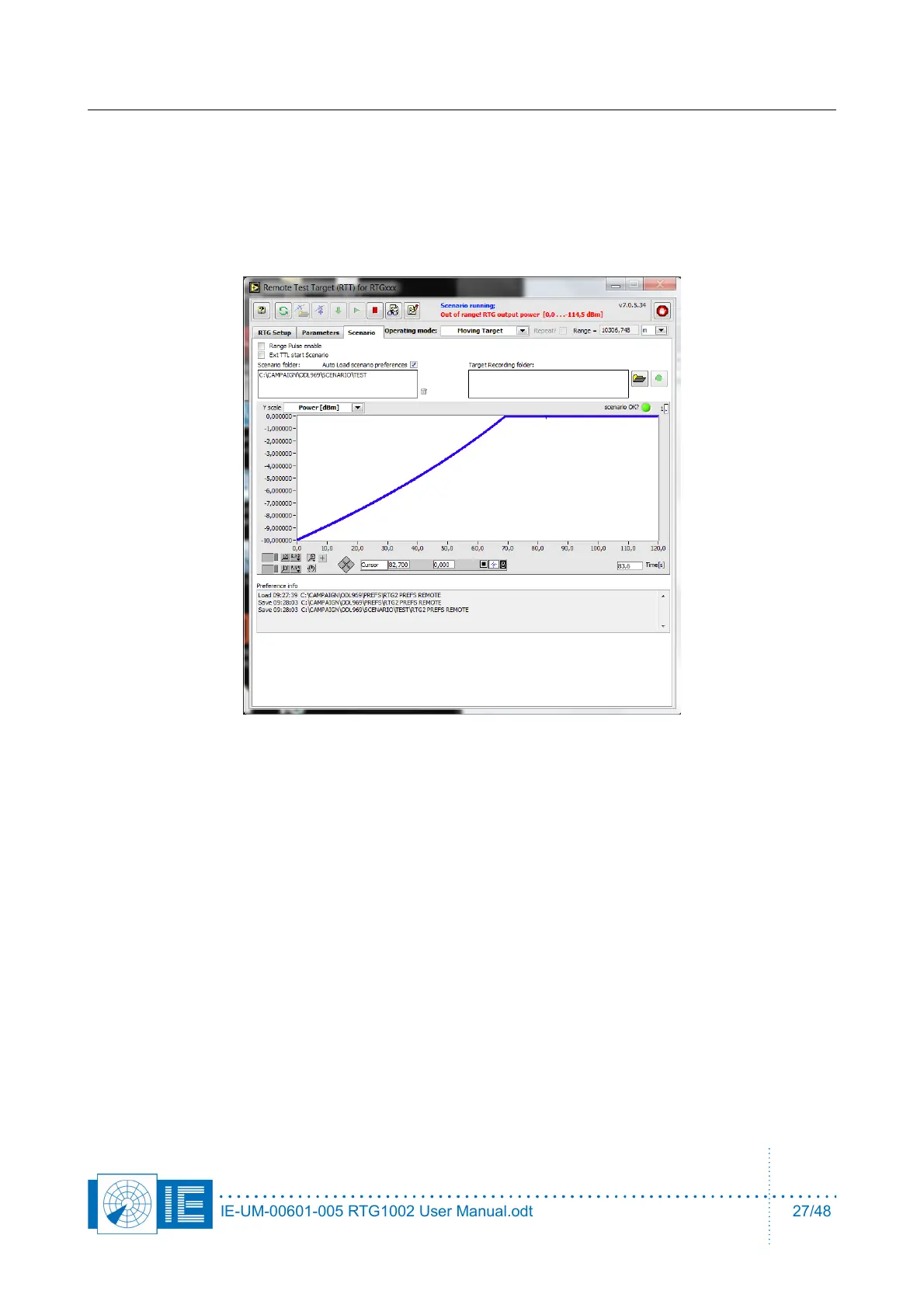
You can view the selected scenario in the scenario tab, when it is compiled, downloaded to the hardware.
select the Scenario tab.
• The scenario graph shows you the scenario range or speed versus time.
• The Y scale menu allows selection between range in [Km], [Nm] or [us]. Also the speed can be seen
in [m/s], [Nm/h] or the power can be checked.
• The output power will clip at 0dBm. There is no warning when you prepare the scenario if some
levels are out of range. The warning
Out of range! RTG output power [0.0 … -114,5dBm]
will be displayed when the clipped scenario is running and when this error happens, in case of the
example after more then 1 minute. Therefore, one should check the power levels calculated for the
scenario in advance. Decrease the value for attenuator A, both in hardware and software to avoid
such a situation.
• The scenario can be recorded when it is running, A log file of range vs time (UTC time when GPS is
connected) is created each time the scenario runs. This file can be used to determine the range
accuracy or process delay of the radar.
When the scenario is repeated a new file is created each time with the system time in the filename.
The text file contains two numbers
target range, expressed in meter: 36793.788m
Seconds past UTC midnight 45973.525 sec (when valid GPS data is connected)
the file in the example was created on 14h46m13sec in a time zone UTC +2
OR when there is no valid GPS data connected the time is just a relative time stamp of the seconds that
have past after booting RTG1002.
IE-UM-00601-005 RTG1002 User Manual.odt 27/48


 To Next Page