Radar Target Generator - RTG1002 Edition Date: 19-Apr-18
2.2.2.1. Didactical Panel
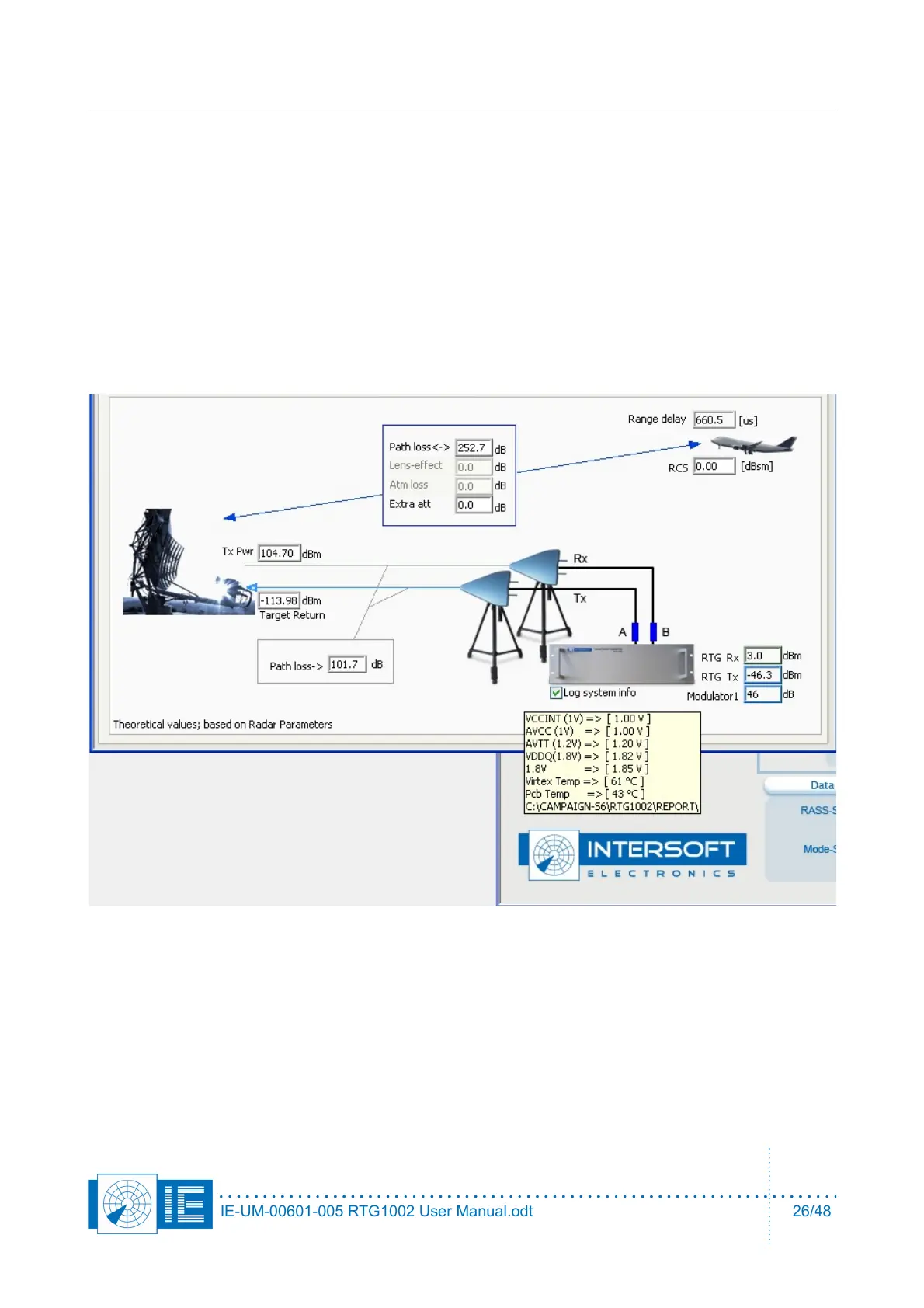
The didactical panel contains a number of calculated power fields, each of which is calculated from the
parameters entered above. The most important result from these calculations is the predicted RTG output
power and thus the modulator settings. When adaptive beam modulation is ON, the input power is just as
important, make sure it is within the linear range of (+10 .. -35dBm).
There is more then 90dB dB of dynamic range to modulate the output power on all RTG models. This
corresponds to more then 7 range octaves (12dB) or a max range/min range ratio of 128. In other words, if
you match all the attenuators of the setup perfectly and leave 18 dB of margin for the beam modulation it
would be possible to fly one specific sized target from 1nm up to 64nm using the full 90dB modulator range.
This didactical panel will help the user to figure out what is possible and what not with the current attenuator
values. This has to be done both in hardware and in software.
When the checkbox under the picture of RTG1002 is selected, a log file with system info is created in the
current campaign\report. During the design of this device it has been useful to have this information, some of
the voltages have proven to be very critical. The temperature could be useful, the rest is intended to find a
potential problem. The log file will not exceed 1MB filesize, so it is easy to send to Intersoft Electronics for
analysis.
IE-UM-00601-005 RTG1002 User Manual.odt 26/48


 To Next Page