Radar Target Generator - RTG1002 Edition Date: 19-Apr-18
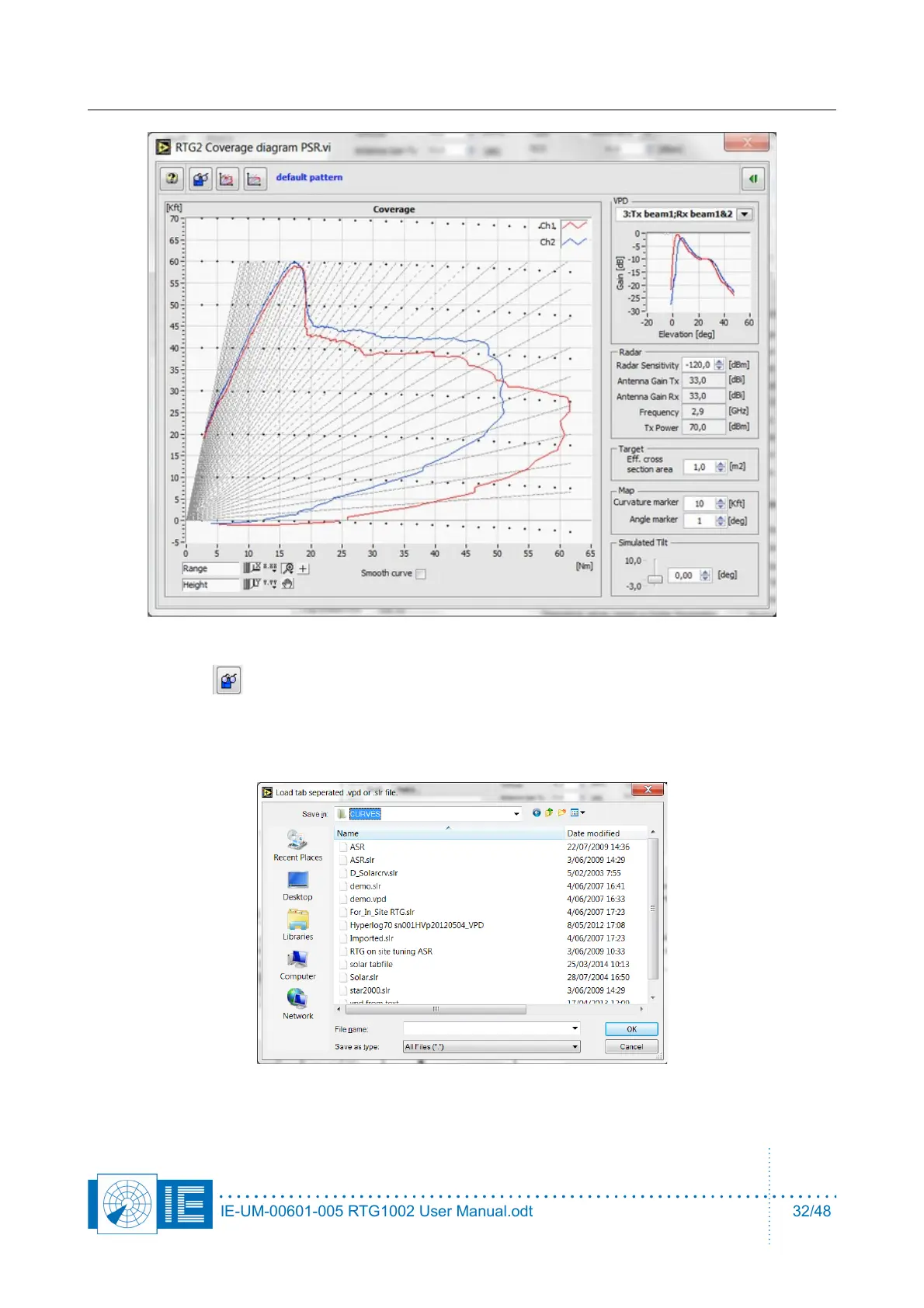
7. The default antenna diagram, a typical ASR antenna with two antenna beams, is shown.
8. Use this - button to select a vertical antenna diagram. A dialog will allow to select a tab
separated file, a .slr or .vpd- file (file format from RASS-S for VPD, the result from a solar recording).
If you click the cancel button, you can still use the default diagram. Just click the third button from the
left.
9.
IE-UM-00601-005 RTG1002 User Manual.odt 32/48


 To Next Page