Radar Target Generator - RTG1002 Edition Date: 19-Apr-18
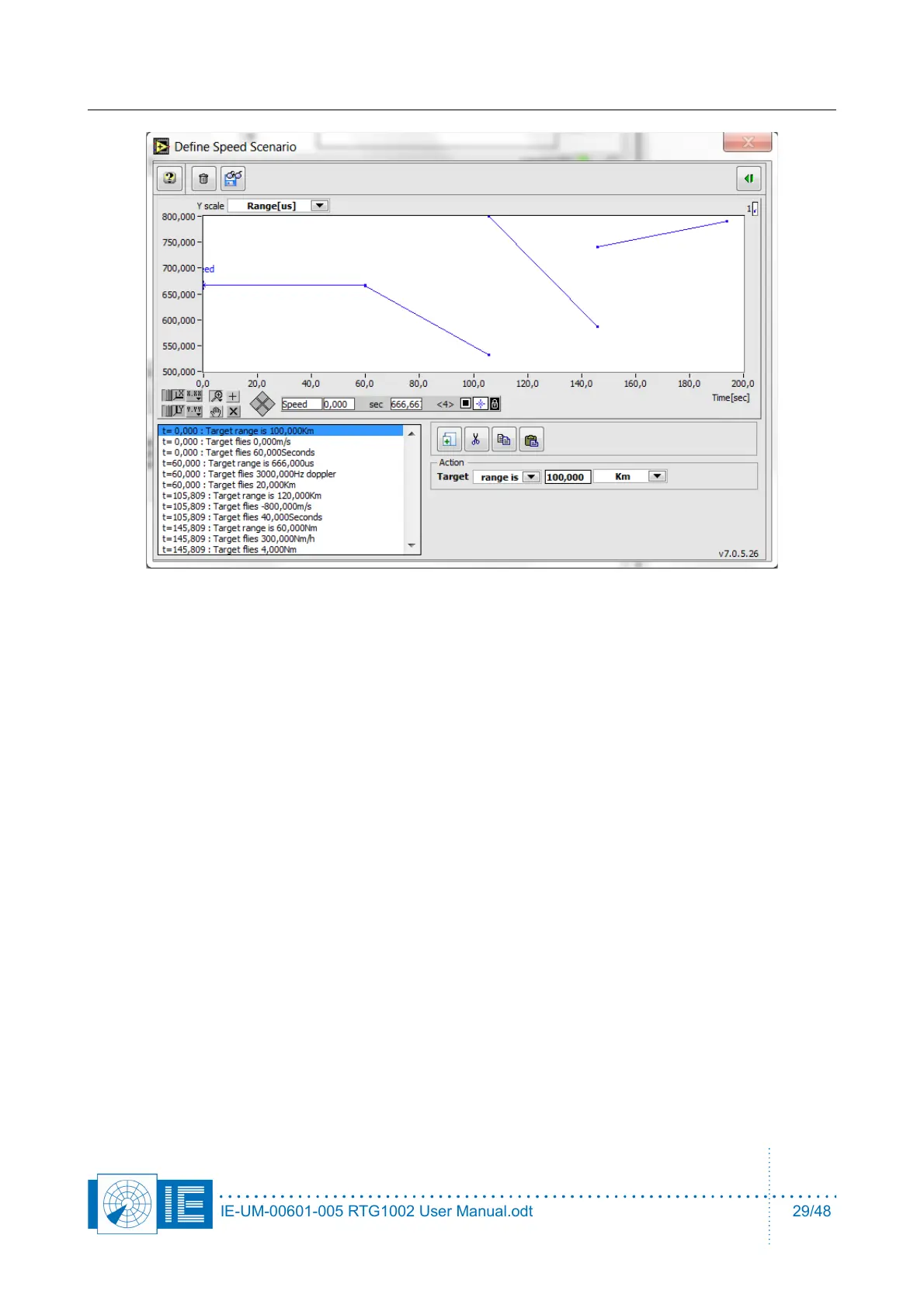
Creating a scenario goes in three steps, usually:
1. range (m, km, us or Nm)
2. speed (m/s, km/h, Nm/h or Hz Doppler (for frequency for the parameters tab)
3. duration (seconds, Nm or km)
A typical beginners mistake would be to define first range and duration and then speed, this would create a
problem when the duration is expressed as a distance (the speed used would be 0m/s, it would take forever
to cross the distance resulting in a lack of memory type of error).
IE-UM-00601-005 RTG1002 User Manual.odt 29/48


 To Next Page