Radar Target Generator - RTG1002 Edition Date: 19-Apr-18
TABLE OF FIGURES
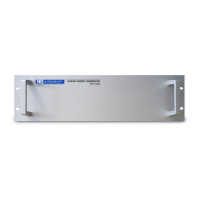
Figure 1: RTG 1002 front panel.................................................................................................................... 11
Figure 2: Block Diagram RTG1002.............................................................................................................. 12
Figure 3: Booting, RTG parameters............................................................................................................ 14
Figure 4: Parameters for the radar equation..............................................................................................15
Figure 5: Attenuator A vs frequency for modulator 1................................................................................16
Figure 6: List of components supllied with RTG1002 loss vs frequency................................................17
Figure 7: Setup tab, scope view of the received pulse.............................................................................19
Figure 8: Pulse view with drop down list...................................................................................................20
Figure 9: Predicted peak power should match the maximum received power level..............................21
Figure 10: Predicted peak power in the didactical panel..........................................................................22
Figure 11: Pulse view , RX power and Tx power with Adaptive Beam Modulation ON, fixed target.....22
Figure 12: Pulse view of RTG recording..................................................................................................... 24
Figure 13: Filter setting and parameters of the RTG pulse viewer...........................................................25
Figure 14: Didactical panel with system info being logged......................................................................26
Figure 15: Power vs time of the scenario...................................................................................................27
Figure 16: Define speed scenario............................................................................................................... 29
Figure 17: Booting , RTG parameters......................................................................................................... 30
Figure 18: RTG on site parameters............................................................................................................. 31
Figure 19: Default antenna diagram............................................................................................................ 32
Figure 20: Select VPD curve........................................................................................................................ 32
Figure 21: Radar coverage diagram, from a default antenna VPD...........................................................33
Figure 22: Coverage diagram for a theoretical cosecant square VPD.....................................................34
Figure 23: Attenuator A vs frequency for modulator 1..............................................................................35
Figure 24: Define Jammer - Clutter settings for Modulator 2 vs azimuth................................................36
Figure 25: Parameters for fixed or moving target......................................................................................37
Figure 26: Typical Airfield Surveillance Radar VPD, Tx on beam 1 and two Rx beams.........................38
Figure 27: Modulator 2 used to modulate a signal vs azimuth to simulate a jammer or interfering
signals........................................................................................................................................................... 39
Figure 28: Toolbox must be running to allow RPC....................................................................................41
Figure 29: LVXMLRPCserver location........................................................................................................42
Figure 30: RASS --help................................................................................................................................. 42
Figure 31: Configuration file for RPC.........................................................................................................43
Figure 32: Preference file in case of this example..................................................................................... 45
Figure 33: Preferences file for RTG on site target injection software......................................................46
Figure 34: Example of RPC via the DOS command prompt.....................................................................48
IE-UM-00601-005 RTG1002 User Manual.odt 6/48


 To Next Page