Motion Detection
Motion detection configuration can be simple or complicated depending on the scene and the
desired detection behaviour. Let’s explore an example to better understand how each setting
should be configured based on scene and behaviour requirements.
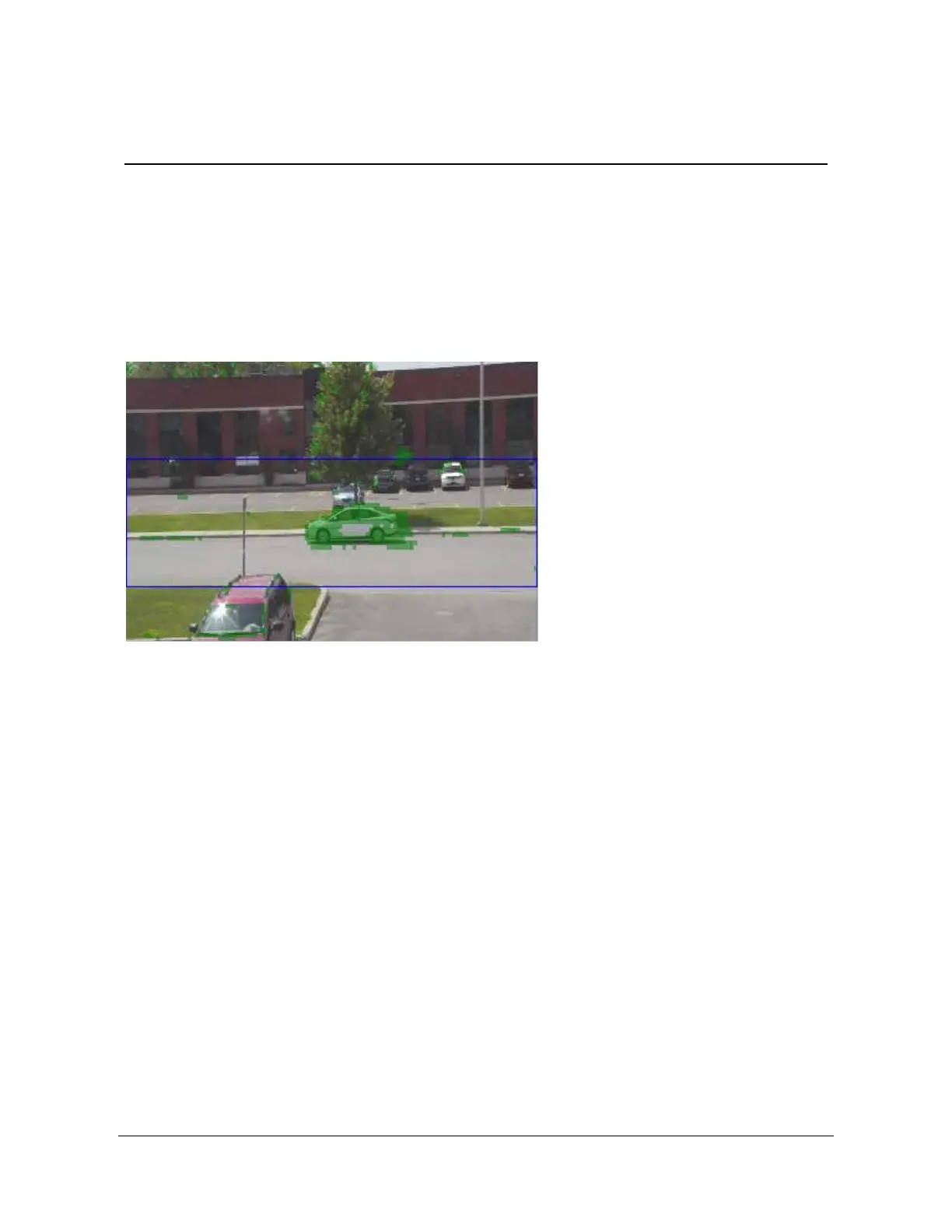
In our example, we wish to trigger a motion detection event when a vehicle appears within an
outdoor scene.
In the above scene, we have set the motion detection parameters as follows:
x Region Position (represented by the blue rectangle) was set to the street area where we
wish the detection to occur. In our example, the region was set to: 0.35,0,0.81,1.00
x Frame count was set to 4 in order to eliminate any false detections. This means that the
motion needs to be observed in at least 4 consecutive frames.
x Sensitivity was set to 95. This value is recommended and should not be changed.
x On threshold was set to 6% (6). We first estimate that the vehicle in the scene above
occupies around 2700 pixels within the image. The Region we selected (in blue)
represents approx. 38860 pixels, or 1/3 of the 352x240 image. We can now calculate
that the car represents 6.95% (2700/38860) of the Region. We therefore set the motion
On threshold to 6%.
x Off threshold was set to 2% (2). This value is low enough to ensure no more vehicles
are in the scene.



 To Next Page