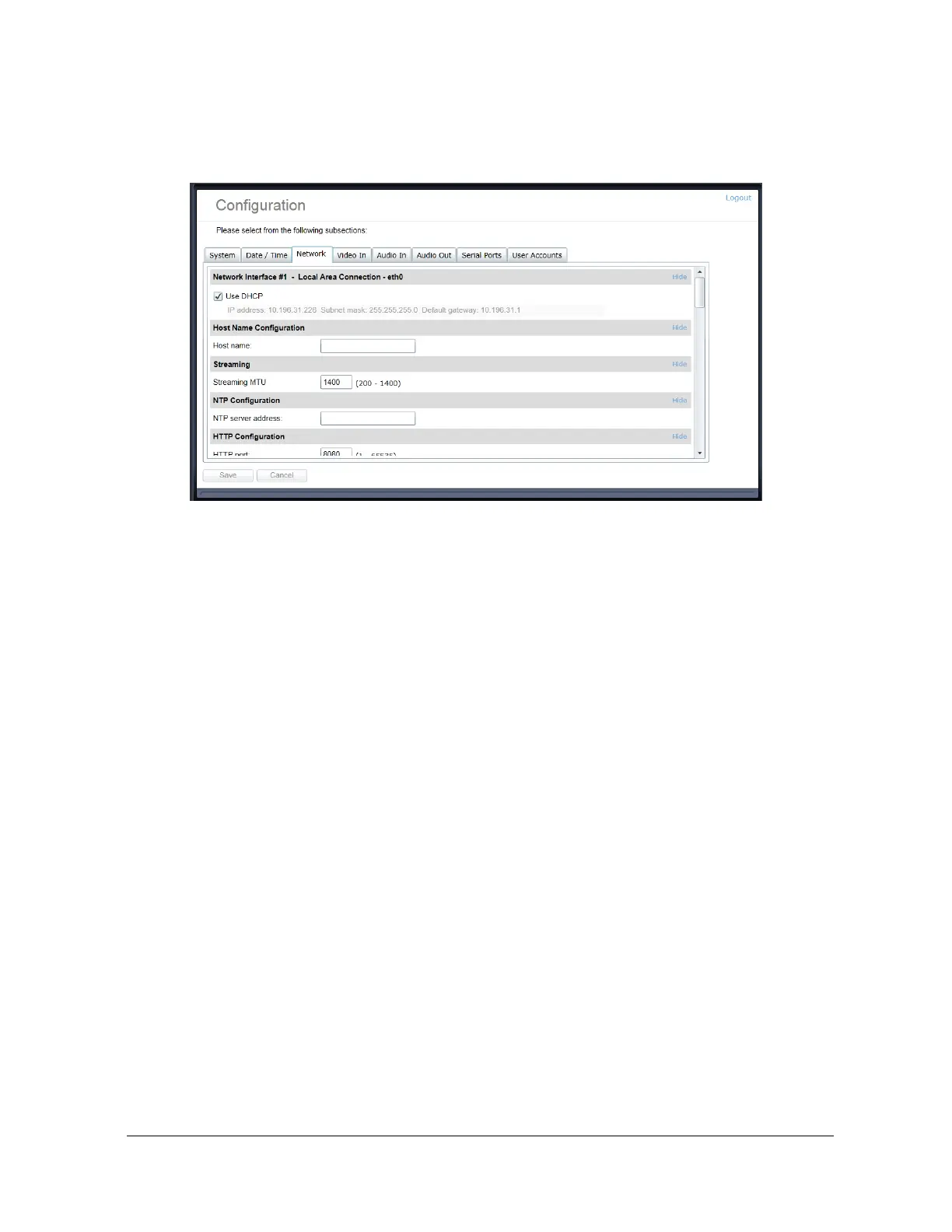
Configuration / Network
Under the Configuration section, select the Network tab to perform the following operations:
x Network Interface – Set the encoder’s IP parameters; DHCP or static IP information.
x Host Name Configuration – Set the encoder’s network name.
x Streaming – Set the MTU size for all media related RTP packets sent on the network;
avoid changing this setting unless absolutely necessary.
x NTP Configuration – Configure an NTP server to allow the device to automatically
update its internal clock using an NTP server.
x HTTP Configuration – Change the device’s HTTP configuration
o HTTP Port – TCP port used by the HTTP server
o HTTPS Port – TCP port used for SSL connections on the HTTP server
o Authentication mode – Basic or Digest Authentication for HTTP connections
o Accept HTTPS connections – enables support of SSL connections
o Accept HTTPS only – forces the HTTP server to accept only SSL connections
x API Selection – Enable the required Network APIs. Enable PSIA or GENETEC API
depending on which VMS platform you intend to use with the device. Disabling any
unrequired APIs will accelerate boot time. Note that the IONODES ION API and OnVIF
API’s are always enabled.
x Bonjour – Enable Bonjour discovery protocol and configure search domain.



 To Next Page