PULSE SHAPING SOFTWARE OPTION | IPG PHOTONICS
S
S
U
U
B
B
M
M
E
E
N
N
U
U
P
P
A
A
N
N
E
E
L
L
S
S
n
n
a
a
p
p
s
s
h
h
o
o
t
t
p
p
a
a
n
n
e
e
l
l
1
1
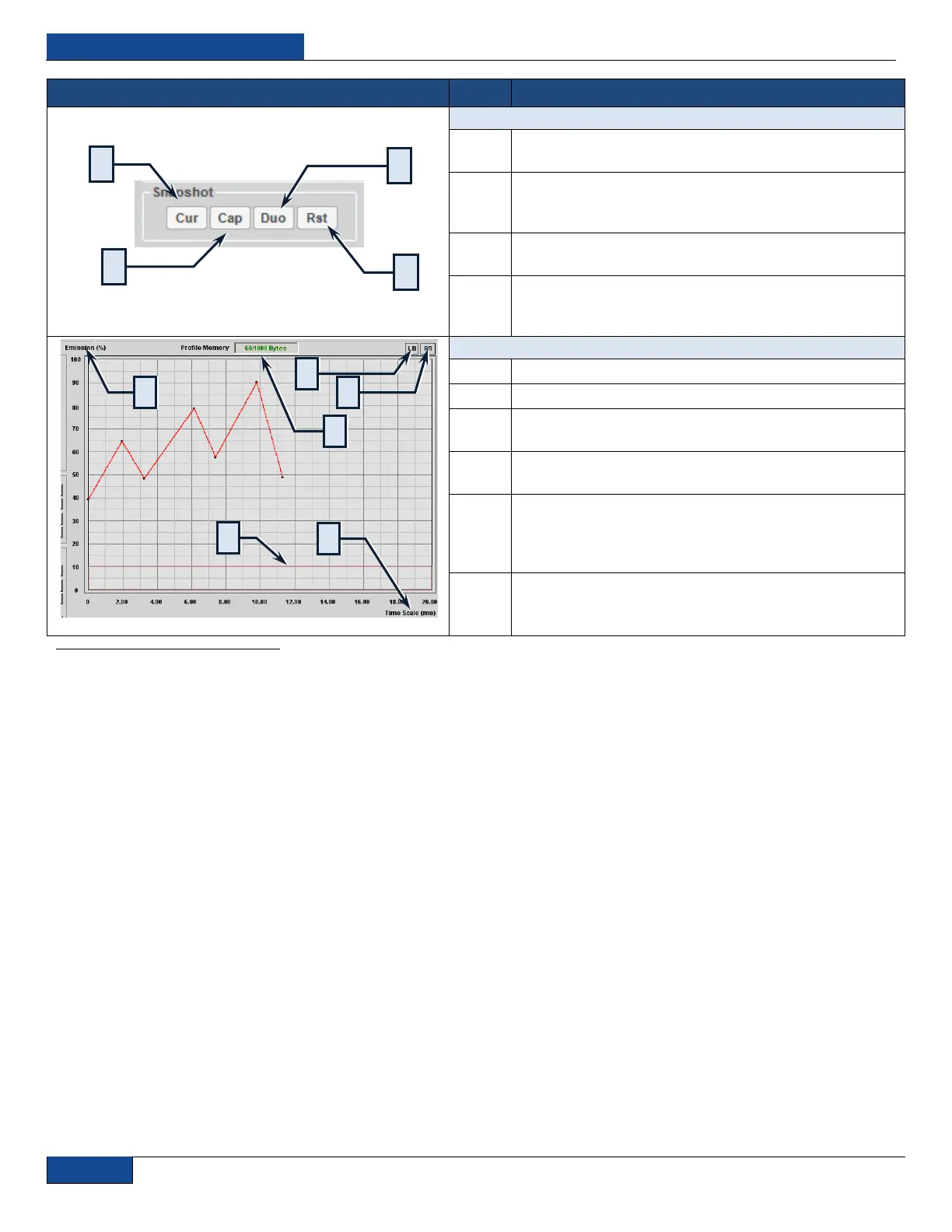
Cur: Displays the current pulse when the Snapshot
interface is active
Cap: Enables the Snapshot interface by capturing the
current pulse, also used to switch to the saved pulse
when editing another.
Duo: When held down, displays both current and saved
pulse on the same chart in different colors for comparison
Rst: Resets the Snapshot interface, clears the saved
pulse, and any pulse on the chart at the time becomes
the current one
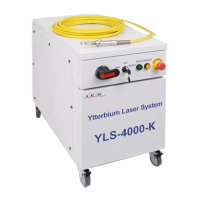
Time (X-axis): Time domain in ms
Emission (Y-axis): Emission level in percent power
LB: Left chart buffer, contains pulse data when lit green,
shift pulse to the right to see contents
RB: Right chart buffer, contains pulse data when lit green,
shift pulse to the left to see contents
Emission Threshold: Visual representation of the
threshold (current) level in the Laser configuration
appears as a pink box in the chart. Any pulse data within
does not have any power.
Profile Memory: Current pulse memory utilization/
Maximum allowable
1
Due to the digitized nature of the pulses, approximations are used to compute modulations, so modulation step values, especially the very small ones may not
have an effect. It is recommended to save original pulse or use the Snapshot interface while manipulating the pulse so it is easy to compare the modulated pulse
against the original.


 To Next Page