Chapter 9 PROGRAM MODE
9.5.5 EDITING PRESET KEY NAMES
1.
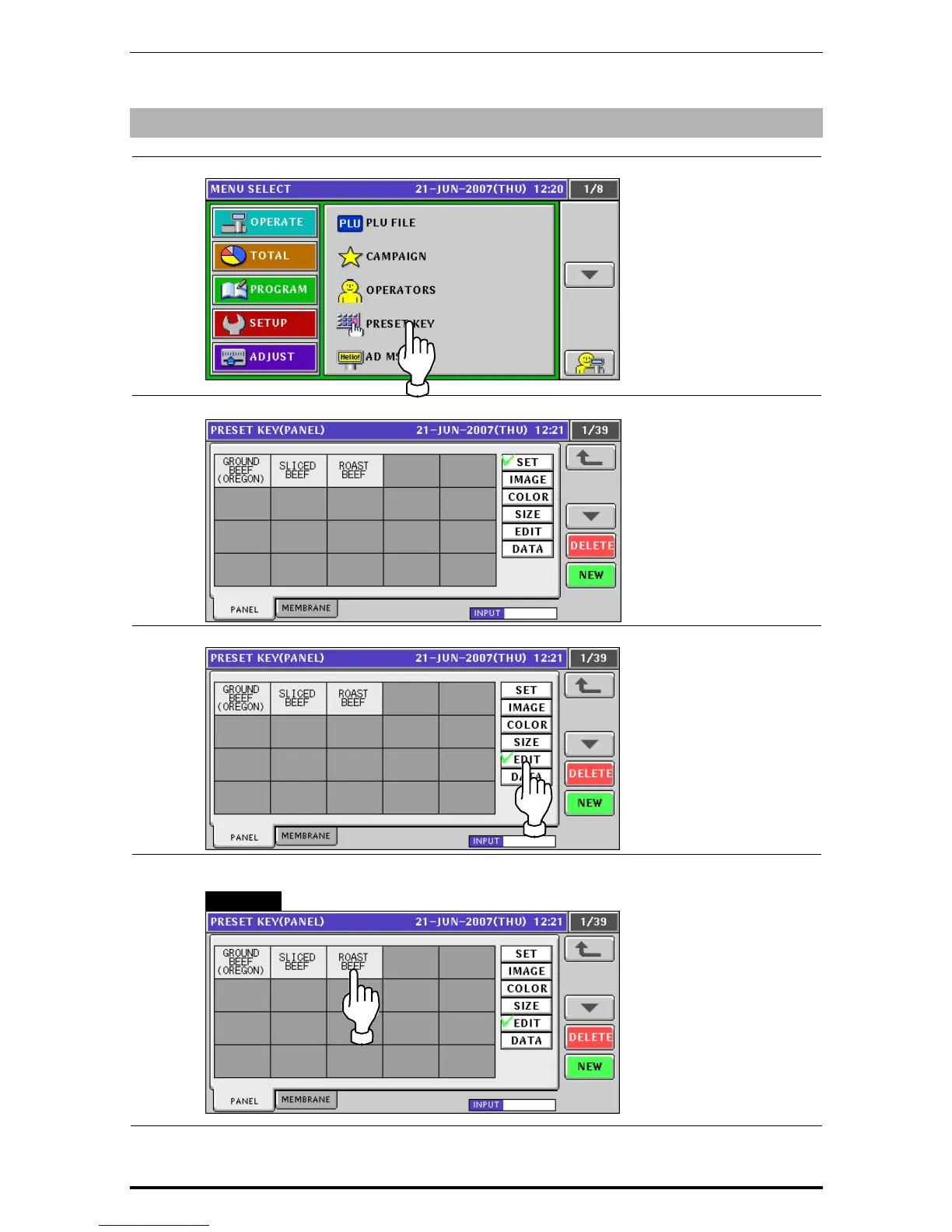
Press the “PRESET KEY” field on the screen.
2.
The Preset Key (Panel) screen appears.
3.
Press to select the [EDIT] button.
4.
Press to select a desired preset key.
EXAMPLE Select the [Roast Beef] key.
Uni-7 User’s Manual 9-33


 To Next Page
 Loading...








