Chapter 1 BEFORE USE
1.9 STARTING PROCEDURES
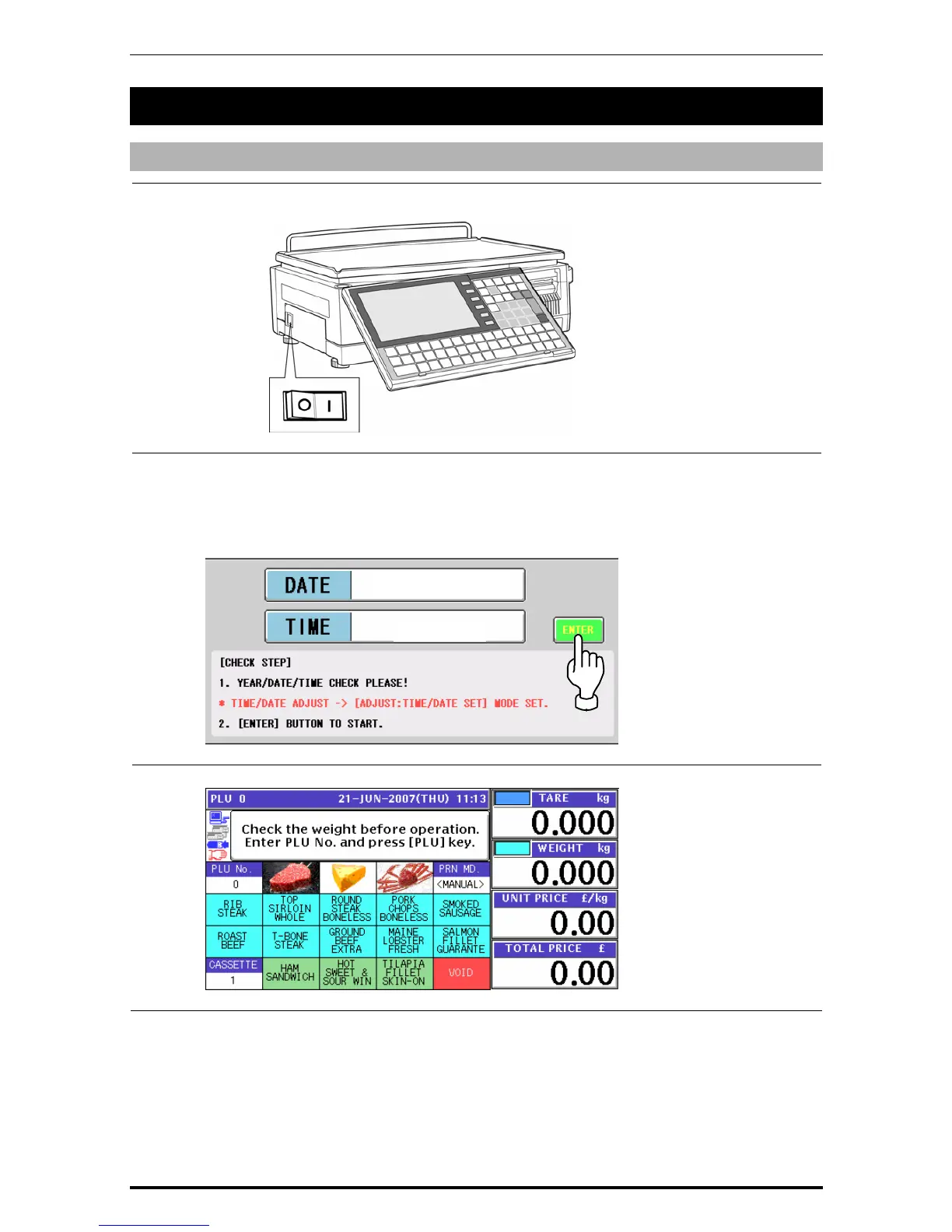
1.9.1 TURNING ON THE POWER
1.
Push down the "I” side of the Power Switch to turn on the power.
2.
The Time Check screen appears.
Then, check that displayed date and time agree with current date and time, and press the
[ENTER] button on the screen to proceed to the next step.
Note: Refer to “Time/Date Set” menu in Adjust Mode when changing the date or time.
3.
After a while, the initial screen appears.
21-JUN-2007
11:13:38
1-14 UNI-7 User’s Manual


 To Next Page
 Loading...








