Chapter 11 ADJUSTMENT MODE
11.3 TOUCH PANEL ADJUSTMENT
1.
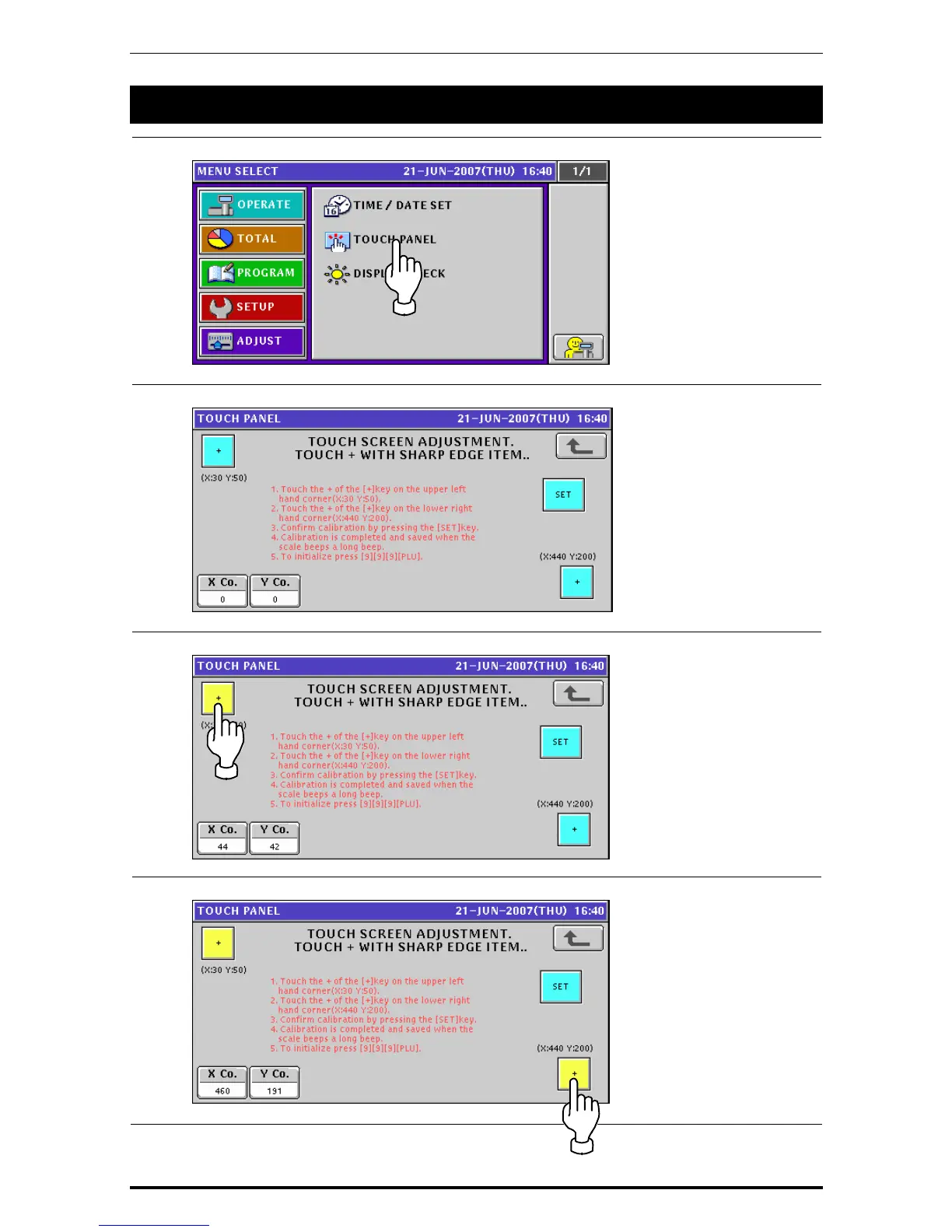
Press the “TOUCH PANEL” field on the Adjustment Menu Select screen.
2.
The Touch Panel screen appears.
3.
Press the [+] button on the upper left of the screen.
4.
Press the [+] button on the lower right of the screen.
11-4 Uni-7 User’s Manual


 To Next Page
 Loading...








